The Future of SaaS Presentations with AI Avatars
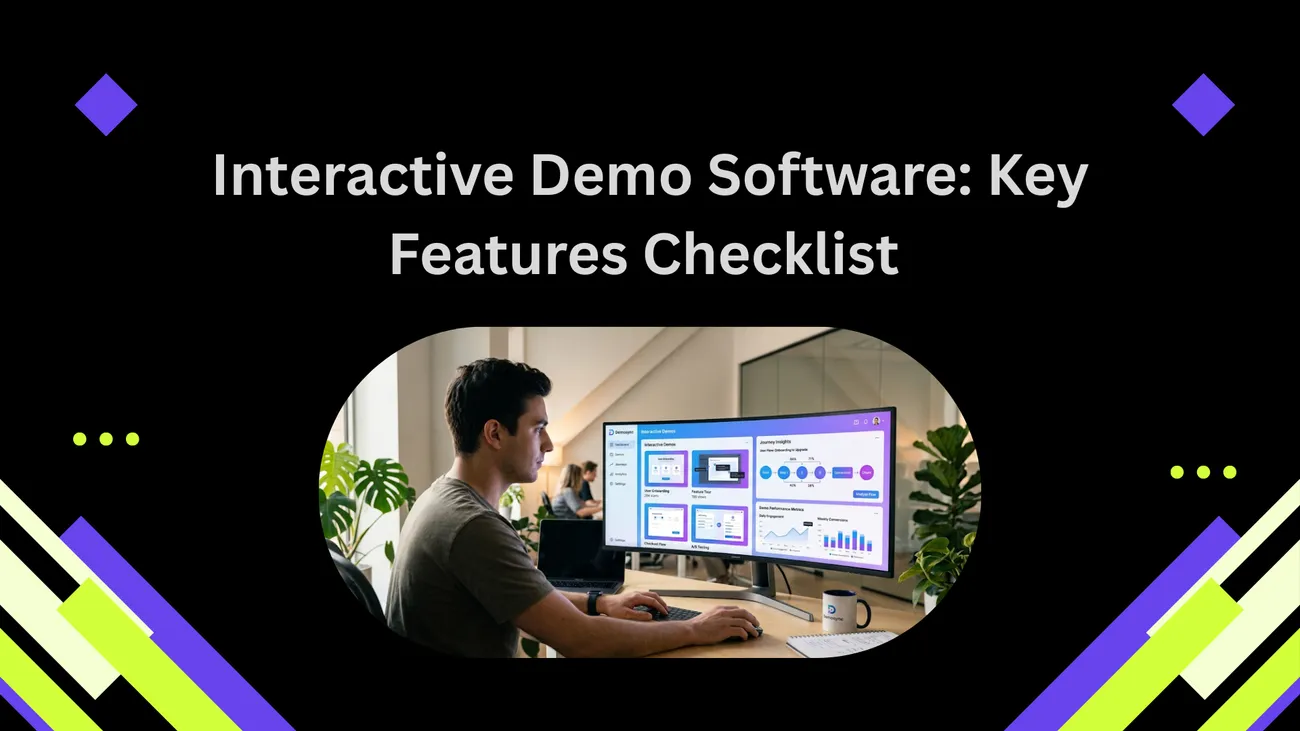
DemoDazzle is an AI-powered platform designed to help businesses create interactive and engaging product demonstrations. It allows users to record application actions, generate AI avatars for presentations, and interact with customers in real time. The platform is especially useful for SaaS companies, startups, sales teams, and marketers looking to simplify product walkthroughs, improve customer engagement, and increase conversions through smart demo automation.
The Future of SaaS Presentations with AI Avatars
Product demos have always been a make-or-break moment for SaaS companies. They’re where curiosity turns into interest, and interest becomes a sale or a signed onboarding checklist. But traditional demos — live Zoom walkthroughs, static recorded videos, and long slide decks — are expensive, inconsistent, and increasingly out of step with how people want to learn about software today.
I've noticed the best demos today are short, personalized, and interactive. They answer the viewer’s questions faster than a scheduled meeting can. They scale. They convert. That is exactly what automated demo platforms powered by AI avatars are designed to do. In this post I’ll walk through why they matter, how they work, typical use cases, pitfalls to avoid, and how teams can get started quickly — especially startups and product teams that need fast, repeatable results.
Why demos still matter — and why most of them fail
Even in an era of self-serve onboarding and free trials, demos remain a cornerstone of conversion. A well-done demo reduces friction, shortens sales cycles, and builds buyer confidence. But most demos fail because they're inconsistent and resource-heavy.
- Live demos depend on people. Reps get sick, schedules clash, and messaging shifts from rep to rep. That inconsistency confuses prospects.
- Recorded videos are static. They can be great for awareness but don’t adapt to the viewer’s role, needs, or pace.
- Slide decks often bury the product in marketing language. People want to see the product doing the thing that solves their specific problem.
In my experience, teams that try to fix these issues by adding more demos just compound the problem. More demos means more maintenances, more versions, and more opportunities for outdated or incorrect information to slip through.
Enter AI avatars: what they are and why they change the game
AI characters pair humanlike voice and presence with underlying logic that can adjust the demo based on viewer input. Think of them as a hybrid between a recorded walkthrough and a live demo: they can respond, branch, and personalize — but they don’t require a human to be present.
Here’s what that actually buys you:
- Consistency at scale. Every viewer gets the same core messaging, tailored with variables like industry, company size, or feature interest.
- Interactivity. Viewers can click through scenarios, ask questions, and get contextual answers rather than replaying a long video for a single answer.
- Availability. Demos run 24/7 without scheduling friction. That reduces friction for global prospects and asynchronous buyers.
We’re not talking sci-fi here. AI avatars are practical. When connected to a demo creation software and an automated demo platform, they allow you to build interactive product walkthroughs that behave like a conversation — one optimized for conversion.
How automated demo platforms work — a simple breakdown
If you’re new to this, the tech stack looks complex at first, but the idea is straightforward. An automated demo platform stitches together three main pieces:
- Content and flow editor. This is where teams script the demo, define branching paths, and select visual assets. No-code editors let non-engineers build and iterate quickly.
- Interactive product canvas. A recording or simulated version of your product that the avatar can control or annotate. Good platforms support hotspots, simulated input, and live UI overlays.
- AI avatar interface. This layer handles voice, on-screen avatar animations, natural language responses, and personalization variables based on viewer data.
When combined, those components create a demo that can greet a viewer by name, surface the feature they care about, answer simple questions inline, and then route hot leads to a human. That last bit is key: these demos are meant to augment reps, not replace them.
Use cases across the org: where AI demos add the most value
Different teams use demos for different goals. Here are concrete ways product-marketing, sales, customer success, and product teams can benefit.
Sales
Sales teams want shorter cycles and higher conversion rates. With an automated demo platform, reps can email a personalized demo to a prospect before a first call. That sets the baseline and lets the first meeting focus on pricing and fit rather than walking through basic screens.
In practice, I've seen sales cycles drop by several days simply because prospects arrive more informed and more engaged.
Product marketing
Product marketers need to show value quickly. AI-powered demos let them create role-based demos (e.g., admin vs. end-user) without building multiple videos. You can A/B test messaging and flows, see which segments watch which parts, and iterate fast.
Customer success & onboarding
Onboarding is expensive. A SaaS onboarding tool built on automated demos means new users can start with an interactive walkthrough tailored to their use case. This reduces support tickets and improves time-to-first-value.
EdTech and training
For education platforms and internal training, AI avatars can deliver consistent instruction and QA checks. The avatar can quiz the learner, simulate scenarios, and save progress — a huge help for training compliance or product certification.
Product & UX teams
Designers and product managers can prototype flows quickly, then share interactive demos with stakeholders. It’s faster than shipping a release and better than a static wireframe.
Designing demos people actually watch: practical tips
There’s an art to building a demo that converts. A lot of teams make the same avoidable mistakes. Here’s what works.
Keep it short and focused
People skim. Open with the outcome: show what problem you solve in the first 15–30 seconds. If viewers stick around past the first minute, they’re likely engaged; if not, you’ve lost them.
Start with a persona
Scripts perform better when they speak to a specific role. Create short persona sheets and build branching paths. For example: “If the viewer is a product manager, show the roadmap integration. If they’re in sales, prioritize the CRM sync.”
Use real data or realistic placeholders
Demos that use fake, generic data feel less believable. Use sample datasets or pseudonymized customer examples to make scenarios feel concrete. In my experience, viewers connect faster when they see numbers that resemble theirs.
Embed micro-interactions
Small interactive elements — like clickable tooltips, time-limited challenges, or quick quizzes — keep attention. They're low-effort but increase completion rates and give you finer-grained analytics.
Don’t forget the CTA
Every demo should end with a clear next step: schedule a live meeting, start a trial, or try a guided onboarding. Tie the CTA to viewer behavior — if they completed a specific flow, offer a product trial with pre-filled settings.
Common pitfalls and how to avoid them
You can build an automated demo quickly, but building one that actually moves metrics takes thought. Here are common mistakes I see — and how to fix them.
Overloading the demo
Teams often try to cram every feature into a single demo. The result is cognitive overload. Fix it by creating short, task-focused demos for top use cases. Offer a “full tour” as an optional path.
Ignoring analytics
If you’re not tracking where viewers drop off, you’re guessing. Use the platform’s analytics to see which steps cause friction. Then iterate: shorten, reword, or add an example where people leave.
Making the avatar distract instead of help
Some avatars are too chatty or generic. Keep the avatar concise and goal-oriented. Use it to contextualize the UI and answer simple questions — not to read every label on the screen.
Not routing the qualified leads
If a prospect interacts deeply but you don’t notify sales, you miss an opportunity. Set up lead scoring and alerts so reps know which viewers are hot and why.
Security, privacy, and compliance considerations
When demos handle data, especially personalized or demo data mirroring customer environments, security matters. Here are essentials to keep in mind.
- Data minimization. Only capture the fields you need for personalization and analytics.
- Pseudonymized or anonymized data for examples. Don’t reuse real customer data in demos without consent.
- Access controls. Limit who can publish a demo and who can edit sensitive flows.
- Audit logs. Keep logs of who changed demo content and when — especially for regulated industries.
Most modern demo creation software has built-in privacy features. But don’t assume: verify the platform supports your compliance needs before embedding demos in real sales workflows.
Measuring impact: KPIs that matter
To understand if your demo is earning its keep, track a few clear metrics:
- Completion rate. Are viewers watching through the critical sections?
- Engagement depth. Which branches are getting clicks and why?
- Conversion lift. How many viewers convert to a trial, meeting, or purchase versus those who don’t watch the demo?
- Time-to-first-value. Does the demo reduce the time users reach a meaningful milestone in the product?
- Lead qualification. How many high-intent leads are routed to sales versus basic interest?
These KPIs allow teams to tie demo investments back to revenue and retention — the language leadership understands.
How to get started — a practical rollout plan
Adopting an automated demo platform doesn’t have to be a six-month project. Here’s a practical step-by-step plan I've used with startups and product teams.
- Pick one high-impact use case. For example: “Reduce first-call demo time by showing the core workflow upfront.”
- Map the flow. Sketch the demo script and identify 3–5 branching points based on persona or intent.
- Build a prototype. Use a no-code editor to create a short interactive demo. Keep it >1 and <5 minutes for the initial test.
- Run internal QA. Let product, sales, and CS test the demo and collect feedback.
- Launch to a subset of leads. Embed the demo in email cadences or on targeted landing pages.
- Measure and iterate. Look at completion and conversion metrics, then optimize copy and flow.
- Scale. Once the demo moves the needle, create additional demos for other personas or use cases.
Start small, measure early, and iterate rapidly. The faster you learn, the less expensive the project becomes.
Integrations and tooling — what to look for
Demo technology works best when it plugs into the systems you already use. When evaluating demo creation software, prioritize integrations with:
- CRM (e.g., Salesforce, HubSpot) for lead routing and data enrichment
- Analytics tools (e.g., Segment, Amplitude) for detailed event tracking
- Email and marketing automation platforms for contextual demo distribution
- Playback and recording tools if you need to capture voice-over or user sessions
- SSO and identity providers for secure access control
In my experience, a seamless connection to CRM is non-negotiable. If sales can’t see why a lead watched a demo, you lose momentum.
Real-world example: a demo that closed a deal
Let me give a short, concrete example from a startup I advised. They were a mid-stage analytics startup targeting product teams. Their sales cycle hovered around 45 days, mostly because early calls were spent walking through basics instead of discussing integration and ROI.
We built a 3-minute persona-based demo that did three things: showed setup time in <90 seconds, demonstrated a one-click integration with a common tool (straightforward to simulate), and presented a dashboard with realistic sample data. The avatar greeted the viewer, asked about their role, and branched instantly.
Results? Prospects who watched the demo before a call moved through the funnel 28% faster and were 40% more likely to book a technical integration call. Sales reps reported higher-quality conversations and closed deals faster. It wasn’t magic; it was focused storytelling plus interactivity.
Future trends: where AI avatars and demos are heading
The last few years were about adding polish and interactivity. The next wave is about contextual intelligence and tighter product coupling.
- Smarter personalization. Avatars will draw from more data sources (company signals, user behavior, CRM activity) to craft hyper-relevant demos in real time.
- Deeper product simulation. Expect richer simulated environments that mimic user data, permissions, and integrations — useful for enterprise sales.
- Conversational analytics. Instead of just watching behaviors, platforms will interpret viewer intent and sentiment to predict intent and recommend follow-ups.
- Multilingual, multimodal demos. Native-language avatars and support for voice commands will become standard as companies scale globally.
These trends mean that demo creation software is quickly moving from a marketing novelty to core sales infrastructure.
Practical checklist before you build your first AI-powered demo
Before you dive in, run through this checklist to avoid common traps:
- Define the primary conversion goal. What action matters most after the demo?
- Pick a single persona and use case for your first demo.
- Prepare clean sample data or anonymized customer examples.
- Decide how you’ll route qualified leads to sales or onboarding.
- Confirm the security and privacy guardrails with your legal or ops team.
- Set up tracking and define success metrics up front.
Having this alignment prevents wasted cycles and ensures you ship something measurable.
Why startups should care — and why DemoDazzle fits
Startups need repeatability and speed. You don’t have a large SDR team to run dozens of demos, and you can’t afford inconsistent messaging. A startup demo software that’s lightweight, flexible, and affordable becomes a force multiplier.
DemoDazzle was built with startups and lean teams in mind. It offers no-code demo creation, AI avatars, branching flows, and integrations with common CRMs and martech. That means you can spin up tailored demo experiences in days, not weeks, and tie them directly to your sales and onboarding funnels.
In my experience working with early-stage teams, the right demo platform reduces time-to-first-value and gives small teams the leverage they need to compete with larger players. DemoDazzle’s approach — combining automation with human follow-up — keeps the sales motion efficient and humane.
How teams typically structure their demo catalog
It helps to think of your demos like productized services. Not every demo needs to be unique. Here’s a common catalog structure that many SaaS companies adopt:
- Quick pitch (30–60 seconds): High-level value prop for top-of-funnel.
- Role-based tour (2–4 minutes): Focused on specific buyer personas.
- Feature deep-dive (4–7 minutes): Shows complex workflows for technical buyers.
- Integration demo (2–5 minutes): Demonstrates how your product connects to common tools.
- Onboarding walkthrough (5–10 minutes): Guided setup for new customers.
Start with one or two of these and expand based on data. Over time, you’ll see which demos are top performers and which need rework.
Content and scripting tips for avatars
Writing for an avatar is different from writing for a presenter or a slide. You need conversational copy that sounds natural when spoken. Here’s how to approach it.
- Write like you talk. Short sentences, contractions, and occasional asides help the avatar feel human.
- Use signposts. Phrases like “Here’s what’s next” or “Let’s jump into…” keep viewers oriented.
- Keep the voice modular. Each branch should read as a self-contained mini-script so editing one path doesn’t break another.
- A/B test openings. First impressions matter more than the rest of the demo combined. Try multiple hooks and compare retention.
One minor trick I like: script a 5–10 second “re-engage” line that appears when viewers pause or hesitate. Something like, “Need a different example? Click here for a sales-focused walkthrough.” It feels small, but it reduces drop-offs.
Final thoughts — a practical nudge
We’re moving into a world where demos behave like product experiences. They’re interactive, personalized, and designed to get viewers to value faster. For SaaS companies — from startups to established teams — this isn’t just a nice-to-have. It’s a new baseline for competitive differentiation.
If you’re running a lean team, an automated demo platform that includes AI avatars can stretch your resources further, reduce repetitive work, and let your reps focus on high-signal conversations. In my experience, the companies that treat demos as living assets (continually updated and A/B tested) win more deals and retain more customers.
Ready to experiment? Start small, measure quickly, and iterate. Focus on the user’s job-to-be-done, not your feature checklist. And when you’re ready, use tools that make it easy to create, personalize, and scale interactive demos without needing an engineering sprint every time you want a change.
Helpful Links & Next Steps
- DemoDazzle — Modern demo platform for startups and scaleups
- DemoDazzle Blog — Articles, tutorials, and case studies
Start creating interactive AI-powered demos with DemoDazzle today.