DemoDazzle – AI-Powered Interactive Product Demo Platform
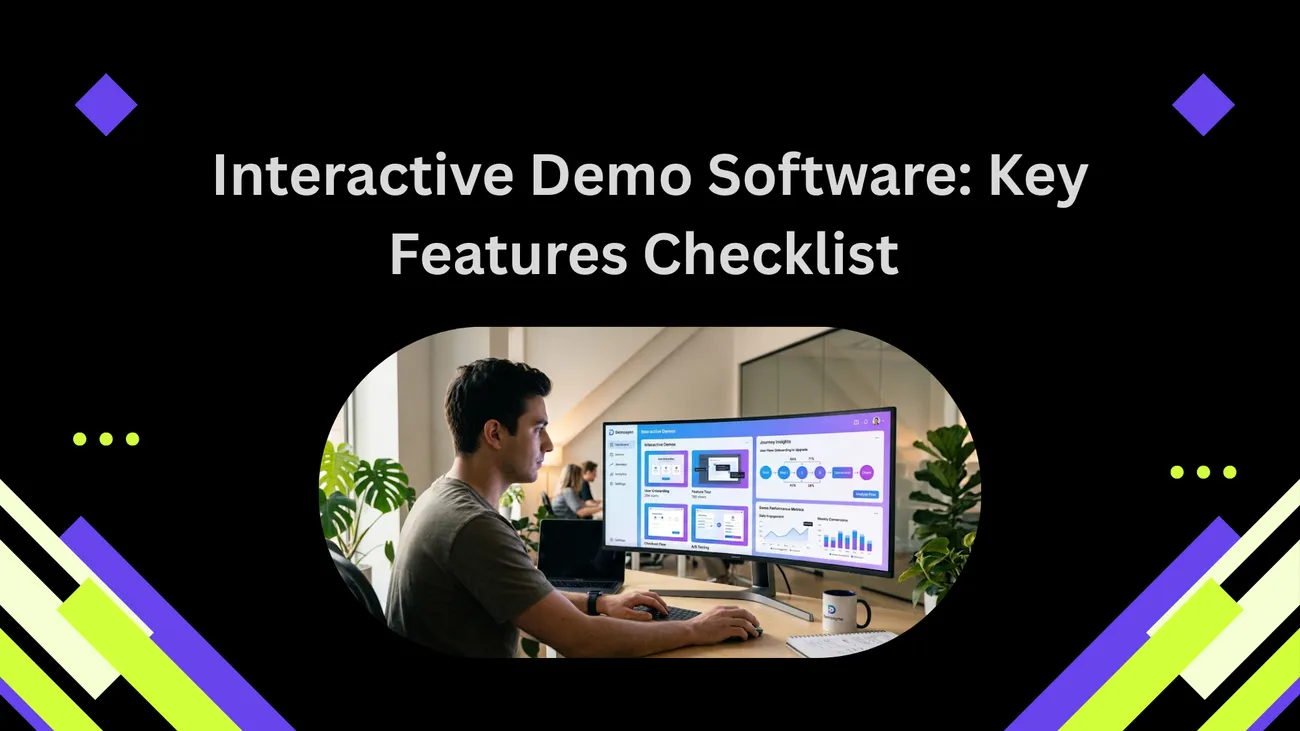
DemoDazzle helps businesses create engaging and interactive product demonstrations using AI-powered avatars, action recording, and real-time customer interaction. It simplifies the way companies showcase applications, making presentations more professional, personalized, and effective for sales, onboarding, and customer engagement.
DemoDazzle: How to Scale Better Product Demos with AI-Powered Interactive Presentations
Product demos should sell your product, not bore prospects to death. Yet too many of us still rely on static slide decks, one-size-fits-all screen shares, or rushed live calls that don’t scale. I’ve noticed the same pattern across startups and mature SaaS companies: the demo is the gatekeeper for conversion, and if it’s clumsy, leaks happen at every stage of the funnel.
Enter DemoDazzle — an AI-powered interactive product demo platform designed to make demos faster to build, smarter to personalize, and far better at converting. In this post I’ll walk through why interactive product presentations matter, what AI avatar demos really do, how teams across sales, marketing, and customer success should use them, and common pitfalls to avoid.
If you’re on a sales team, product marketing, running a startup, or managing customer experience — this guide is written for you. I’ll keep it practical, a little opinionated, and full of tips I’ve picked up working with demo workflows and application demo tools.
Why traditional demos are failing (and what that costs you)
We’ve all seen it: a slide deck full of bullet points, a rushed screen share with 15 clicks in 60 seconds, or a pre-recorded video that feels like reading from a script. Those formats can work, but they often underperform for two reasons:
- Lack of interactivity: Viewers zone out if they can’t choose what matters to them.
- Poor personalization: Generic demos don’t answer specific buyer questions, and prospects feel ignored.
In practice this means lower demo-to-trial conversion, longer sales cycles, and more follow-up work for sales reps. I’ve seen teams spend weeks training reps to deliver "perfect" demos, only to get inconsistent results.
That’s where an interactive, AI-driven product demonstration software like DemoDazzle changes the game: it makes demos tailored, repeatable, and measurable.
What is DemoDazzle?
DemoDazzle is a SaaS demo platform that combines interactive product presentations, AI avatar demos, and no-code demo building tools. It’s built for teams who need to scale demos without losing the human touch. Think of it as an application demo tool that lets you create guided, branching demos with natural-sounding AI narration and user-driven flows.
Here’s what it brings to the table:
- Interactive product presentations that let viewers click through features that matter to them.
- AI avatar demos that narrate features in a conversational, on-brand voice.
- Conditional flows so demos adapt to user choices in real time.
- Analytics and integrations with CRMs and marketing tools to close the loop on lead generation.
In short, DemoDazzle is a customer engagement platform and product demonstration software rolled into one.
How it works — in plain English
Building a DemoDazzle demo feels familiar if you’ve used tools like slide builders or screen-recording apps, but it adds two big things: interactivity and AI.
- Upload or connect your app screens, add hotspots, and define paths. You can record a live tour or use screenshots.
- Pick an AI avatar and voice. Customize the script so the avatar highlights product value and uses your brand language.
- Add branching logic. Decide which flows show up based on viewer choices — for example, “Show advanced reporting” if they click analytics.
- Publish and embed. Share the demo as a link, embed it on a demo landing page, or add it to your sales playbook.
It’s no-code by design. You don’t need a developer for simple demos, but the platform supports deeper integrations if you want to pull live data into the demo later.
AI avatar demos: what they are and what they’re not
“AI avatar” can sound gimmicky. I get the skepticism. Let me clarify: the avatar in DemoDazzle isn’t meant to replace a sales rep. It’s a presentation layer — a friendly, consistent narrator that walks viewers through the product.
Here’s what the avatars actually do well:
- Maintain consistency across demos. No more variation in how features are explained.
- Reduce the lift on sales reps by handling the initial qualification and walkthrough.
- Support localization — swap voices and scripts to speak directly to different markets.
And here’s what they don’t do (so don’t expect miracles):
- Replace live discovery. Avatars can’t answer deeply technical, off-script questions in real time the way a seasoned rep can.
- Produce spontaneous empathy. A human reading buyer signals on a demo call is still valuable.
In my experience, the best use is a hybrid approach: let the AI avatar handle the first 5–10 minutes or the tailored on-demand demo, then route high-intent viewers to a live rep for a tactical conversation.
Use cases by team — practical examples
Different teams will use DemoDazzle in different ways. Below are examples tailored to your role — with specific ideas that actually work, not vague marketing fluff.
Sales teams
Sales needs demos that convert. DemoDazzle gives reps a predictable, repeatable demo experience and lets them personalize without starting from scratch each time.
- Pre-call warmup: Send a short interactive demo before a meeting so the live call focuses on strategy, not walkthroughs.
- Qualification: Add conversational checkpoints that route prospects to different demo paths based on answers.
- Follow-ups: Share clips from the demo with time-stamped highlights to reinforce value.
One common mistake I see is forcing a demo on a prospect who isn’t ready. Use the demo as a qualification tool too — make the viewer lead the flow.
Product marketing
Product marketers need to communicate value clearly to buyers and internal teams. DemoDazzle helps create consistent, on-brand messaging across buyer stages.
- Feature launch pages: Embed an interactive presentation that lets users explore new features at their own pace.
- Buyer enablement: Build persona-specific demos highlighting metrics and outcomes relevant to each persona.
- Sales enablement: Supply reps with modular demos they can assemble on the fly for outbound campaigns.
Tip: keep demo scripts benefit-focused. Marketers often fall back to describing features instead of outcomes. Don't do that — show what changes for the user.
Customer success & onboarding
Onboarding teams can use DemoDazzle to reduce live session time and ensure everyone receives the same training. That’s a big help when you’re onboarding dozens of customers a month.
- Self-serve onboarding: Personalized walkthroughs help users reach “aha” moments faster.
- Training modules: Break content into smaller demo units and track completion.
- Support triage: Send a focused demo clip to solve a recurring support issue instead of writing the same email again.
Be careful not to over-automate onboarding. I’ve seen playbooks that remove human check-ins entirely, and churn creeps up. Keep the human touch where it matters.
Startups & founders
If you’re building a new product, you need demos that impress investors and early users without draining your team’s time. DemoDazzle speeds that up.
- Investor updates: Quick, interactive tours make it easy to demo progress without scheduling long calls.
- Early user feedback loops: Use branching paths to surface where users get confused and iterate faster.
- Demo-as-docs: Ship a demo as part of your product docs so users can learn by doing.
Pro tip: use real customer context in demos (sanitized data). That “this could be me” feeling matters more than a generic playground account.
Digital agencies and product trainers
Agencies and trainers want fast, repeatable assets to support multiple clients. DemoDazzle lets you white-label demos and tailor content per client quickly.
- Client-specific demos: Swap logos, scripts, and flows without rebuilding the demo from scratch.
- Training packages: Bundle several modular demos for new hire onboarding or certification programs.
- Analytics-backed improvement: See where trainees drop off and refine the curriculum.
One pitfall here is making the demos too generic. Agencies sometimes try to create a single “universal” demo, which rarely converts. Build templates, but personalize before publish.
Designing demos that convert: a checklist
Creating a DemoDazzle presentation is easy. Creating one that actually converts takes discipline. Here’s a checklist I use to avoid wasted time and flabby demos.
- Start with a clear outcome: What should the viewer do at the end? Trial? Book a call? Enable a feature?
- Keep it short: Aim for 3–7 minutes for most demos. If you need more, break it into modules.
- Make the first 30 seconds count: Lead with the value prop, not a product tour.
- Personalize early: Use tokens, avatar lines, or conditional flows to reference the viewer’s role.
- Offer control: Let viewers choose what to explore next with branches and hotspots.
- End with a clear CTA: Don’t bury the button. Ask for the next step confidently.
- Measure and iterate: Use analytics to test different scripts, voices, and flow orders.
It’s tempting to cram everything into one demo “just in case.” Resist that urge. Your demo should answer one set of questions very well.
Measuring success — what to track
Analytics are where DemoDazzle truly pays off. Unlike passive videos, interactive demos give you actionable signals.
Key metrics to track:
- Completion rate: How many people finish the demo?
- Engagement depth: Which sections do viewers spend the most time on?
- Hotspot clicks: Which features draw attention?
- Conversion rates: Demo-to-trial and demo-to-paid conversions.
- Lead quality: Are demo viewers more likely to convert and stay longer?
- Time-to-value: How long until prospects reach an “aha” moment?
In my experience, the most underrated metric is engagement depth. A high completion rate is nice, but if viewers skip the product’s differentiator section, you’ve missed the point.
Integrations and workflow tips
You don’t want your demo tool to sit in a silo. DemoDazzle integrates with CRMs, support tools, and analytics platforms so you can automate follow-ups and personalize at scale.
Common integrations and how to use them:
- CRM (Salesforce, HubSpot, etc.): Push demo views and engagement signals into lead records to prioritize follow-ups.
- Marketing automation: Trigger nurture flows based on which demo paths a user takes.
- Product analytics: Align demo behaviors with in-app usage to better understand buyer intent.
- Support tools: Insert demo clips directly into tickets for faster resolution.
One practical tip: map your demo events to CRM stages before you go live. That way you won’t be guessing what a “watched 60% of demo” signal actually means for pipeline qualification.
Common mistakes and how to avoid them
Even good tools can be used badly. Here are the traps I see most often and how to dodge them.
Mistake: Treating the demo like a product tour
Fix: Focus on buyer outcomes. Don’t show every feature; show the 2–3 that solve the buyer’s problem.
Mistake: Too much narration, not enough interaction
Fix: Add hotspots and decision points. Let viewers choose what matters to them rather than forcing a single linear path.
Mistake: One demo fits all
Fix: Build persona-specific paths. Even simple conditional branching dramatically improves relevance.
Mistake: Ignoring analytics
Fix: Set up tracking and tie demo events to pipeline outcomes. Test script variations instead of guessing.
AI ethics and data privacy — quick considerations
Using AI avatars and generated speech raises questions about consent and data. Don’t skip this part.
- Be transparent: Let users know they’re interacting with an AI avatar when relevant.
- Avoid real customer voices: Don’t train avatars on an individual’s speech without permission.
- Data handling: Treat demo inputs and recordings with the same privacy standards as product data.
In my experience, being upfront about AI reduces friction. People often appreciate a clear explanation of what the avatar can and cannot do.
Real-world examples and quick wins
Here are a few case scenarios that show how DemoDazzle can actually move metrics. These aren’t marketing fluff; they’re realistic ways teams often use interactive demos.
- Pre-meeting prep: A sales team replaces the generic pre-call slide deck with a 5-minute avatar-led demo. Meetings become shorter, and discovery improves because prospects arrive informed.
- Feature launch: Product marketing embeds a targeted demo on the product update page. Visitors spend more time on the page and sign-ups for the new feature increase.
- Support efficiency: Customer success sends short demo clips instead of lengthy instructions. Support tickets close faster and NPS nudges up.
You don’t need to overhaul your demo program in one swoop. Start with a small, measurable experiment — a hero demo on the pricing page or a pre-call demo for mid-market leads — and iterate from there.
Implementation roadmap — how to get started in 30 days
If you’re ready to try DemoDazzle, here’s a simple 30-day plan I recommend. It keeps risk low and focus high.
- Week 1 — Pilot planning: Identify a single use case (e.g., pre-call demo for inbound leads). Define success metrics.
- Week 2 — Build and test: Create a 3–7 minute demo, add branching for top two personas, and set up CRM integration.
- Week 3 — Soft launch: Roll the demo out to a subset of leads. Collect engagement and feedback.
- Week 4 — Iterate and scale: Tweak the script and flows based on analytics. Expand distribution to additional channels.
Focus on quick wins first. A measurable improvement in demo-to-trial rate is better than launching an elaborate program that never ships.
Tips for writing demo scripts that sound human
AI avatars sound great when the script does. Here’s how to write conversationally and avoid robotic phrasing.
- Lead with benefits, not features. Start with “Here’s what you can do with this” instead of “This feature lets you…”
- Use contractions and short sentences. “You’ll see how it saves time” beats “You will notice that this functionality saves time.”
- Add quick asides: “(Yes, you can import CSVs — we’ll show you.)”
- Use role-specific language: sales ops will want different phrasing than a product manager.
In my experience, the script is worth more time than the avatar selection. A natural script makes even basic voice synth sound trustworthy.
Testing and optimization ideas
Once your demo is live, don’t set it and forget it. Here are experiments that deliver ROI.
- A/B test openings: Try two different first 30-second hooks and compare completion and conversion rates.
- Try different avatar voices: Some audiences prefer a formal tone; others prefer casual. Let the data decide.
- Test branching orders: Does showing outcomes first or features first increase engagement?
- Measure downstream impact: Track demo viewers through the funnel to see who converts to paid.
Small experiments compound. I’ve seen teams squeeze significant conversion gains from tweaks that take an hour to implement.
Security and enterprise readiness
For larger software companies, security and compliance matter. DemoDazzle supports enterprise controls like SSO, role-based access, and audit logs. That matters when you’re sharing client-specific demos or connecting to sensitive product environments.
If you work in a regulated industry, here are quick checks:
- Ensure demo content doesn’t expose real user data. Use anonymized or synthetic data.
- Confirm hosting and data residency requirements if you serve global customers.
- Set permission levels for who can publish demos in your org.
One mistake I’ve seen: teams embed live product credentials in demos. Don’t. Always use safe, read-only views or data snapshots.
How DemoDazzle fits into your tech stack
DemoDazzle plays well with existing sales and marketing stacks. You’ll typically see it connected to:
- CRMs for lead scoring and follow-up automation
- CMS platforms where demos live on product or pricing pages
- Analytics tools for funnel analysis
- Learning management systems when used for training
Because it’s a SaaS demo platform, the biggest value comes from pairing the demo engagement signals with your existing systems. That’s where you turn impressions into priorities.
Final thoughts — why interactive demos are worth the shift
Switching from static demos to interactive, AI-enabled presentations isn’t just a technology upgrade. It changes how you qualify prospects, train teams, and highlight what really matters about your product.
I’ll be candid: the biggest challenge isn’t the tool. It’s the mindset. Teams need to think modular, data-driven, and audience-first. But when you get that right, the benefits are real — shorter sales cycles, better-qualified leads, and happier customers.
If you’re ready to move beyond the same old slide deck and start presenting smarter, DemoDazzle is built exactly for that problem: making demos interactive, scalable, and measurable while keeping the human element intact.