How Demo Personalization Improves Win Rates
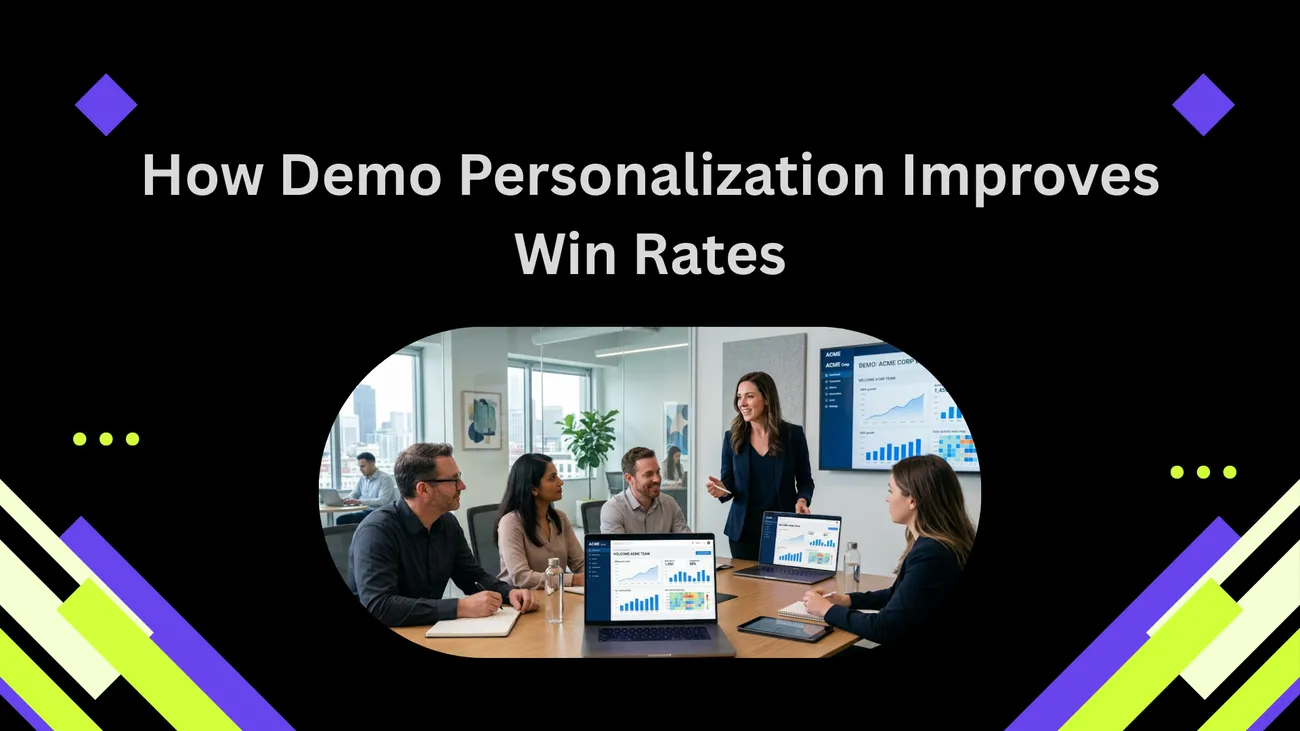
This blog argues that personalized product demos are essential for B2B SaaS sales: they keep buyers engaged, reduce uncertainty, and raise conversion rates and speed up deals. It defines demo personalization as a spectrum—from light branding tweaks to deep, scenario-based builds—explains why relevance, visualization, trust, and alignment drive wins, and lists common mistakes to avoid. The post provides a practical playbook (research, agenda, data prep, interactivity, recording), role‑specific examples, metrics to track, scaling strategies, and tool recommendations. Its purpose is to help teams adopt repeatable, efficient personalization practices and deliver quick wins without burning out reps, and measure impact consistently.
We all know how important demos are in B2B SaaS sales—but how often do they actually land? If your demo feels like a canned slideshow, you’ll lose attention fast. That’s where DemoDazzle makes a difference. By enabling true demo personalization, DemoDazzle helps you tailor every walkthrough to your buyer’s needs, answer the questions they actually care about, and keep them fully engaged—so your reps can close deals faster.
In this post I’ll walk through what demo personalization means, why it works, and how to implement it without burning your team out. I’ve seen quick wins from small tweaks and big improvements when teams commit to a personalized approach. You’ll get practical steps, common pitfalls to avoid, and examples you can copy this week.
Why personalization matters more than ever
Buyers today ignore generic pitches. They have access to product tours, review sites, and competitors. When a salesperson launches into a demo that looks the same as the last ten, the buyer checks out. Personalization fixes that.
Here’s the thing. Buyers aren’t just evaluating features. They’re imagining how the product will actually fit in their workflow. They want to see their data, their use cases, and their team’s outcomes. Personalized product demos do exactly that.
In my experience, personalization increases demo engagement and improves conversion rates because it answers the buyer’s real question: “Will this work for me?” When the answer is visible during the demo, conversations move faster and win rates rise.
What is demo personalization?
Demo personalization means tailoring the demo to the prospect’s company, role, use case, and stage in the buyer journey. It can be small - swapping a logo and dataset - or deep - building a scenario that mirrors the prospect’s environment.
Think of demo personalization as a spectrum:
- Light personalization - company name, logo, basic use case mention
- Moderate personalization - customer data samples, role-driven flows, targeted outcomes
- Deep personalization - custom-built scenarios, integration mockups, performance numbers
Each level has a place. Not every demo needs a bespoke build. The goal is to match the effort to the deal value and stage. For a low-touch lead, light personalization might be enough. For a strategic enterprise opportunity, deep customization can be the difference between winning and losing.
Why personalized demos increase win rates
Personalized demos work because they lower buyer uncertainty. They show the product doing something the buyer understands and cares about. Psychologically, this makes the decision easier.
Here are the key mechanisms at play:
- Relevance - Buyers stay engaged when the demo focuses on their problems and data.
- Visualization - Seeing the product in a familiar context helps buyers imagine adoption.
- Trust - Tailored demos show you did your homework and respect the buyer’s time.
- Alignment - When you align the demo to KPIs the buyer cares about, you make it easy for them to sell the idea internally.
Anecdote time. I once watched a rep switch from standard slides to a demo where they uploaded the prospect’s sample CSV and showed a live workflow. The room shifted. People started asking specific integration and timing questions instead of general feature questions. That move pushed the deal through in six weeks instead of three months.
Evidence and metrics
Numbers help make the case. Different teams will see different lifts, but here are some reasonable expectations from teams I’ve worked with or advised:
- Demo engagement increases - time on demo and questions asked typically rise by 20 to 50 percent.
- Higher conversion rates - companies that personalize show conversion lift between 10 and 30 percent compared to generic demos.
- Shorter sales cycles - deals often close faster because buyers see fit earlier in the process.
These aren’t magic guarantees. They depend on execution. But if you optimize for the buyer’s context, you’ll almost always see improvement. And you can measure it with demo analytics, which I’ll cover later.
Common personalization mistakes
Before diving into how-to, let’s clear up some common mistakes. I’ve seen teams trip up here more than once.
- Overpersonalizing low-value deals - Don’t spend hours building a custom demo for a small trial user.
- Underpreparing for big deals - A generic demo for an enterprise prospect signals a lack of effort.
- Feature dumping - Personalization is not an excuse to show everything. Remain outcome-focused.
- Failing to set expectations - If you customize, tell attendees what you’re showing and why.
These are avoidable. A clear playbook for when and how much to personalize solves most of them.
Quick examples that show the difference
Concrete examples make this real. Here are three simple, human examples you can try.
- Swap the data - Instead of using generic demo data, import a small sample of the prospect’s data. It makes filters, charts, and search feel familiar.
- Role-specific flows - If you’re speaking to a CFO, show cost-savings and finance workflows. For product, focus on time-to-ship and developer integrations.
- Mini-kickoff - Start with a one-slide agenda that names the prospect’s top two goals. Use those as checkpoints during the demo.
Small moves like these make a demo feel custom without huge engineering effort.
How to personalize: a step-by-step playbook
Here’s a practical playbook you can use. It’s designed for B2B SaaS teams and balances efficiency with impact.
-
Pre-demo research
Spend 10 to 20 minutes. Look at the company website, LinkedIn, and the web form responses. Identify the buyer’s likely pain points and three KPIs they care about.
-
Set a focused agenda
Start the call by agreeing on two or three outcomes. This keeps you on track and makes the demo feel structured and respectful.
-
Choose the right level of personalization
Match the demo depth to deal value. Use a one-line rule: under $10k - light personalization. $10k to $100k - moderate. Above $100k - deep.
-
Prepare data and scenarios
Load a small sample dataset that mirrors the prospect’s size and naming conventions. Draft one or two scenarios that reflect their workflow.
-
Focus on outcomes, not features
For each demo segment, connect the action to a KPI. Don’t just show how something works. Show what changes afterward.
-
Use interactivity
Invite the buyer to try a filter or make a choice. People remember what they do more than what they see.
-
Record and analyze
Record the demo and capture demo analytics. Note what held attention and where viewers dropped off. Use that info to refine future demos.
Templates and scripting tips
Scripts don’t have to be robotic. Use them as guardrails. I like short, flexible scripts that leave room for improvisation. Here are a few lines you can adapt.
- Opening: "Quick agenda. I’ll show how X maps to your Y, then we’ll walk through a live example with your data, and finish with next steps. Sound good?"
- Transition: "Now that you see how that works, imagine this with your weekly report. Let me pull in a sample so you can see it live."
- Close: "If this solves X, the next step is a deeper technical call to scope integrations. Shall we schedule that?"
Keep it natural. The point is to guide the conversation, not read a script verbatim.
Tools that make personalization scalable
Personalized demos don’t require manual builds every time. There are tools that speed things up. Here’s what teams typically use.
- Demo automation platforms - These let you create interactive product demos and swap data quickly.
- Sales enablement tools - Use templates and playbooks inside your CRM so reps don’t reinvent the wheel.
- Sandboxes and mock data generators - These make it safe to show product features with realistic data.
- Recording and analytics - Tools that capture viewer engagement and interaction hotspots help you iterate.
If you’re evaluating platforms, look for one that supports role-based flows and easy data swapping. That’s where you get the most ROI.
How to integrate demo personalization into your sales process
Personalization should be part of your standard process, not an afterthought. Here’s how to operationalize it.
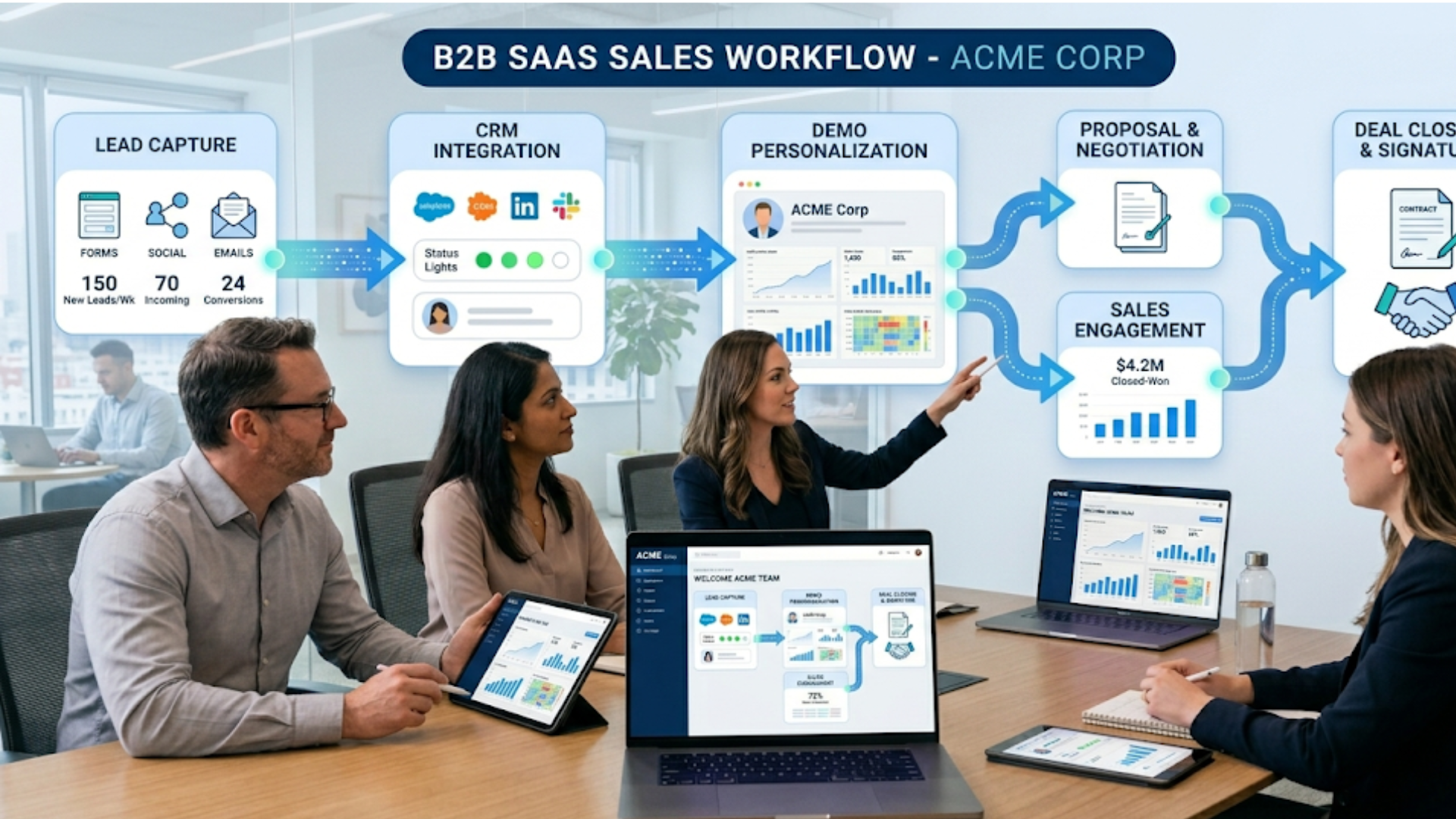
- Define triggers - Decide which lead sources or deal stages require personalization.
- Create templates - Build personalized templates for common industries and roles.
- Train reps - Run role-play sessions focused on customized demos. Make it part of onboarding.
- Measure and reward - Track demo engagement and tie improvements to rep incentives.
Small changes to process make personalization repeatable. That consistency is what drives improved win rates across the team.
Using analytics to iterate faster
Demo analytics are your friend. They tell you which parts of your demo resonate and which parts stall interest. I recommend tracking a few core metrics:
- Time spent on demo pages or segments
- Actions taken by the buyer during an interactive demo
- Number of follow-up requests for a technical deep dive
- Conversion rate from demo to trial or paid
Combine qualitative notes from the demo with these metrics. If buyers consistently skip a segment, either change it or remove it. Less is often more.
Product Demo Analytics: What to Track & How to Improve Conversions
Product Demo Analytics help you understand how buyers interact with your demos and what drives conversions. By tracking key metrics like engagement, drop-off points, clicks, and feature interest, teams can identify what resonates and optimize demos for better results. With insights from interactive demos, sales and marketing teams can refine messaging, personalize experiences, and shorten sales cycles, turning demos into a measurable growth engine.
Role-specific personalization examples
Different stakeholders care about different things. Tailor the demo to each audience in the room.
- For the CEO - Focus on ROI, time to value, and strategic impact.
- For the CFO - Show cost savings, contract terms, and predictable billing.
- For Product Managers - Demonstrate integrations, roadmap alignment, and developer tooling.
- For Operations - Show reliability, SLAs, and support workflows.
When multiple roles attend, segment your demo. Start with a one-minute overview for everyone, then move into role-specific breakouts or callouts.
Interactive product demos: why they work
Interactive demos let buyers try the product in controlled ways. They’re more memorable than passive slide shows.
Try to incorporate at least one interactive moment. Let the buyer click a filter, run a search, or change a parameter. That small action creates ownership. They’re more likely to remember and recommend a product they touched themselves.
Integration demos and technical credibility
At higher deal stages, integration and technical proof matter. Buyers need to see how your product will fit into their stack.
Simple steps help here:
- Mock an integration using sample API calls.
- Show expected data flow with a diagram, then a one-click demo of the integration working.
- Bring an engineer into the call for technical Q and A.
These moves build credibility and shorten the path to procurement approvals.
Scaling personalization across a team
One rep can do great demos. Scaling requires templates, tools, and culture.
- Build industry templates - Have a library for common verticals with pre-baked datasets.
- Document playbooks - Make them shareable inside your CRM.
- Share recordings - Use past demo recordings as learning material.
- Feedback loops - Ask reps to flag what worked, then update templates regularly.
When one person refines a great demo, make it easy for the rest of the team to copy that approach.
How to prioritize personalization effort
Time is finite. The simplest prioritization framework I use is deal value times likelihood to close. Multiply those two and you get a score. The higher the score, the more demo effort you invest.
Another quick rule: if more than one person from the buyer’s side joins, personalize. Multiple stakeholders usually mean more internal selling is needed, and a tailored demo helps them align.
Real simple checklist you can use today
Here’s a short checklist to run through before every demo. Use it as a quick mental model or a pre-demo checklist in your CRM.
- Research: Company size, role of attendees, recent news
- Agenda: Two to three outcomes agreed with the buyer
- Data: Upload or simulate a sample dataset if possible
- Flows: Prepare role-specific flows and KPIs
- Interactivity: Plan one action for the buyer to take
- Technical: Bring an engineer if integrations are likely
- Follow-up: Know the next step and timeline before you finish
Common objections and how personalization answers them
Buyers often voice similar concerns. Personalization helps you address them quickly.
- "How will this fit our data?" Show their data or similar schema and produce the expected result live.
- "Is it secure and compliant?" Pull up the security center or the compliance artifacts during the demo.
- "How long to go live?" Walk through a timeline using a real-world example from a similar customer.
When you answer these objections on the spot, internal buy-in becomes easier.
Case study-style example: a simple scenario
Let’s walk through a condensed example I’ve used many times. It’s short but practical.
Company: 200-person e-commerce brand. Stakeholders: Head of Ops, CTO, Finance lead. Pain: Slow inventory reconciliation and missed stock-outs.
Demo approach:
- Pre-demo: Find a CSV of inventory logs from a similar retailer. Prepare a scenario that shows a 2-day vs 15-minute reconciliation.
- Agenda: Three outcomes - faster reconciliation, fewer stock-outs, and predictable costs.
- Demo: Upload the CSV, run a reconciliation workflow, surface alerts, and show cost-of-stock-out calculations.
- Result: The Ops lead immediately asked about rollout. The CTO asked for an integration plan. The finance lead requested ROI numbers. Deal moved to a pilot in two weeks.
Short and targeted. That’s the power of showing the product in the buyer’s context.
How personalization gives you a competitive advantage
Lots of competitors sell similar features. Personalization becomes your differentiator. It shows you understand the buyer’s world and are ready to help them win. That level of service is hard to copy at scale if the competitor relies on templated demos.
In sales cycles where deals depend on internal champions, a personalized demo arms those champions with the visuals and arguments they need to get approval.
When to keep demos lightweight
Not every demo needs deep customization. Keep it light when:
- The deal is low value
- The buyer is early-stage and exploring multiple options
- You’re qualifying interest rather than driving a close
Lightweight personalization can still be effective - a name here, a relevant use case there - without an engineering lift.
Training reps to personalize well
Training is simple if you focus on two things: listening and structure. Teach reps to listen for pain signals and to map those to three demo moments that prove value.
Run regular coaching sessions where reps practice mapping specific buyer quotes to demo playbook sections. Use real recordings and pause the video to critique. That’s how you turn good demos into great ones.
Measuring success and iterating
Measure both leading and lagging indicators. Leading indicators include demo engagement and follow-up requests. Lagging indicators are conversion rate and time to close.
Periodically review demo recordings as a team. What parts consistently generate questions? What parts cause silence? Use those insights to tighten scripts and update templates.
FAQs
1. What is demo personalization in B2B SaaS sales?
Demo personalization is the process of tailoring a product demo to a prospect’s company, role, use case, and goals. Instead of a generic walkthrough, it focuses on showing how the product solves the buyer’s specific problems using relevant data, workflows, and outcomes.
2. How does demo personalization improve win rates?
Personalized demos increase win rates by making the product more relevant and easier to understand. When buyers see their own use case reflected in the demo, they engage more, trust the solution faster, and move through the decision process with less hesitation.
3. How much personalization is needed for a demo?
It depends on the deal size and stage. Small deals may only need light personalization like using the company name or relevant examples, while larger or enterprise deals benefit from deeper customization such as tailored workflows, sample data, and integration scenarios.
4. What tools can help with demo personalization?
Tools like demo automation platforms, sales enablement software, sandbox environments, and demo analytics tools can help teams create, customize, and track personalized demos efficiently without increasing workload significantly.
Final thoughts and quick wins
If you want to improve win rates quickly, start small. Add a one-slide agenda, swap in a customer-like dataset, and plan one interaction per demo. Those small changes are surprisingly powerful.
In my experience, consistent practice beats occasional brilliance. Make personalization part of your routine, not a heroic effort. When your whole team does it, win rates go up and cycles get shorter.
Helpful Links & Next Steps
- Demodazzle
- Demodazzle Blog
- Contact Us
- support@demodazzle.com
Ready to try personalized demos?
Want to see what personalized demos look like in real life? Book your free demo today and we’ll walk through a tailored example for your business. No fluff, just your data and your outcomes. Book your free demo today