Reducing Presales Load With Automated Demos
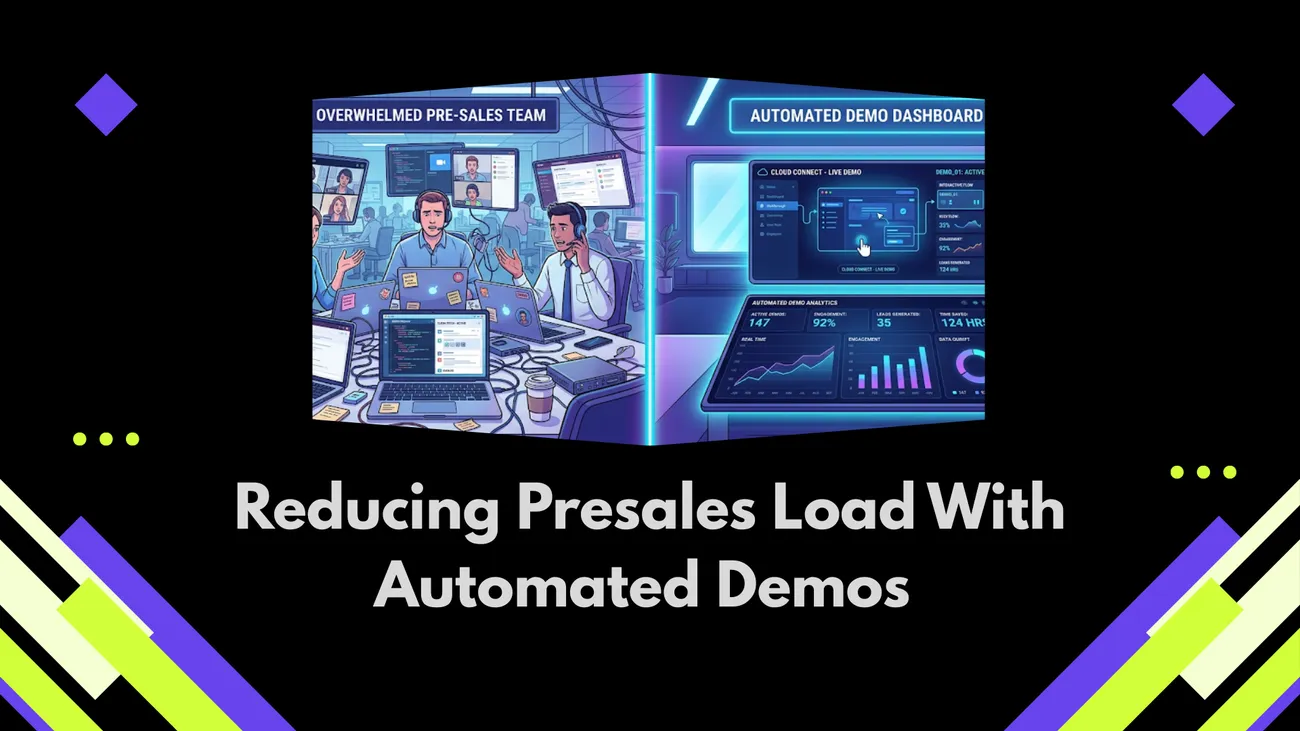
Blog argues presales teams waste time on repetitive live demos and proposes automated demos (DemoDazzle) as a scalable solution. It explains how automated, self-serve, interactive, personalized demos reduce scheduling overhead, improve lead qualification, shorten sales cycles, and lower presales workload and cost while preserving human touch for complex deals. The post details demo types, implementation steps, technical checklist, metrics to track, common pitfalls, timelines, and practical examples and ROI calculations. It recommends starting small, integrating with CRM, maintaining content ownership, and measuring results to win buy-in and scale demos effectively. It guides pilots, vendor selection, and change management for teams.
If your presales team feels like a demo factory by the end of the week, you’re not alone. It’s a pattern showing up everywhere startups and enterprise teams alike. Reps keep running the same walkthroughs, engineers jump in for live Q&A, and leads get pulled into long, draining cycles. That’s exactly where DemoDazzle comes in. Instead of relying on manual demos that are slow, costly, and hard to scale, DemoDazzle helps teams streamline the entire process and deliver demos more efficiently.
This post explains how automated sales demos can cut that load, improve lead qualification, and speed deals through the funnel. I’ll keep it practical. You should expect actionable steps, simple examples, mistakes to avoid and what metrics really matter. This is a map to be where you want to go if you are considering presales automation, demo personalization or self-serve demos.
Why traditional demos burn so much time
It all sounds good on paper so far, traditional SaaS product demos are efficient. A demo is booked, a presales engineer runs a prospect through the features and everyone throws out some questions. In reality, things are rarely that simple.
- Scheduling overhead is huge. Coordinating calendars costs hours per opportunity.
- Repeated content. Reps repeat the same demo 10 times a week, often covering features irrelevant to a given buyer.
- Inconsistent experiences. Different presenters highlight different things, so the message varies.
- Low qualification. You often learn late in the process that a lead isn’t a fit.
- Opportunity cost. Senior engineers and presales talent spend time on demos instead of strategic work.
When you add up time and salary, those hours become a real cost. In my experience, companies undercount the opportunity cost by at least 30 percent. You think you’re just giving a demo, but you’re also using scarce technical bandwidth and slowing your sales cycle.
What automated demos actually do
Automated demos essentially take the boring parts out of product demos, and substitute it with an experience that can be scaled and is available on-demand. Let me be specific. Automated demos essentially take the boring parts out of product demos… available on-demand. For a more detailed walkthrough, see how to reduce presales workload with automation.
- Self-serve demos give prospects an opportunity to check out features on their own schedule.
On the other hand, interactive product demos walks users through a scenario instead of presentation.
- Demo personalization serves content that is relevant to a subset of buyers, a buyer role or by industry.
- Integrate your CRM and marketing tools to capture intent and qualify leads automatically.
Think of automated demos as a funnel optimization tool. They move basic qualification earlier and give your human sellers better leads to work with. They do not replace humans for complex, high-touch deals. They reduce the noise so presales can focus on the nuanced conversations that actually need them.
Key benefits: time, cost, and conversion
Here are the concrete wins I see when teams adopt automated demo software.
- Reduced presales workload. Fewer repetitive demo requests, so engineers and solution architects can focus on strategic deals.
- Shorter sales cycles. Prospects get information faster and can self-qualify before booking a meeting.
- Higher demo conversion rates. Personalized, interactive demos increase engagement and move people to the next step more often.
- Better alignment. Marketing, sales, and product teams learn what resonates because automated demos generate consistent usage data.
- Lower cost per lead. You scale demo capacity without hiring more presales staff.
Most times, when live demos match what users actually do, results climb past 20 percent - sometimes near 40. Product details shape that number, plus how closely the example fits real work. Truth sits in those gaps. Gains show up clear, no guesswork needed.
How automated demos improve lead qualification
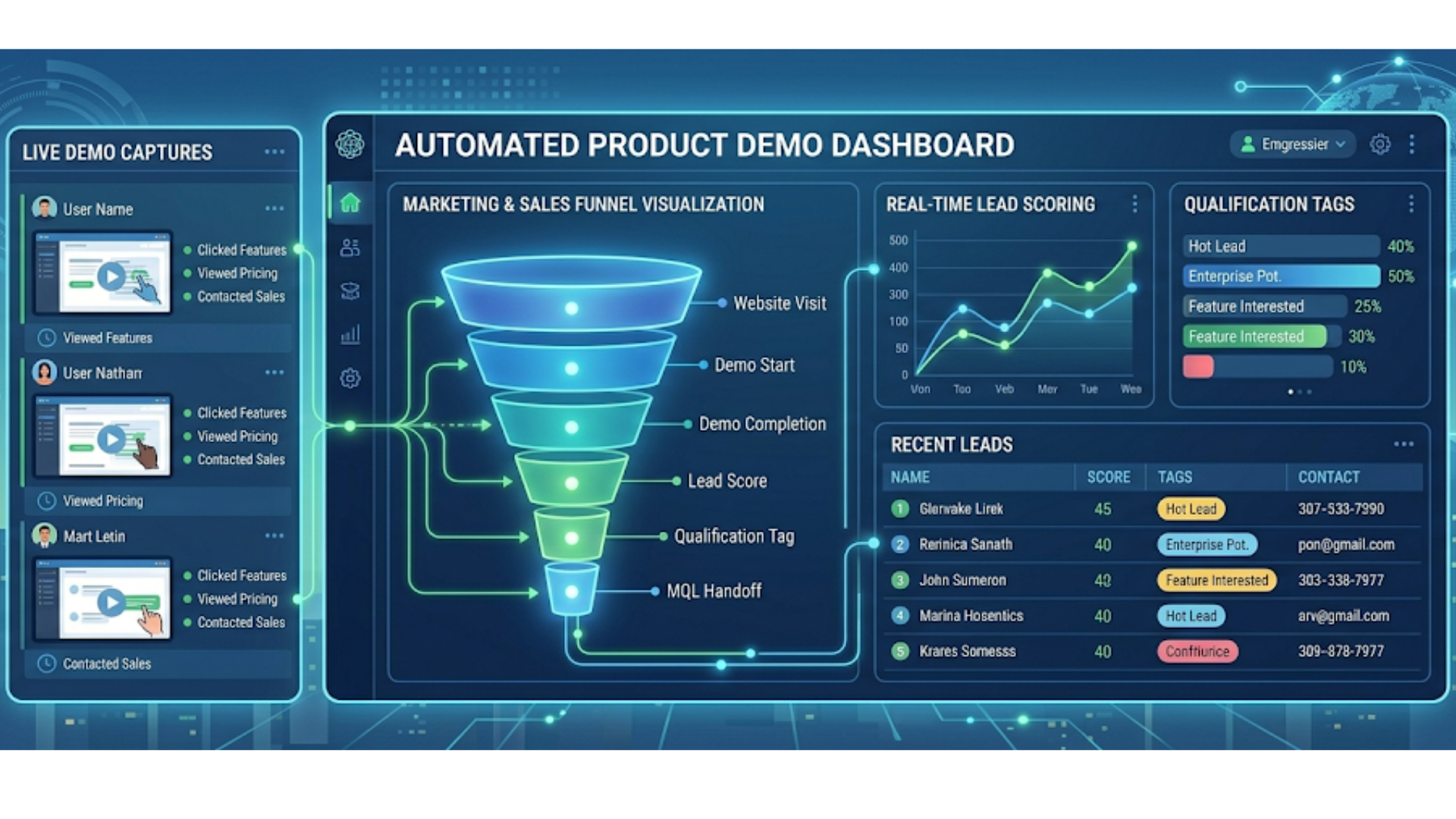
It's true some people worry auto demos bring in weak leads. Still, a smart setup turns them into filters instead of flash shows. Focus shifts from display to sorting out who fits best.
Here are simple ways to use demos for qualification:
- Use branching paths. Ask a short, relevant question and route users to features that matter to them. That helps reveal intent and fit.
- Gate advanced content. Show basic capabilities freely, but ask for a short form or calendar booking for deeper, customized scenarios.
- Track behavior. Which features do they interact with? How long do they spend on a particular workflow? Feed that into lead scoring.
- Offer role-based flows. A product manager sees different pathways than an IT admin. That difference helps sales prepare for a relevant conversation.
However, these telegraph signals were typically only present within live conversations. Utilize these to prioritize follow-ups with sales, and idxle down presales time.
Types of demo automation you can use
Not all automated demos are the same. Choose the right type for your product and buyer motion.
- Recorded demos. Short, role-based recordings that cover common scenarios. Cheap and quick to produce. Good for early funnel awareness.
- Guided interactive demos. Click-through, realistic flows that simulate the product without requiring a backend. Great for feature exploration.
- Sandbox or trial-based demos. A limited version of the actual product with pre-seeded data. More convincing but more maintenance heavy.
- Personalized on-demand demos. Content changes based on inputs like company size, industry, or use case. Higher conversion if done right.
From experience, for most B2B SaaS this is the sweetspot for creating a guided interactive demo. They feel tangible, circumvent the messy nature of complete sandboxes and allow you to zero-in on engagement signals effectively.
Simple example: a 5-minute interactive demo
Here is a simple, human example you could build in a demo automation tool.
- Landing page: "See how X solves Y in 5 minutes." Two fields: role and team size.
- Short intro video: 30 seconds, no fluff, shows the core outcome.
- Role-based path: choose a scenario. Each path shows three interactive steps that solve a specific problem.
- End screen: options to download a one-pager, book a live session, or start a trial. If they book, pass the context to CRM automatically.
That demo tells a tight story. It respects prospect time. And it gives your sales team context before they pick up the phone.
How to implement automated demos in your sales funnel
Implementation does not have to be painful. You can roll this out iteratively.
- Start with a single use case. Choose one high-volume demo you run now and automate it.
- Create a clear handoff. Decide when a lead moves from automated to human. Use behavior triggers like "watched 80 percent" or "clicked advanced workflow".
- Integrate with your CRM. Push demo signals to lead records. Use automation to create follow-up tasks for reps when a lead qualifies.
- Train your team. Show presales how to use demo analytics and how to pick up conversations that need human input.
- Iterate. Use metrics and feedback to refine flows and messaging.
Small steps win. Automating one demo well is better than automating ten poorly. You want consistent, high-quality experiences that reflect what customers actually do with your product.
Technical checklist for demo automation
When selecting demo automation tools or building your own, here are technical items you should consider. These are the things that save time and avoid nasty surprises later.
- CRM integration. Your tool should send event-level signals to Salesforce, HubSpot, or whichever system you use.
- Analytics and recording. Track which flows prospects use, and why they drop off.
- Personalization engine. Ability to swap content based on role, industry, and account size.
- Security and compliance. Sandboxed data, permission controls, and secure hosting to meet enterprise requirements.
- Easy content updates. Non-technical team members should be able to edit flows without engineering help.
- Embeddable links. Shareable, trackable demo URLs for campaigns, outbound, and SDR touches.
Demo automation tools vary in maturity. If you’re evaluating vendors, ask for live examples that match your use case. And test the integration with your stack, not just a demo environment.
Measuring success: what metrics to track
You’ll want to track both operational and revenue metrics. Here are the most useful ones.
- Demo engagement. Percent of visitors who start the demo and percent who complete it.
- Time to next action. How long between demo completion and booking a live call or starting a trial.
- Qualified lead rate. Percent of demo viewers that meet your qualification criteria.
- Demo conversion rates. How many demo viewers convert to trial, POC, or paid customers.
- Presales hours saved. Estimate hours per week saved by automating demos, multiplied by average hourly cost.
- Deal velocity and win rate. Compare before and after in similar cohorts to isolate impact.
Metrics require discipline. Don’t change too many variables at once. If you refresh messaging and routing at the same time, you’ll struggle to know what caused the improvement.
Common mistakes and pitfalls
Not every automation project delivers. I’ve seen several repeat mistakes. Avoid these and you’ll save yourself time and frustration.
- Over-automation. Removing all human touch hurts large, complex deals. Use automation to screen and inform, not replace human judgment.
- Poor personalization. Generic demos fail to engage. Tailor content to role and use case, even if it means only two or three distinct paths.
- Broken handoffs. If CRM signals are messy, reps will ignore demo data. Automate follow-ups cleanly or you’ll lose trust.
- Stale content. Product changes quickly. If demo flows are out of date, prospects notice and trust drops.
- Ignoring privacy. Some enterprise buyers will want to know the demo uses synthetic or anonymized data. Be transparent.
One quick lesson: keep content ownership clear. Assign a demo owner who coordinates between product, marketing, and presales. That person keeps the demo fresh and relevant.
Examples of what works
Let me give three practical examples you can copy or adapt.
1. SDR-to-self-serve handoff
Use automated demos to handle top-of-funnel interest. An SDR sends a personalized demo link after an initial outreach. The lead explores the demo on their time. The demo captures signals and triggers a task for the SDR if the lead watches more than 50 percent or engages with advanced workflows.
Why it works: It keeps SDRs productive and lets prospects self-educate. The SDR still controls the relationship, but they only spend time on qualified leads.
2. Product-led growth demos with gated upsell paths
Offer a free interactive demo inside your marketing site that demonstrates core value. At the end, offer upgrades or a booked walkthrough for enterprise features. Use role-based branching to show relevant upsell prompts.
Why it works: It supports PLG motions by converting curious users into paying customers without large presales involvement unless it’s warranted.
3. Enterprise presales triage
For large deals, automate an initial technical intake demo that captures architecture, compliance needs, and integration points. Use that context to route the lead to the right presales engineer with prefilled briefing notes.
Why it works: Presales show up prepared. Meetings are shorter and more focused, reducing back-and-forth and speeding the proof of value.
How to personalize demos without overcomplicating
Personalization does not need to be microscopic. Start with high-impact touchpoints.
- Swap headlines and examples for the visitor's industry or role.
- Preload demo data that reflects the buyer's function, such as marketing dashboards for marketers or SSO setup for IT teams.
- Change the call to action based on company size. Small companies see self-serve trial links, while enterprise visitors see "schedule a technical review."
These small changes dramatically improve relevance. They also keep maintenance manageable. Don’t try to personalize every sentence. Focus on the areas that influence buyer decisions.
Security and compliance considerations
When you build demos, you must think like an enterprise buyer. Security and compliance often decide deals as much as capability.
- Use synthetic or scrubbed data in sandboxes and demos.
- Offer clear documentation about how the demo runs, what data is stored, and who has access.
- Support SSO for demo access when required by corporate security teams.
- Meet basic certifications if you target regulated industries. Buyers ask about ISO, SOC, and other standards.
Neglecting security is an easy way to block deals. Make these checks part of your demo automation design process.
Budgeting and ROI: a simple calculation
Here is a quick way to estimate the ROI from demo automation. It’s not fancy, but it helps justify the investment.
- Estimate presales hours per month spent on repetitive demos. For example, 300 hours.
- Assign an average hourly cost for those people. Say 100 dollars per hour.
- Estimate the percent of demos you can automate. Even a 50 percent automation rate is realistic for many teams.
- Calculate direct savings: 300 hours times 50 percent times 100 dollars equals 15,000 dollars per month.
- Add indirect benefits: faster deal cycles and higher demo conversion rates. Conservatively add 10 to 20 percent uplift in pipeline efficiency.
Most teams see payback in months, not years. The bigger your presales team and the higher the demo volume, the faster automation pays off.
Choosing a demo automation vendor
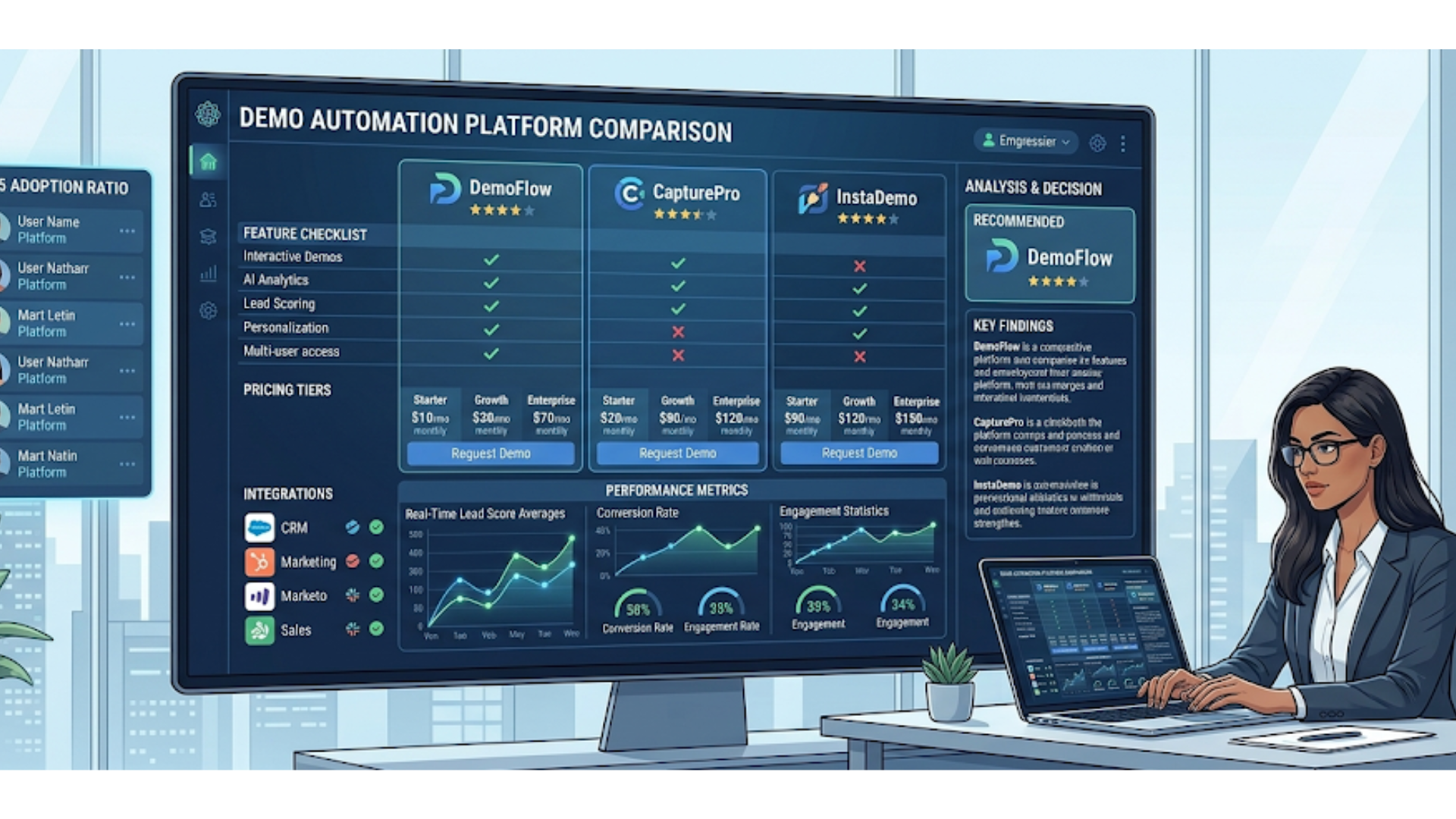
When evaluating demo automation tools, here are questions that separate vendors who can actually reduce presales workload from those that only create polished videos.
- Can they embed interactive flows that require no backend? This reduces maintenance.
- Do they integrate with your CRM and marketing automation stack out of the box?
- Is content editable by non-developers?
- Can you personalize paths at scale without a huge content build?
- Do they offer analytics that map to lead qualification and handoffs?
- How do they handle security and enterprise compliance?
Ask for references from customers with similar use cases. If you’re in a regulated industry or selling to large enterprises, test the security story early.
Getting buy-in from sales and presales
Change is easier when you show quick wins. Here’s a playbook I use when introducing demo automation to skeptical teams.
- Start with a pilot. Automate one demo that the team runs often.
- Measure the results. Track time saved, demo completion rates, and qualified leads generated.
- Share wins with the team. Show how automation reduced time spent on low-value demos and improved meeting quality.
- Involve presales in content decisions. When they help design the flows, they trust the outcome.
- Give reps clear rules for when a human should step in. That removes fear of losing their role.
In the world of Decentralized Finance, people adopt tools that genuinely make their work easier. The moment presales sees fewer useless meetings and better-qualified calls, they become champions.
Scaling and maintaining demo content
Scaling demo content is mainly an organizational challenge. It needs processes and owners.
- Set a cadence for reviewing demo content, for example every quarter or after a major product release.
- Keep an editorial calendar. Map new feature launches to demo updates.
- Use templates to create new flows quickly. Reuse components for common screens and interactions.
- Train a small group of editors from product marketing and presales to make updates.
Small maintenance routines prevent a slow drift into stale demos. You will thank me when a prospect points out an outdated feature and you can fix it within a day.
Realistic timeline for rollout
Here is a practical timeline for rolling out automated demos to production.
- Weeks 1 to 2: Select use case and map the demo flow. Decide key qualification questions.
- Weeks 3 to 4: Build the initial demo, add analytics and CRM integration, and prepare content updates.
- Weeks 5 to 6: Pilot with a subset of leads or accounts and collect feedback.
- Weeks 7 to 8: Iterate, train the team, and launch broadly.
The timeline depends on complexity. A simple interactive demo can be live in a few weeks. Full sandbox experiences take longer. Don’t rush the pilot; it’s where you learn the most.
Case study snapshot: a small SaaS team
Let me sketch a short, realistic example. A B2B SaaS company with a three person presales team handled 60 demo requests a month. Each demo averaged 90 minutes when you include prep and follow-up. That was 90 hours per month spent on demos.
They built a two-path interactive demo: one path for product managers, and one for engineers. They added a short survey at the start and integrated the demo with their CRM. After three months, demo completion rose by 35 percent, qualified lead rate increased by 28 percent, and presales hours devoted to repetitive demos dropped by 55 percent.
Presales started focusing on custom proofs of concept. Sales cycle shortened by three weeks for deals that started with an automated demo. That translated into faster revenue recognition and happier presales engineers.
Final checklist before you start
Here is a quick checklist to review before building your first automated demo.
- Pick the right use case. Choose a high-volume, repetitive demo.
- Define qualification triggers. Know what behavior indicates a ready lead.
- Integrate with CRM and marketing tools. Don’t leave data stranded.
- Plan personalization for two to three buyer personas.
- Assign ownership for updates and security reviews.
- Set clear success metrics and a timeline for review.
FAQs
1. Will automated demos replace my presales team?
No. Automated demos are designed to handle repetitive, early-stage interactions and basic qualification. Your presales team still plays a critical role in complex deals, technical deep dives, and relationship building. The goal is to free them from low-value tasks so they can focus where they have the most impact.
2. How long does it take to implement an automated demo solution like DemoDazzle?
For a simple interactive demo, most teams can get up and running in a few weeks. A typical rollout includes selecting a use case, building the demo, integrating with your CRM, and running a pilot. More advanced setups, like sandbox environments, may take longer depending on complexity.
3. Do automated demos work for enterprise sales, or just SMB and PLG models?
They work for both. In enterprise sales, automated demos are especially useful for early qualification and technical intake before involving presales engineers. They help shorten meetings and ensure more productive conversations, rather than replacing high-touch interactions.
4. What metrics should I track to measure success with automated demos?
Focus on demo engagement (starts and completions), qualified lead rate, time to next action, and demo-to-opportunity conversion. On the operational side, track presales hours saved and changes in sales cycle length. Together, these metrics show both efficiency gains and revenue impact.
Closing thoughts
Automated sales demos are not a magic bullet. They are a force multiplier. Done well, they free presales to focus on high-value work, give buyers faster paths to value, and improve demo conversion rates.
I recommend starting small, measuring everything, and keeping a human in the loop for complex deals. If you do that, you’ll cut presales workload significantly while improving the buyer experience. You’ll also uncover product insights you didn’t have before, because automated demos collect consistent behavior data at scale.
If you want to see an example of interactive, personalized demos that are built for scale, check out Demodazzle. They focus on practical, enterprise-friendly demo automation that integrates with your CRM and respects security needs.
Helpful Links & Next Steps
- Demodazzle
- Demodazzle Blog
- Book your free demo today
- Contact us
- support@demodazzle.com