From Pitch Decks to Interactive Demos
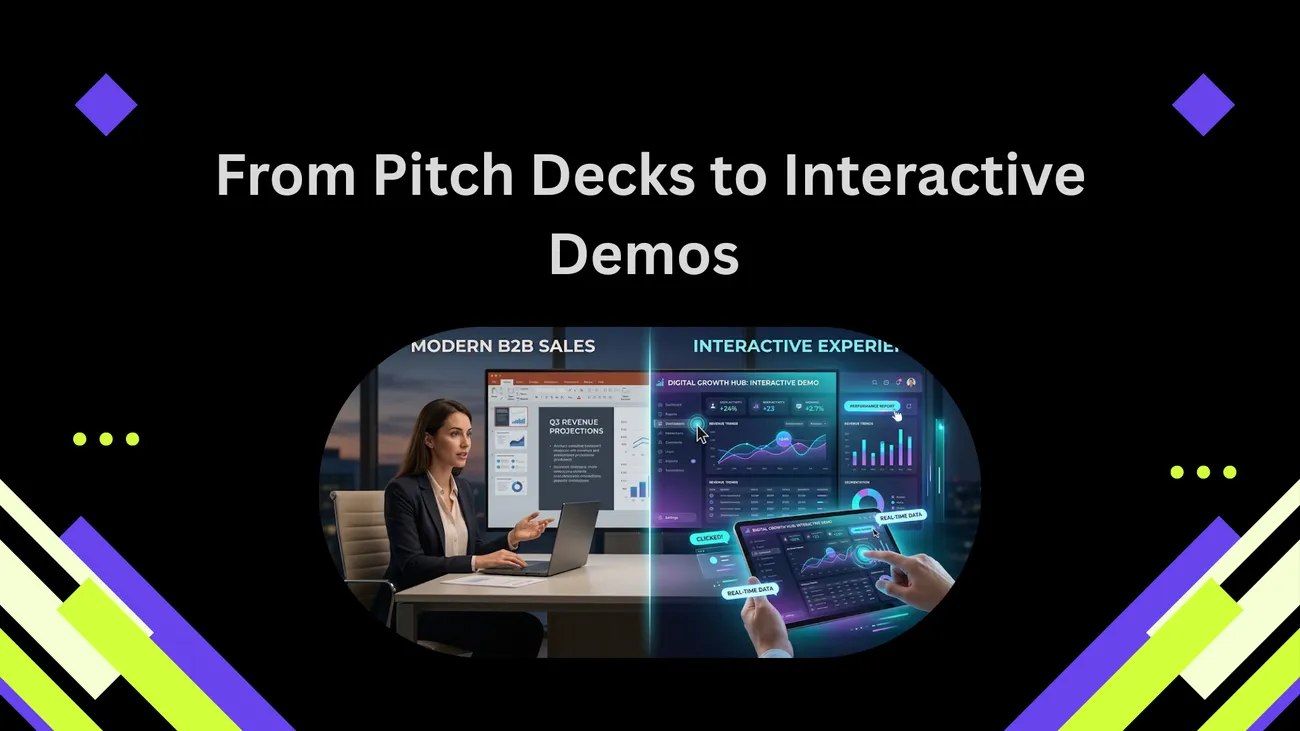
This blog urges sales teams to replace static pitch decks with interactive product demos to better engage buyers and accelerate deals. It explains why decks fall short—being passive, generic, hard to measure, and prone to overpromise—and describes demo types (guided walkthroughs, sandboxes, branched and recorded clickable demos). The post offers a practical playbook: audit claims, pilot a focused use case, choose formats and platforms, train sellers, instrument analytics, and secure data. It also shares templates, common pitfalls, metrics to track, integration advice, a 90‑day rollout plan, and tips for aligning marketing, pre‑sales, and product teams.
If you're still relying on static pitch decks to win deals, you’re not alone. Many teams stick to polished slides because they feel safe. But safe doesn’t close deals. Today’s buyers want to experience solutions firsthand, not just hear about them. They want to explore real use cases, test workflows, and see how everything works in practice. That’s exactly where DemoDazzle changes the game, turning passive presentations into interactive product demos that help B2B sales teams engage buyers and close faster.
In this post I'll walk through the shift from pitch decks to interactive demos, explain why interactive sales storytelling works, and give practical steps you can use to adopt demos in your process. I'm writing for enterprise sales teams, pre-sales engineers, product marketers, RevOps, and founders who want to improve buyer engagement and conversion rates. Think of this as a coach's playbook: realistic, tactical, and ready to use.
Why Pitch Decks Fall Short
Pitch decks are great for summarizing value props and aligning internal stakeholders. They are not great at proving your product actually works for a buyer. Here are the common problems I keep running into.
- Passive experience. Slides tell. Demos show. Buyers remember what they do more than what they read.
- One size fits none. Decks try to be generic to appeal to many personas. That dilutes relevance for each buyer.
- Timing mismatch. Decks often lead conversations instead of following the buyer's journey. They force buyers to adapt to your narrative, not the other way around.
- Hard to measure. You can track opens and downloads, but that does not tell you if a buyer understood the value or got excited.
- Risk of overpromising. Slides can gloss over limitations. When a buyer later tries the product and hits a roadblock, trust erodes quickly.
I've watched sellers spend hours tailoring decks only to have prospects zone out. That is opportunity cost. You want prospects engaged, not polite.
What I Mean by Interactive Product Demos
An interactive product demo is not just a live demo or a recorded walkthrough. It is a buyer-centric, hands-on experience that lets prospects explore key product value in a controlled way. There are a few common flavors:
- Guided interactive walkthroughs where the seller highlights steps but the buyer can click or change inputs.
- Self-serve sandboxes that let buyers try the product with sample or masked data.
- Branched demos that change based on buyer choices so the demo feels personalized.
- Recorded clickable demos that combine video with interactive hotspots and calculators.
All of these make it easier for buyers to test assumptions and validate fit, faster than a long slide deck. In my experience, even a short interactive demo clears more objections than a 30-slide deck ever will. If you want a deeper breakdown of how these experiences are structured in real sales environments, check out this guide on enterprise product demos.
Why Interactive Sales Storytelling Works
Storytelling in sales is nothing new. What has changed is the medium. Interactive demos let you tell a story where the buyer participates. Here is why that matters.
- Active learning beats passive listening. When a buyer manipulates data or tests a workflow, they understand faster and remember longer.
- Personalization at scale. You can create demo paths that match personas and industries. That feels personal without needing a custom build for every prospect.
- Faster qualification. Instead of asking a string of discovery questions, give buyers a way to try core value. Their behavior reveals priorities and red flags.
- Data rich feedback. Good demo platforms give you analytics on what features buyers touched and how long they spent on each step. Use that intel to tailor follow-ups.
- Lower cognitive load. Buyers rarely want to parse complex diagrams. Show them the outcome and how to get there. Actions beat abstractions.
Think of it like a test drive. Would you buy a car just from a brochure? Most people want to sit behind the wheel. The same logic applies to software. Interactive demos build confidence in a product more quickly, and confidence shortens sales cycles.
How to Start Using Interactive Demos in Your Sales Process

Switching from decks to demos does not mean ripping up all your assets. Treat this as an evolution. Here is a step-by-step approach I use with teams.
- Audit your deck and discovery flow. List the claims you make in your pitch deck. For each claim, ask: can a buyer verify this in a demo in under five minutes? If yes, build a demo moment. If no, either simplify the claim or create a supporting asset.
- Pick a pilot use case. Start with one persona and one high-value workflow. For example, show the CFO a three-step ROI calculation or let a product manager test a configuration in your sandbox.
- Choose your demo format. Decide whether you need a guided walkthrough, a self-serve sandbox, or a recorded interactive demo. Each has trade-offs. Guided walkthroughs are great for high-touch enterprise deals. Self-serve sandboxes work well for product-led growth motions.
- Use the right platform. Look for demo automation and demo platforms that offer analytics, branching, CRM integrations, and security features like data masking. These features turn demos into repeatable processes.
- Integrate with sales enablement tools. Connect demos to your playbooks, snippets, and CRM. Pre-sales needs quick access to the right demo version for each buyer.
- Train your team. Role play demo handoffs and interruptions. Teach sellers how to pivot when a buyer asks an unexpected question. Practice makes the demo feel natural.
- Measure and iterate. Track demo engagement, feature interactions, demo-to-trial conversion, and time-to-close. Use that data to refine your paths and messaging.
Start small. You do not need to automate everything at once. A single useful interactive demo can change many conversations.
Simple Demo Templates You Can Build Today
Here are a few short, human templates you can copy. Keep them focused and under 10 minutes. I like to design demos around one clear outcome the buyer cares about.
-
Enterprise CFO - ROI demo
Open with one-sentence goal: "In 6 minutes I will show you how we can reduce [cost] by [category]." Walk through intake data, show the cost savings calculation, then let the buyer change the assumptions live to see the impact. End with "If this looks right, we can run your actual numbers in a pilot." Simple and powerful.
-
Product Manager - Workflow validation
Start with a real workflow the buyer cares about. Let them click through a mock dataset, change a rule, and see a result. Ask a clarifying question when they pause. Then offer hands-on access: "Want to try this on your data in a sandbox? I can set it up in 24 hours."
-
Sales Leader - Time to value demo
Show the parts of your product that save reps time. Demonstrate a common task and the time saved. Have a countdown or stopwatch to make the time savings tangible. Offer a two-week pilot for a small team as the next step.
These templates are deliberately low friction. They focus on one measurable win rather than an exhaustive product tour.
Common Mistakes Teams Make and How to Avoid Them
When teams flip to interactive demos, they often make a few repeatable mistakes. I want you to avoid them.
- Building the wrong demo. Teams sometimes create flashy demos that highlight rare features. Buyer interest tends to center on the core job-to-be-done. Start with that.
- Over-customizing early. Custom builds are expensive and slow. Use branching and smart templates to make demos feel personal without full custom work.
- Neglecting security and data privacy. Self-serve sandboxes can expose production data if you're not careful. Use data masking or synthetic datasets.
- Skipping seller training. Good tech does not replace practice. Sellers need to learn how to guide, pause, and hand off to a sandbox experience.
- Ignoring analytics. If you do not instrument your demos with tracking, you miss the chance to learn what matters to buyers.
One quick tip: when you build a demo, write two short scripts. One for a guided session and one for handing a buyer a self-serve link. That changes the framing and the outcome dramatically.
How to Measure Success
Metrics keep you honest. They tell you if the new demo experience actually moves the needle. Here are the ones I watch most closely.
- Engagement rate. Percentage of invited buyers who click into the demo or open the link.
- Feature interaction depth. Which demo steps did buyers interact with? That reveals priorities.
- Demo to trial or POC conversion. How many demo users request a deeper trial or pilot?
- Time to close. Does the demo shorten the sales cycle compared to deck-led conversations?
- Deal size movement. Are buyers more likely to expand scope after using the demo?
- Seller adoption. Are sellers using the interactive demos in their outreach and discovery calls?
Bonus metric: track common questions that show up during demos. These are gold for product teams and marketers because they reveal gaps in documentation or messaging.
How to Choose a Demo Platform
Not all demo platforms are equal. When I evaluate demo automation or demo platforms I focus on the features that matter in real sales cycles.
- Analytics. You want to know what buyers clicked, how long they spent, and where they dropped off.
- Branching and personalization. The platform should let you create persona-based paths without coding everything.
- Integration with CRM and sales tools. Automatic logging and lead scoring save time and keep data clean.
- Security features. Data masking, time-limited sandbox access, and role-based permissions are non-negotiable for enterprise deals.
- Ease of authoring. You should be able to update demos quickly without asking engineering for help.
- Replay and recording. Recorded sessions are useful for asynchronous stakeholders and for coaching sellers.
If you want a demo tool that balances seller control and buyer experience, look for platforms built with sales workflows in mind. At Demodazzle we designed our platform to help teams build and scale interactive demos without heavy engineering.
Bringing Pre-sales and Marketing Together
Interactive demos are a natural bridge between product marketing and pre-sales. Marketing owns content playbooks and personas. Pre-sales owns the technical credibility. A good demo program brings both teams into the same room.
Here are a few collaboration patterns that work:
- Marketing creates persona scripts. They write 30-second value hooks and sample datasets tied to buyer outcomes.
- Pre-sales builds the demo paths. They translate scripts into interactive flows and test for edge cases.
- Sales ops instruments analytics. They ensure demo interactions are visible in the CRM and used in scoring models.
- Product teams review early. Get product to validate the demo's claims so you avoid overpromising.
When these groups work together the result is predictable: faster pilots, fewer misaligned expectations, and cleaner handoffs from sales to implementation.
Short Anecdote From the Field
I'll keep this brief. A small pre-sales team I worked with replaced their 20-slide deck with a 6-minute interactive demo for one common buyer scenario. They used a masked dataset and a single branching path keyed to role. The results were immediate. Sellers reported better conversations and clearer next steps. The team did not have the time or budget to rebuild everything, but the targeted demo reduced friction in discovery and made follow-ups more productive.
Lessons from that pilot: focus on one use case, make it easy to reuse, and instrument the demo so you can learn fast.
Advanced Tips for High-Stakes Deals
For enterprise deals you will want a few additional layers of polish. Here are tips for high-stakes situations.
- Preload a prospect view. When you can, preload one or two rows of a buyer's data into the sandbox so they see a familiar example immediately. Use masked data to stay secure.
- Build decision points. Add branching so the demo adapts based on the buyer's choices. This keeps the conversation tight and relevant.
- Record the session and send a short recap. After a live demo, email a 90-second clip of the moment that mattered, plus next steps. Short clips get rewatched and shared with stakeholders.
- Enable shareable views. Allow buyers to generate a link to the exact demo state they were in. This helps them share proof with colleagues.
These tactics help you scale the credibility benefits of an in-person demo across a broader buying committee.
How Interactive Demos Support Product-Led Growth
Interactive demos are not just for salesperson-led sales. They dovetail with product-led growth motions too. For PLG, demos and sandboxes reduce friction in the middle funnel and increase the chance a user converts to a paid seat.
Use interactive demos to:
- Shorten the time from signup to aha moment.
- Guide users through a configuration that often causes friction.
- Surface advanced features to power users via branching paths.
- Collect behavioral signals that feed nurture flows and product prompts.
In short, demos help you scale the "try before you buy" promise without sacrificing governance or insight.
Storytelling Structure for Interactive Sales
Good demos are structured like good stories. Here's a simple framework I use.
- Hook. One sentence that states a buyer-focused outcome: "Reduce [X] by [Y] within [Z] days."
- Show the pain. Use a real example or a short simulation to make the problem tangible.
- Deliver the quick win. Demonstrate the feature that solves the pain in under three clicks or steps.
- Let the buyer try. Hand over control for 60 to 120 seconds so the buyer can validate the solution.
- Close with next steps. Offer a clear, low-friction path: a pilot, an evaluation project, or a live trial with their data.
If you stick to this structure, your demos will feel like conversations instead of presentations.
Practical Playbook: A 90 Day Adoption Plan
Here is a practical rollout plan if your team wants to adopt interactive demos. I break it into quick wins and scaling steps.
Weeks 1 to 2 - Discovery and Alignment
- Map current deck claims to demoable outcomes.
- Pick a pilot persona and use case.
- Identify stakeholders across sales, pre-sales, product marketing, and RevOps.
Weeks 3 to 6 - Build and Pilot
- Create a simple guided demo and a self-serve sandbox for the pilot use case.
- Train 2 to 4 sellers and run 10 pilot demos.
- Collect qualitative feedback after each demo and instrument analytics.
Weeks 7 to 10 - Measure and Iterate
- Analyze engagement data to identify drop-off points and high-value steps.
- Refine scripts and branching paths.
- Expand training to a larger group of sellers.
Weeks 11 to 12 Plus - Scale
- Build additional persona paths and templates.
- Integrate demo events into CRM and lead scoring.
- Create a center of excellence for demo best practices and governance.
This plan is realistic for a mid-market to enterprise org. You will hit roadblocks. When you do, prioritize fixes that reduce buyer friction first.
Integrations and Data Flow
Don't let demos become a silo. Hook them into your existing stack so information flows and the buyer experience stays consistent.
- Connect demo event data to Salesforce or HubSpot so sellers get an activity log automatically.
- Feed engagement signals into your nurture sequences and SDR handoffs.
- Use demo analytics to enrich lead scoring models. Buyers who click into a specific path are telling you what they care about.
- Share demo-derived insights with product and marketing for better collateral and roadmap planning.
Integration keeps your team working from the same playbook and makes follow-up conversations smarter.
Security Considerations
Security is non-negotiable in enterprise sales. When you offer interactive demos, beware of exposing customer data or internal systems.
Here are practical safeguards:
- Use synthetic or masked datasets for public sandboxes.
- Provide time-limited or role-based demo access for live environments.
- Audit logs for demo access and actions.
- Ensure your demo platform complies with relevant certifications if your customers require them.
These steps protect both you and your prospect while keeping the demo experience realistic.
Where Storytelling Meets Tech
Interactive sales storytelling is equal parts art and engineering. The storytelling part is knowing which moments to highlight and how to frame them. The tech part is building demos that run smoothly, collect the right data, and integrate with workflows.
I've coached teams where marketing wrote great scripts that sellers could not execute because the demo tech was clunky. And I have seen the opposite problem where slick tech produced sterile demos because the story was weak. The sweet spot is where a believable human story maps directly onto a clean interactive experience.
Quick Checklist Before You Share a Demo Link
- Is one core outcome front and center?
- Does the demo run in less than 10 minutes?
- Is data masked or synthetic?
- Do you have a short follow-up asset to send? A 60 to 90 second clip is ideal.
- Is the demo instrumented so you can see who clicked what?
- Do sellers know the exact next step to offer at the end?
If you can answer yes to these, you are ahead of most teams I talk to.
How to Coach Sellers to Use Demos
Training sellers is not optional. Even the best demo platform depends on seller judgment during discovery. Here are quick coaching tips that help sellers adopt interactive demos fast.
- Script the first 60 seconds. That reduces awkward starts and keeps the conversation buyer-focused.
- Coach on handoffs. Sellers sometimes forget to offer the buy-in prompt that makes a self-serve demo valuable. Teach them to frame the link as "try this for 5 minutes" instead of "here is a demo."
- Practice interruptions. In real calls buyers interrupt. Train sellers to pause, pivot, and then resume the path.
- Use recordings for coaching. Build a library of great demo moments to share across the team.
Good coaching turns a tool into a repeatable skill.
FAQs
1. What is interactive sales storytelling?
Interactive sales storytelling is a modern sales approach where buyers actively engage with a product through demos, simulations, or hands-on experiences instead of passively viewing presentations. It helps prospects understand value faster by letting them explore real use cases and workflows.
2. How are interactive product demos different from traditional pitch decks?
Pitch decks are static and focus on explaining value, while interactive product demos allow buyers to experience the product in action. Demos enable users to test features, explore workflows, and validate outcomes, leading to better engagement and faster decision-making.
3. Can interactive demos really improve sales conversion rates?
Yes. Interactive demos increase engagement, reduce buyer uncertainty, and help prospects visualize real outcomes. This often leads to higher demo-to-trial conversions, shorter sales cycles, and improved close rates compared to traditional sales methods.
4. How can my team start using interactive demos in sales?
Start by identifying one key use case and building a simple demo around a specific buyer outcome. Choose the right demo platform, integrate it with your sales tools, train your team, and measure engagement to continuously improve your demo experience.
Final Thoughts
Moving from pitch decks to interactive product demos is not just a technology change. It is a mindset shift toward buyer-first selling. Interactive sales storytelling gives buyers control and reveals buyer intent in ways static assets never could. The result is clearer qualification, richer insights, and typically faster, more predictable deals.
If you are wondering where to start, do this: pick one persona, build a short interactive demo focused on one outcome, and run a two-week pilot. Measure engagement and iterate. You will learn faster than you think.
Helpful Links & Next Steps
- Demodazzle
- Demodazzle Blog
- Book your free demo today
- Contact Us
- support@demodazzle.com
Ready to move beyond slides and into experiences? Book your free demo today and see how interactive demos can change the conversation with your buyers.