How AI Is Redefining Efficiency Across Every Department
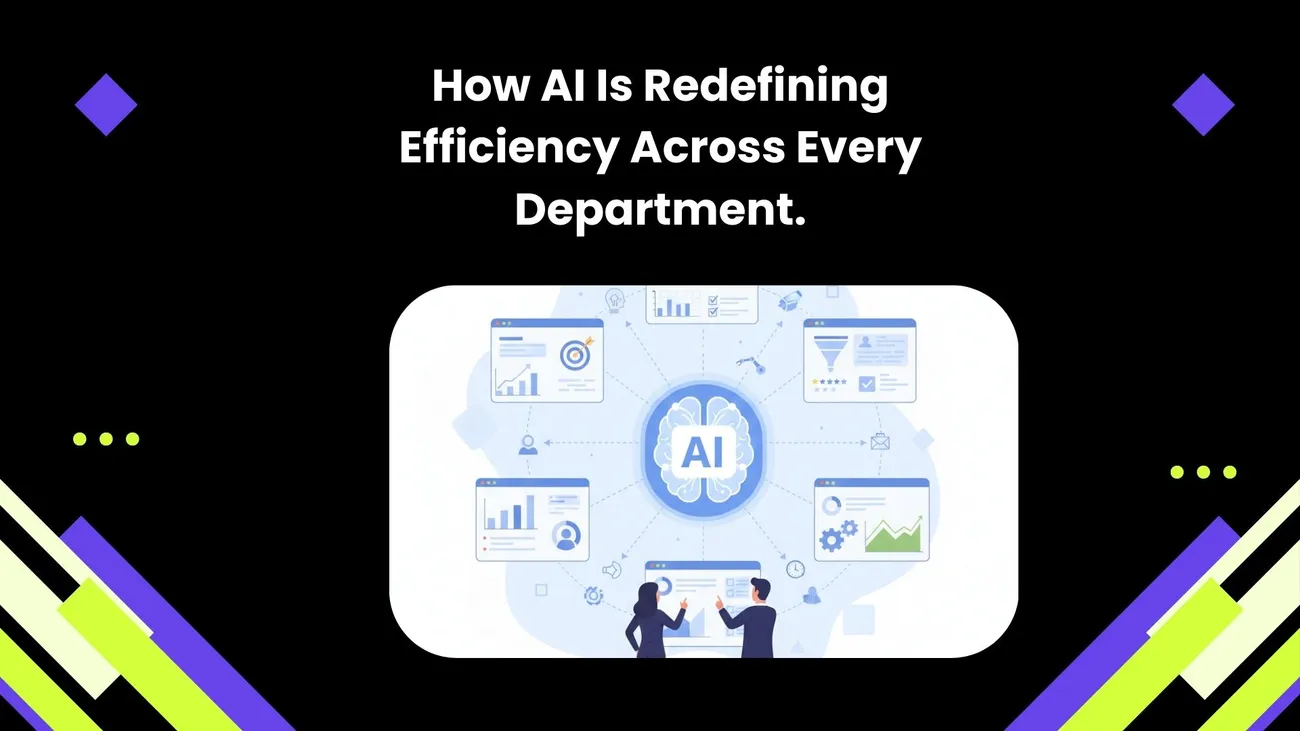
AI is no longer just a buzzword—it’s quietly becoming the backbone of how modern teams get work done faster and smarter. From sales and marketing to customer support, operations, and HR, AI is helping departments cut through repetitive tasks, reduce delays, and focus on work that actually moves the business forward. Instead of replacing people, AI is stepping in as a smart assistant that supports teams with insights, automation, and better decision-making.
This blog explores how AI is redefining efficiency across every department by streamlining workflows, improving collaboration, and eliminating friction in day-to-day processes. You’ll see real-world examples of how teams use AI to save time, work more confidently, and deliver better results—without adding complexity. Whether you’re scaling a startup or optimizing an established business, this guide shows how AI can make work feel less overwhelming and more impactful.
How AI Is Redefining Efficiency Across Every Department
AI isn't a buzzword anymore. It's a productivity engine walking into meeting rooms, inboxes, and ERPs—and quietly changing how work actually gets done. Whether you're a SaaS founder, an operations manager, a head of sales, or part of a growing startup, AI in business operations can free your team from repetitive tasks, surface smarter decisions, and speed up everyday workflows.
I've noticed teams get stuck in two traps: either they overhype AI as a magic fix, or they ignore it because it seems too complex. In my experience the best results come from small, practical automations that solve real pain points—then scale. This article lays out how AI improves efficiency across departments, offers concrete, real-world use cases, highlights common pitfalls, and explains how a company like DemoDazzle can help you get there.
Why “AI efficiency” matters now
Companies competing on speed and experience have a big advantage. AI workflow automation cuts time to insight, reduces manual handoffs, and helps teams prioritize work that actually needs human judgment. For leaders, that translates to faster product iterations, shorter sales cycles, and fewer angry customers in the morning.
When I talk to teams, two things come up over and over: the desire to automate tedious work through AI Automation, and the fear of disrupting existing processes. You don't have to rip and replace. AI Automation and productivity tools layer on top of what you're already doing—augmenting people, not replacing them.
How AI changes work department-by-department
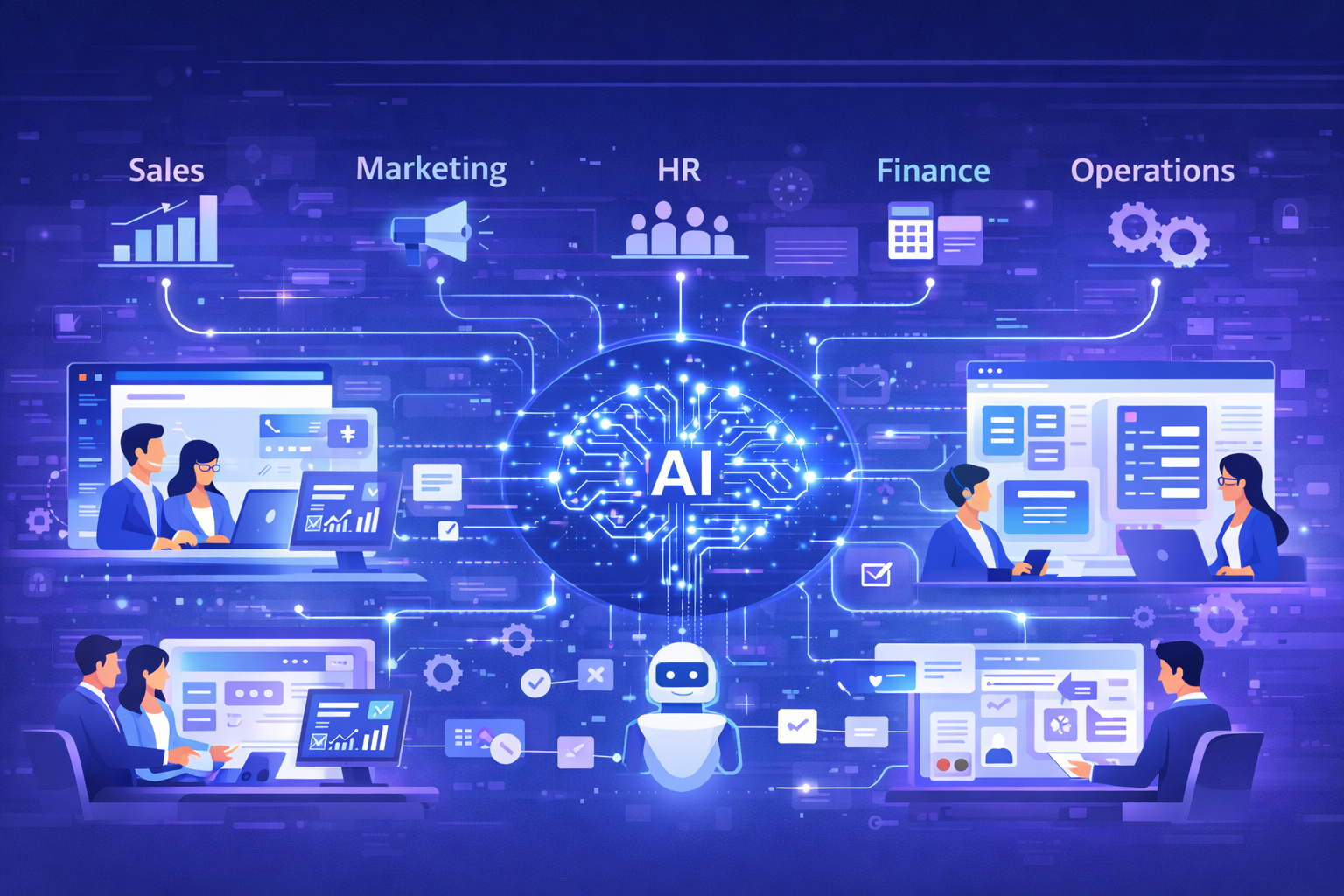
Every department has its own rhythms, constraints, and metrics. Below I break down practical AI uses for key areas: sales, marketing, customer success, product, engineering, HR, finance, and operations. For each, you'll find specific workflows, KPIs to track, and pitfalls to avoid.
Sales: shortening cycles and improving close rates
Sales teams live and die by context. AI can synthesize that context for sellers so they spend more time selling and less time digging through CRM records.
- Lead prioritization — Use intent signals, firmographic data, and historical win patterns to rank leads automatically. In practice, you can reduce time-to-touch by over 30% by feeding lead scores into your CRM and alerting reps to high-intent prospects.
- Dynamic playbooks — Instead of a static sales playbook, generate tailored next steps per account based on buyer stage, industry, and prior interactions. I've seen reps close more deals when their outreach is both timely and personalized.
- Call summarization & coaching — Auto-transcribe calls, highlight objections, and suggest objection-handling scripts. That makes ramping new reps far easier and gives managers objective coaching moments instead of guesswork.
Quick pitfall: don't rely on the model's first pass for outreach. Always review AI-generated emails or sequences—tone and compliance matter. Also, garbage in means garbage out: clean CRM data is non-negotiable.
Marketing: scaling personalization without the headache
Marketing teams need to be both creative and surgical. AI for teams helps automate personalization at scale while freeing marketers to do the high-level strategy work.
- Content ideation & production — Use AI to draft outlines, repurpose blog posts into social threads, or leverage an AI ad generatorto create high-performing ad creatives and A/B test variants for campaigns. In my experience, repurposed content often outperforms fresh content when targeted correctly.
- Segmented campaigns — Automate audience segmentation using behavioral signals and intent data. This reduces wasted ad spend and improves conversion rates because you're speaking to real needs.
- Attribution modeling — AI can stitch together touchpoints across channels to give a clearer view of what’s driving pipeline. That’s one of the easiest ways to justify marketing spend to CFOs.
Common mistake: overpersonalizing without value. Sending three different welcome emails to the same user in a week isn't personalization—it's noise. Use AI to add relevance, not to create more clutter.
Customer Success: proactive, not reactive
Retention beats acquisition for long-term growth. AI helps customer success teams spot churn signals earlier and tailor interventions to keep customers happy.
- Churn prediction — Combine product usage analytics, support tickets, and NPS responses to predict churn risk. Then orchestrate targeted playbooks for high-risk customers (e.g., in-app nudges, priority CS outreach).
- Automated onboarding — Generate personalized onboarding sequences and in-app guides based on a customer's role and goals. This reduces time-to-value and improves activation metrics.
- Smart ticket routing — Use intent detection and semantic routing so complex issues land with senior agents while routine asks get solved by automated workflows.
Avoid the “spray-and-pray” approach. If you're automating outreach to at-risk customers, make sure it's meaningful. Nothing kills trust faster than templated messages that ignore a customer’s real issue.
Product: faster discovery and better backlog prioritization
Product teams can use AI to turn user feedback into prioritized signals and to accelerate experimentation.
- Feedback summarization — Aggregate and cluster feature requests, bug reports, and reviews to identify the themes that matter most.
- Product analytics augmentation — Let AI surface surprising correlations and suggest hypotheses for A/B tests. This reduces time spent manually querying analytics tools.
- Roadmap modeling — Simulate outcomes of different prioritization strategies by modeling expected impacts on acquisition, retention, or revenue.
If you skip qualitative validation, you’ll prioritize the loudest users instead of the highest-impact improvements. Use AI insights as inputs, not gospel.
Engineering and DevOps: automating toil and improving reliability
Developers hate repetitive tasks. AI can offload some of that work while helping teams move faster and maintain higher quality.
- Code generation and review — Use AI to scaffold boilerplate code, suggest refactors, and run first-pass PR reviews. This speeds up development cycles, but always pair AI suggestions with human review.
- Incident triage — Automatically correlate logs, tracebacks, and metrics to suggest root causes and remediation steps when alerts fire.
- Test generation — Generate unit and integration tests from function definitions and documented behavior, increasing coverage without a lot of manual effort.
Heads-up: over-reliance on AI-generated code can introduce subtle bugs. Keep CI pipelines strong and enforce code reviews so the team learns from model suggestions.
HR & People Ops: smarter hiring and better retention
People are the engine that runs organizations. AI can make hiring faster and improve the employee experience at scale.
- Candidate screening — Automate initial resume triage and skills matching so recruiters focus on interviews and culture fit.
- Onboarding automation — Personalize new-hire training paths depending on role and experience, with automated checklists and nudges.
- Employee sentiment analysis — Analyze internal feedback and pulse surveys to surface trends before they become issues.
Be careful with bias. Models trained on historical hiring data can amplify past inequities. In my experience it's essential to audit models and include human checks in hiring decisions.
Finance: faster close cycles and smarter forecasting
Finance teams crave accuracy and repeatability. AI helps reduce manual reconciliations and speeds up forecasting.
- Automated reconciliations — Reconcile transactions by matching entries across systems, flagging exceptions for human review.
- Forecasting with scenario planning — Use AI to model revenue scenarios based on multiple inputs (sales pipeline, churn, seasonality), giving finance teams a clearer range of outcomes.
- Invoice and expense automation — Extract purchase details from invoices and receipts and route approvals automatically.
A mistake I see often: treating AI forecasts as precise predictions instead of probabilistic guidance. Always present ranges and confidence intervals to stakeholders.
Operations & IT: glueing systems together
Operations teams wrangle integrations, permissions, and workflows across platforms. AI workflow automation is particularly valuable here because it turns siloed data into actionable signals.
- Process mining — Identify bottlenecks across systems and recommend where automation will yield the biggest impact.
- Knowledge management — Build smarter internal search using embeddings and semantic search so employees find answers quickly.
- RPA + AI — Combine robotic process automation for repetitive UI tasks with AI for decision-making—great for legacy systems without modern APIs.
Pro tip: when integrating AI into convoluted legacy stacks, start with a narrow use case that yields quick wins. That builds trust for broader initiatives.
Cross-functional workflows that deliver high ROI
The most powerful automations span teams. When marketing, sales, and customer success share AI-enhanced signals, the customer experience becomes seamless and consistent.
- Sales-Marketing handoff — Automatically pass context-rich leads from marketing to sales with scoring, intent data, and suggested next steps. This reduces follow-up latency and increases conversion.
- Product-CS feedback loop — Route aggregated product feedback to the product team, prioritized by impact and frequency. Then close the loop by notifying customers about fixes or roadmap items.
- Finance-Sales forecasting — Sync CRM pipeline updates with finance forecasts to produce more accurate cash flow models.
These cross-team automations often fail because of poor data contracts. Agree on field definitions and SLAs first. Otherwise, everyone interprets the same data differently.
Implementing AI: a pragmatic roadmap
Don't start with a grand vision. Start with a pilot that solves a specific pain point, measure results, then scale. Here’s a step-by-step approach I recommend.
- Identify pain points — Find processes that are repetitive, rule-based, and high frequency. Those yield the fastest ROI.
- Quantify the problem — Measure current cycle times, error rates, and hours spent. Establish baseline KPIs.
- Choose the right scope — Run a 4–8 week pilot with clearly defined success metrics. Keep the scope small but meaningful.
- Integrate safely — Use sandboxed environments and limit write access until you validate the model’s behavior.
- Measure & iterate — Track outcomes and user satisfaction. Use feedback loops to refine prompts, data inputs, or model choices.
- Scale with governance — Once the pilot proves value, expand and add governance: access controls, audit trails, and monitoring.
Avoid the temptation to "automate everything" at once. Small, measurable wins build momentum and reduce organizational friction.
Data, governance, and trust
AI efficiency depends on trustworthy data. Garbage inputs produce useless outputs, and in regulated industries a bad AI decision can have real consequences.
Start with basic hygiene: canonicalize fields, eliminate duplicates, and implement change logs. Then add governance layers:
- Access controls and role-based permissions
- Audit logs for AI decisions
- Data lineage so you can trace predictions back to source fields
One practical trick: use confidence thresholds. If a model isn't confident, route the decision to a human reviewer. That lets you run at scale without sacrificing quality.
Measuring impact: metrics that matter
Don’t measure busyness—measure outcomes. Here are the right metrics to track by function.
- Sales — Time-to-first-touch, win rate, average deal cycle
- Marketing — CAC, conversion rate, time-to-lead
- Customer Success — Churn rate, time-to-resolution, NPS
- Product — Cycle time, feature adoption, experiment velocity
- Engineering — Mean time to recovery (MTTR), PR lead time, test coverage
- Finance — Close cycle time, forecasting accuracy
AI productivity tools should move these metrics in the right direction. If they don't, dig into inputs and assumptions rather than blaming the tool.
Common mistakes & how to avoid them
I've worked with teams that made avoidable errors. Here are the most common—and how to dodge them.
- Jumping to models without process clarity — Fix the process first, then add AI. Models amplify your process, good or bad.
- Skipping data cleanup — Bad data leads to bad decisions. Spend time on canonicalization before training or integrating models.
- No ownership — Assign a process owner who owns outcomes, not just the tech. That person will push iterations and adoption.
- Ignoring human-in-the-loop — Keep humans in the decision chain, especially for customer-facing or high-risk processes.
- Under-measuring — If you can't quantify it, you can't improve it. Define success metrics upfront.
One aside: startups often think they must build custom models. That’s rarely necessary early on. Off-the-shelf APIs and pre-built connectors will get you 70–80% of the way there faster.
Tooling & architecture considerations
You don’t need to adopt every shiny tool. Pick tools that integrate with core systems (CRM, product analytics, helpdesk) and support APIs, webhooks, and secure data flows.
Key architectural elements to consider:
- Vector databases & embeddings — For semantic search and knowledge retrieval.
- Model orchestration — Enable fallbacks, ensemble approaches, and versioning so models can evolve safely.
- Event-driven workflows — Use event buses or webhooks to trigger automations across systems in real time.
- Observability — Monitor predictions, drift, and user feedback to keep models healthy.
In my experience, the teams that win are the ones that treat AI as part of the stack, not a separate island. Connect it to your existing observability and incident workflows.
Change management: getting teams to adopt AI
Technology doesn't change behavior—people do. Planning for adoption is as important as technical integration.
- Communicate value early — Share expected time savings and how AI will make people's work more meaningful.
- Train and enable — Run workshops, create cheat sheets, and embed AI tips inside tools where people work.
- Collect feedback — Use quick pulse surveys or in-app feedback to iterate. Make improvements visible.
- Reward adoption — Highlight teams or individuals using AI effectively. Social proof matters.
I've noticed adoption accelerates when teams see their own wins. Start with a few power users and let them evangelize best practices.
Real-world example: a customer journey automated
Here’s a condensed example that ties several departments together. Imagine a mid-stage SaaS that sells to mid-market companies:
- Marketing runs a campaign that uses AI to segment audiences and personalize landing pages. Conversion rate increases by 12%.
- Leads score automatically using behavioral intent signals and are routed to the right sales rep with a prioritized call list.
- Sales uses AI-generated call scripts and call summaries. High-priority leads get fast, contextual outreach.
- When a customer signs, the CS automation generates a personalized onboarding plan and triggers in-app guides targeted to the user's role.
- Product aggregates feedback and usage signals to prioritize the top feature requests. Finance uses updated pipeline inputs to reforecast monthly revenue.
All of this reduces time-to-value for the customer, shortens the sales cycle, and produces a cleaner, more predictable revenue stream. Small automations at multiple touchpoints compound into major efficiency gains.
Security, privacy, and compliance
Security must be baked in from day one. Use the principle of least privilege for access, encrypt data at rest and in transit, and keep sensitive data out of model training datasets unless you have proper controls in place.
Regulated industries need extra steps: formal data processing agreements, audit trails, and model documentation. If you’re handling personal data, make sure you have consent and explainability baked into customer-facing outputs.
Pro tip: maintain a red team that tests model outputs for hallucinations or unsafe suggestions. Fixes here prevent bigger public-relations problems later.
When to build vs. when to buy
Not every firm needs a custom LLM. Build when you have a unique dataset that creates defensible differentiation or when latency and custom behavior are critical. Buy when you can get 70–90% of the value faster from pre-built APIs and integrations.
Build vs. buy checklist:
- Unique data or IP? Build.
- Speed to market important? Buy.
- Strong ML team? Build may pay off.
- Security or compliance constraints? Sometimes build, sometimes buy—evaluate case-by-case.
How DemoDazzle fits into this picture
DemoDazzle helps teams implement AI for sales and product demos, streamline workflows, and automate repetitive tasks across the buyer journey. We focus on solving the common problems I mentioned earlier: data fragmentation, inconsistent handoffs, and the need for contextual automation that actually helps people get work done.
What we bring to the table:
- Pre-built connectors for CRMs, product analytics, and helpdesk systems so you can start small and scale.
- Templates for sales playbooks, onboarding sequences, and support routing—customizable to your needs.
- Monitoring and governance tools so you can measure impact and avoid common pitfalls like drift or bias.
In practice, teams using DemoDazzle deploy pilots in weeks instead of months. That gets stakeholders the confidence they need to expand automation across departments.
Practical first pilots to try this quarter
If you're wondering where to begin, here are three pilot projects that tend to show fast ROI:
- High-intent lead routing — Build a pipeline that scores and routes leads automatically. Metric: time-to-first-touch.
- CS churn detection playbook — Predict churn and automate a two-step outreach sequence. Metric: churn reduction over 90 days.
- Contract review assistant — Use AI to surface risky clauses and summarize contracts for legal review. Metric: contract review time.
Pick one, instrument it well, and run for 6–8 weeks. If you don't see measurable improvement, iterate or switch to the next pilot.
Final thoughts: AI is a multiplier, not a replacement
AI efficiency means different things to different teams. For some it's fewer manual hours. For others it's better decisions faster. The common thread is this: AI works best when it augments human strengths and automates clear, repeatable tasks.
Start with small bets, measure the results, and build governance as you scale. Keep people in the loop. And remember: tools like DemoDazzle exist to help you implement these automations quickly and responsibly so you're not trying to reinvent the wheel.
Helpful Links & Next Steps
Ready to see AI in action? See How AI Can Streamline Your Workflows