Sales Enablement Tools vs CRM: What’s the Difference?
Short Summary : CRM and sales enablement tools solve different sales problems. A CRM acts as the system of record, managing contacts, deals, activities, and forecasting. Sales enablement tools help reps perform better by providing content, coaching, playbooks, and demo tools that improve win rates and speed up deals. Most growing sales teams eventually need both—CRM for process and data, and sales enablement for execution and efficiency. Choosing the right tool depends on where your sales process is breaking down and how quickly you want to improve results.
If in a meeting a question was raised, "Do we require a CRM or a sales enablement tool?" and you've felt the company staring at each other in silence, then you are in great company. Honestly, it has happened to me too. People throw around these words as if they are synonyms, which is far from the truth. Knowing the distinction matters a lot in the decisions you make while purchasing software, in the manner the team would be utilizing it, and how fast you achieve your revenue goals.
I am going to explain here what exactly CRM software does and what functions are performed by sales enablement tools. Besides, I will discuss the areas of overlap and guide you on how to balance these two for your team. The post includes my personal experience, frequently seen mistakes, and a decision, making checklist to help you figure it out. It is not a flashy commercial piece but rather helpful tips from an experienced person who saw a losing deal because the team had the wrong tool.
Quick summary
- CRM software for sales teams is the system of record you rely on. It keeps track of contacts, deals, activities, and the pipeline.
- Sales enablement software helps salespeople to perform better. It organizes content, coaching, training, and customer, facing tools that speed up closing deals.
- You generally require both. The CRM handles process and data. Sales enablement focuses on results and efficiency.
What is CRM software for sales teams?
Imagine a CRM as the central hub of your sales business. It is the place where you register communication, plan projects, estimate sales, and maintain customer information in an orderly way. The majority of CRM systems revolve around the sales funnel and customer relations model accounts, contacts, opportunities, tasks, and events.
Common CRM features you'll actually use include:
- Contact and account management
- Deal or opportunity tracking with stages
- Sales pipeline management and forecasting
- Activity logging, emails, and call notes
- Reporting and dashboards
- Basic automation, such as task creation and notifications
Examples include Salesforce, HubSpot CRM, Pipedrive, and Microsoft Dynamics. From what I've seen, startups mostly opt for simple CRMs like HubSpot or Pipedrive initially as these can be set up quickly.. Larger orgs pick Salesforce for scale and customizability — but that comes with complexity.
Common CRM mistakes I've seen
- Using the CRM as a to-do list rather than a process tool. If reps don't update stages or activities, the pipeline becomes guesswork.
- Over customizing early. Adding too many fields and rules makes the CRM slow and painful to use.
- Expecting the CRM to solve enablement problems. It tracks what happened, but doesn't always help reps do better in the moment.
What is sales enablement software?
Sales enablement tools exist to help reps sell more effectively and efficiently. They focus on the assets, coaching, and workflows that increase win rates and shorten sales cycles. If CRM is the system of record, sales enablement is the system of practice.
Sales enablement software usually comes with:
- Sales content management and search, a central library where salespeople get presentation materials, one, pagers, and battle cards Playbooks and guided selling, detailed workflows for particular buyer scenarios Training and coaching tools, microlearning, quizzes, and call review
- Demo and product presentation tools - interactive product demos, sandbox environments, or demo automation
- Content analytics - which assets reps use, which assets win deals
Examples of sales enablement tools include Highspot, Seismic, Showpad, and a growing class of demo-enablement platforms like Demodazzle. I've noticed teams that invest in sales enablement reduce time-to-proficiency for new reps and get better ROI from their content library.
Common sales enablement mistakes
- Stockpiling content without organizing or retiring old materials. Less is more if it's relevant.
- Not integrating with the CRM. If the content tool lives in a silo, it's hard to measure impact on deals.
- Focusing only on content. Coaching and playbooks win as often as good collateral.
CRM vs sales enablement - a direct comparison
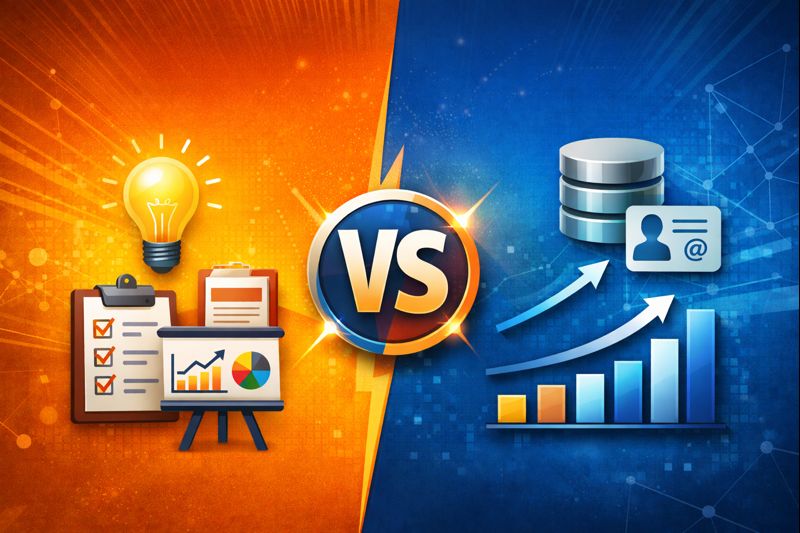
By CRM you can know what has happened and when, and sales enablement helps the team to do better next time. Below are side, by, side contrasts that you may use while deciding what to buy.
Primary purpose
CRM: Maintain customer records, sales pipeline, and forecasting.
Sales enablement: Lift rep productivity through content, training, and guided workflows.
Main users
CRM: Sales reps, managers, RevOps, customer success.
Sales enablement: Sales reps, enablement teams, marketing, product trainers.
Key outputs
CRM: A precise pipeline, revenue forecasts, and activity reports.
Sales enablement: Rapid onboarding, improved win rates, and more efficient content usage
Typical features How success is measured
CRM features vs sales enablement features: The focus of CRMs is primarily on contacts, deals, tasks, and automation while sales enablement concentrates on content management, analytics, coaching, and demo tools.
How success is measured
CRM: Pipeline coverage, close rate, deal velocity, forecast accuracy.
Sales enablement: Time to ramp, content-to-deal conversion, meeting-to-demo conversion, sales productivity tools metrics.
Primary purpose
CRM: Maintain customer records, sales pipeline, and forecasting.
Sales enablement: Lift rep productivity through content, training, and guided workflows.
Main users
CRM: Sales reps, managers, RevOps, customer success.
Sales enablement: Sales reps, enablement teams, marketing, product trainers.
Key outputs
CRM: A precise pipeline, revenue forecasts, and activity reports.
Sales enablement: Rapid onboarding, improved win rates, and more efficient content usage
Typical features How success is measured
CRM features vs sales enablement features: The focus of CRMs is primarily on contacts, deals, tasks, and automation while sales enablement concentrates on content management, analytics, coaching, and demo tools.
How success is measured
CRM: Pipeline coverage, close rate, deal velocity, forecast accuracy.
Sales enablement: Time to ramp, content-to-deal conversion, meeting-to-demo conversion, sales productivity tools metrics.
When do you need a CRM vs sales enablement tools?
Short answer: you need both eventually. The order depends on scale, headcount, and where your sales process breaks down.
Choose CRM first if:
- You're messy about contacts and opportunities and need one source of truth.
- You're making decisions blind because there is no reliable pipeline data.
- You need basic automation to assign leads and follow-up tasks.
Choose sales enablement first if:
- You have a small, product, led sales, which is making demos and playbooks better needs. Onboarding new reps is slow and your content is scattered across Google Drive and Slack. Your closing rate drops because salespeople dont know how to deal with certain buyer objections.
- As far as I know, startups that concentrate on product, market fit and require quick demos to help scale their revenue have sometimes purchased a demo, centric sales enablement tool ahead of a formal CRM.
In my experience, startups that focus on product-market fit and need rapid demos sometimes adopt a demo-focused sales enablement tool before formalizing a CRM. That works if you keep the buyer data somewhere reliable and plan to centralize later. For most SMBs scaling to a team of 5-15 sellers, getting a lightweight CRM in place pays off fast.
How CRM and sales enablement work together
They should be friends. Integrating your sales enablement stack with your CRM unlocks useful workflows and measurable outcomes. Here are common integration points and what they enable.
-
Content usage tied to deals
If your sales enablement tool logs which assets were shared on a deal record in the CRM, you can see what content actually moved the needle.
-
Guided selling + pipeline stage
Trigger a playbook when an opportunity enters a certain stage. That nudges reps to follow a repeatable process and keeps deals from stalling.
-
Coaching and activity sync
Call recordings or AI notes from enablement get attached to CRM records so managers can coach with context.
-
Better forecasting
When content effectiveness and rep behavior feed into CRM analytics, forecasting gets more grounded in reality.
A practical example: a rep sends a tailored demo from your enablement platform. The tool logs the demo link and viewer activity to the opportunity in the CRM. Two days later the prospect watches the ROI slide twice. The CRM alerts the manager and triggers a follow-up task. Seeing these signals together helps the manager coach and close the deal faster.
Sales enablement tools examples and when to pick each
There’s a lot of variety here. I’ll keep it simple and give you categories so you can map tools to problems.
-
Content management platforms
What they solve: messy content libraries and no visibility into what reps use. Good for teams that share lots of collateral. Examples: Highspot, Seismic, Showpad.
-
Demo and product presentation tools
What they solve: inconsistent demos and long setup times. These tools let you standardize demos and measure engagement. Examples: Demodazzle, Walnut, Consensus.
-
Coaching and learning platforms
What they solve: slow onboarding and uneven rep performance. Examples: Lessonly, Brainshark, Allego.
-
Sales automation and engagement stacks
What they solve: outreach and cadence management. Examples: Outreach, Salesloft. These often overlap with CRM automation.
Picking the right tool starts with the problem you want to fix. If your demos are inconsistent, a demo tool gives a faster impact than migrating your CRM. If your pipeline is a black box, get the CRM in place and measure first.
CRM features vs sales enablement features - practical examples
Let’s look at a couple of real tasks and where each tool helps.
-
Task: Track a new lead from first contact to close
CRM: Capture lead, assign owner, change opportunity stages, forecast. Sales enablement: provide the initial call script and a one-pager to send after the call.
-
Task: Improve demo-to-opportunity conversion
Sales enablement: standardize demos, measure viewer behavior, create a follow-up playbook. CRM: log the demo and update opportunity stage, create tasks for follow-up.
-
Task: Ramp a new rep
Sales enablement: structured training, microlearning, playbooks, and call coaching. CRM: track activity targets and early pipeline contribution metrics.
How to choose the right tool for your sales process
Start with problems, not product names. Ask your team these questions and be honest about the answers.
- Where are deals getting stuck in the funnel?
- Do reps know which content to use for each buyer scenario?
- How quickly do new reps hit quota?
- Do managers have the visibility they need to coach effectively?
- Can your current tools integrate, or will you create silos?
If answers point to process and lack of visibility, prioritize a CRM. If answers point to inconsistent buyer interactions, poor demos, or messy collateral, prioritize sales enablement software.
Here’s a simple decision flow I use when advising teams
- If you have fewer than 5 reps and need fast demos - start with a demo tool or content management plus a lightweight CRM.
- If you need reliable forecasting and sales hygiene - invest in CRM first.
- If onboarding and coaching are your biggest friction points - invest in sales enablement and integrate it with the CRM as soon as possible.
Implementation tips to avoid common pitfalls
Buying is the easy part. Getting people to actually use the tools is the hard part. Here’s what I recommend.
-
Start small with clear outcomes
Pick one problem to solve, run a pilot with a small group, measure impact, then scale. Trying to deploy a whole stack at once leads to low adoption.
-
Make the tools part of the seller workflow
Embed enablement content in the CRM where reps already work. Reduce clicks and context switching.
-
Drive adoption through coaching, not mandates
Managers need to model usage. If managers ask for playbook updates and review calls, reps will use them.
-
Measure what matters
Track behavior metrics that connect to outcomes: content-to-deal conversion, time-to-first-deal for new reps, demo-to-opportunity conversion. Don’t just count logins.
-
Keep content tidy
Archive outdated assets, tag collateral by buyer persona and stage, and set a review cadence. A messy library kills trust faster than no library.
Common mistakes and how to avoid them
Here are the traps I see again and again. Avoid them.
-
Buying tools and expecting magic
Software amplifies your process. If your process is broken, the tool will simply make the mess look prettier.
-
Too many tools, not enough integration
Buying best-of-each-category without integrating creates more work. Make sure APIs or native integrations exist before committing.
-
Ignoring change management
Letting tools sit unused because no one trained or enforced their use is common. Plan training and manager-led adoption programs.
-
Using the CRM as a knowledge base
It can hold documents, but CRMs are not content discovery engines. Use a content management or enablement tool for that job.
How to measure ROI for CRM and sales enablement
Measure both behavioral changes and business outcomes. Here are practical KPIs you can track and why they matter.
-
CRM KPIs
- Forecast accuracy - lower variance between forecast and closed revenue
- Deal cycle length - shorter cycles usually mean better pipeline hygiene
- Opportunity conversion rate by stage
- Activity velocity - number of meaningful touches per opportunity
-
Sales enablement KPIs
- Time to ramp for new reps
- Content-to-deal conversion - which assets correlate with wins
- Demo engagement metrics - watch time, feature interactions, repeat views
- Win rate improvement after training or playbook deployment
One simple experiment I run with teams: pick a cohort of reps, give them new playbooks and a demo template, and compare their pipeline velocity and win rates to a control group for 90 days. Quick wins often justify broader rollouts.
Best sales enablement tools and CRM options - quick guide
To keep this useful, here’s a plain list of names and what they do well. This is not exhaustive, but it's a practical starting point when you evaluate vendors.
-
CRM software for sales teams
- Salesforce - best for enterprise customization and integrations
- HubSpot CRM - great for fast setup and inbound-driven teams
- Pipedrive - simple, pipeline-focused for SMBs
- Zoho CRM - cost-effective with broad feature set
-
Sales enablement software and revenue enablement tools
- Highspot - content management and analytics
- Seismic - enterprise-grade sales content management
- Showpad - combines content and coaching
- Demodazzle - demo and product presentation platform focused on shortening demo prep and improving demo consistency
-
Sales engagement and automation
- Outreach - multi-channel cadences and automation
- Salesloft - cadence management and coaching tools
Simple example: a startup case study
Picture a SaaS startup with six sales reps. Their pipeline looks full but win rates hover at 10 percent. Reps struggle to build demos and use files from different folders. Managers have little visibility into what's actually getting shared with prospects.
Here’s a lightweight path I’d recommend.
- Deploy a lightweight CRM like HubSpot or Pipedrive to get deal tracking and basic forecasting in place.
- Pick a demo tool or content management solution like Demodazzle to standardize demos and track viewer engagement.
- Integrate the demo tool with the CRM so that demo links and viewing metrics appear on the opportunity record.
- Run a 90-day pilot with half the reps using the standardized demo and playbook. Measure time-to-demo, demo-to-opportunity conversion, and win rate.
- Scale the approach if the pilot shows clear improvement and train managers to coach using the new data.
That combination gives the startup both hygiene in the pipeline and the practical tools reps need to close more deals. It’s not flashy, but it works.
Checklist - what to do next
Use this checklist in your next vendor evaluation or planning session. It’s the roughly ordered list I go through with teams.
- Identify the single biggest sales problem you want to solve in the next 90 days.
- Decide whether that problem is data/process oriented or performance/content oriented.
- Pick a pilot group and set success metrics up front.
- Choose tools that integrate with your CRM or validate that they export deal-level analytics.
- Train managers to coach and use the data, not just the reps.
- Set a cadence to review metrics and retire unused assets monthly.
Final thoughts
Confusing CRM vs sales enablement is easy. They both touch every part of the sales motion and both promise productivity gains. The difference comes down to role and purpose. CRM software for sales teams gives you the record and the process. Sales enablement software gives reps the content, coaching, and guided workflows to win more deals.
In my experience, teams that treat these tools as complementary - not substitutes - move faster. They stop guessing which collateral works, they standardize demos, and they build repeatable playbooks that actually fit the way their buyers buy.
If you want a quick sanity check on your setup, start with these two questions: Do you know which content helps close deals? And do managers have the signals they need to coach? If the answer is no to either, you know where to focus first.
Helpful Links & Next Steps
If you'd like help mapping the right stack to your sales process, Book a meeting and we can walk through your scenario together. No pressure, just practical steps you can use tomorrow.