Make AI Videos That Convert: Best Practices for Sales & Social Media
AI video is not a magic trick. Done well, it converts. Done poorly, it wastes time. In my experience, the difference comes down to clarity, relevancy, and a few simple production choices. This guide walks you through how to make AI videos that actually move people to act — whether you are a small business owner, a social media marketer, a salesperson, or a content creator.
I’ll share practical tips, quick examples you can copy, and common mistakes I see teams make when they jump into AI video creation. Think of it as a friendly coach guiding you through the process, not a tech lecture. If you want to skip straight to trying it, Demodazzle makes AI video creation easy and scalable. You can also stick around and learn how to write better hooks, personalize at scale, and measure what matters.
Why AI videos matter for sales and social media
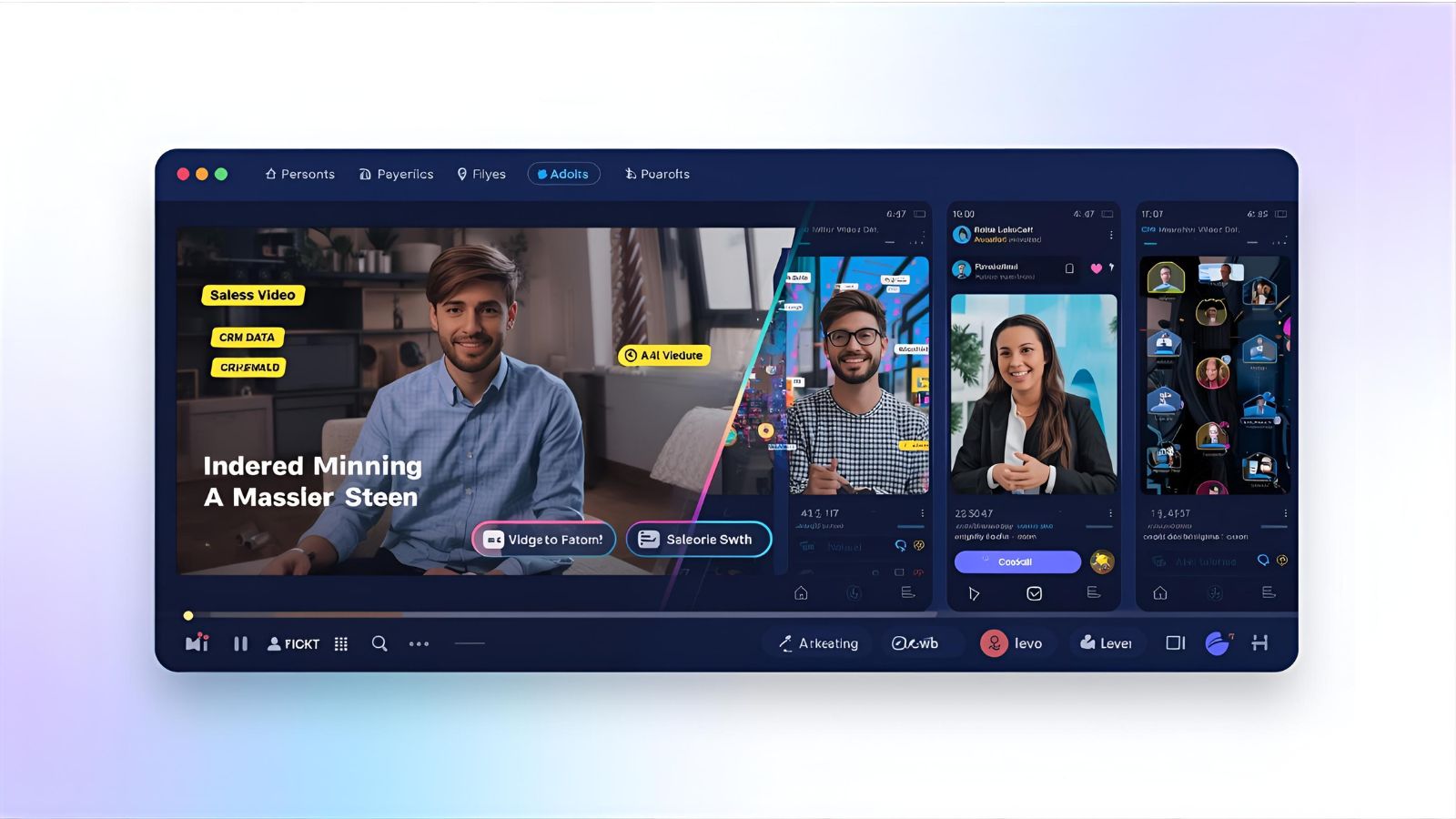
Video rules social feeds and the buyer journey. People prefer watching short clips to reading long pages. But attention is the scarce commodity. AI helps you produce more video faster and personalize at scale. That matters for outreach, ads, and brand storytelling.
Here’s what AI VIDEOS brings to the table:
- Speed - You can test new creative in days, not weeks.
- Personalization - Swap dynamic text, voice, or on-screen persona to match segments.
- Consistency - Keep brand look and tone without re-shooting every time.
- Scale - Record once. Produce dozens of variants for different audiences.
But speed and scale don’t replace strategy. If your message is weak, AI will only multiply that weakness. So aim for simple, targeted videos, not long feature reels you hope will resonate.
Top AI video formats that convert
Different objectives need different formats. Pick one that matches your goal - nurture leads, close deals, or drive social engagement. Here are formats that work well.
- Personalized outreach videos - Short clips where a sales rep or AI avatar addresses the prospect by name and references their company. Good for warm outreach and follow ups.
- Product demo snippets - 30 to 90 second clips that show one benefit or workflow. Use these in landing pages and sales sequences.
- Explainer clips - Simple how it works videos for social that remove friction and answer common objections.
- Testimonial and case study videos - Quick customer quotes with on-screen highlights and a soft CTA.
- Dynamic ad variations - Short vertical videos tailored to different audiences and ad platforms.
- Feature highlight shorts - One feature per video. Short, punchy, and perfect for A/B testing.
A good rule: focus on one idea per video. One problem, one solution, one CTA. It keeps the message sharp and makes measuring easier.
How to make AI videos that convert - step by step
The process looks like this: plan, script, produce, distribute, measure, iterate. I’ll break each step into practical tips. Read it like a checklist you can reuse.
1. Define the outcome
Start with a single question: what action do I want viewers to take? Download, book a demo, reply to a message, click to an offer? Be explicit. If you want demo bookings, your CTA and landing page must make booking frictionless.
Also pick a single metric to optimize for. For sales videos it might be reply rate. For social ads it might be click through rate or cost per lead.
2. Know your audience
If you are creating AI videos for sales, segment your audience. Different industries, roles, and company sizes respond to different messages.
Ask: what keeps them up at night? Use that pain point as your opening line. Lead with relevance. I’ve found that a prospect is much more likely to watch after hearing a specific problem named within the first three seconds.
3. Write a short script that converts
Keep scripts tight. Aim for 30 to 60 seconds for outreach and social, 60 to 90 seconds for product demos. A clean script structure works best:
- Hook - Name the pain or opportunity. First three seconds matter.
- Value - Explain the solution clearly in one or two sentences.
- Social proof - Mention a quick result or customer name if you can.
- Call to action - Tell them exactly what to do next and make it easy.
Here’s a simple outreach script you can adapt:
"Hi [Name], I noticed [company] uses [tool]. We helped [similar company] cut onboarding time by 30 percent. Want a 10 minute demo to see if it fits?"Short and direct. Swap in specifics. Specificity beats fluff every time.
4. Keep the hook strong
Ask a question, state a value, or show a problem. The hook should feel like you were listening to the prospect. It does not have to be flashy. In fact, being straightforward usually works better for sales and B2B social.
Example hooks:
- "Struggling with long sales cycles?"
- "Here’s a 45 second way to cut demo prep in half."
- "Quick idea for [company] that won’t cost you anything to try."
5. Choose the right voice and tone
Match the tone to the audience. For a startup founder use confident, direct language. For enterprise buyers, be slightly more formal but still human. Avoid buyer-speak and vague buzzwords. Say what you mean.
When using AI-generated voiceovers or avatars, review them closely. AI can sound robotic or mispronounce names. Fix those fast. Personalization is powerful only if it feels natural.
6. Visuals and design choices that boost conversion
Design is where many people trip up. If the visuals fight the message, viewers get confused or click away.
Keep these rules in mind:
- Use large, readable text for captions and key points. Mobile first.
- Keep branding subtle. Logo and color accents are fine. Don’t overwhelm the message.
- Show the product when it matters. If the product is the star, give it center stage for a few seconds.
- Use clean backgrounds. Busy scenes distract from your words.
- Match pacing to content. Faster pacing for social, calmer for sales demos.
7. Use captions and thumbnails
Many people watch without sound. Captions are non negotiable for social and helpful for inbox videos. Thumbnails and first frame matter. Make it obvious what the video is about in the preview.
8. Personalize where it counts
Not all elements need personalization. Personalize the hook and call to action for high impact. Swap in the company name, role, or a recent event. Use tokens from your CRM to automate this safely.
Example personalization:
- "Hi [Name], saw your announcement about [product]."
- "I think [feature] could shave off a week from your process."
But don’t overload with variables. If your personalization looks like a mail merge gone wrong, it ruins trust.

Simple script examples that convert
Here are a few quick scripts you can copy and customize. Short, human, and focused on a single outcome.
Cold outreach video - 30 seconds
"Hey [Name], I’m [Your Name] at [Company]. Noticed you’re scaling support teams. We helped [client] reduce response time by 40 percent using a small workflow change. Want to see a tailored 5 minute plan for [Company]? If yes, I’ll send a calendar link."Social product clip - 45 seconds
"Want to cut demo prep time in half? Here’s how. First, auto-generate your FAQ from user chats. Second, attach a short guided walkthrough. Third, invite buyers to a live test. We built this at [Company] and it saved our team hours each week. Link in bio to try a sample."Follow up after meeting - 20 seconds
"Thanks for the time today, [Name]. Quick recap: we’ll run a pilot for [use case] and measure onboarding time. I’ll send dates for next steps. Any concerns I should address before then?"Short scripts reduce friction for both you and the viewer. People appreciate clarity.
Platform-specific length and format tips
Not all platforms perform the same way. Adapt the same core message to the platform instead of repeating identical videos everywhere.
- Instagram Reels and TikTok - 15 to 30 seconds. Vertical, energetic, fast hooks and captions.
- LinkedIn - 30 to 90 seconds. Professional tone. Start with a problem statement.
- YouTube Shorts - 15 to 60 seconds. Push the value early and add a clear end screen CTA.
- Email or direct outreach - 20 to 60 seconds. Personal and direct. Put the CTA in the first 10 seconds for busy recipients.
Repurpose smartly. A 60 second demo can be clipped into three 20 second social posts, each focusing on one benefit.
Tools and tech - practical guidance
There are many AI video creator tools. They make production faster and automate repeats and variants. In my experience, two things matter more than the tool itself: your scripts and how you measure results.
Key capabilities to look for:
- Easy script to video flow. Import a script and generate a clip fast.
- Personalization tokens. Replace names, company data, and contextual lines automatically.
- Multiple voice and avatar options. Make sure they match your brand tone.
- Integration with CRM and ad platforms. That’s how you scale and track impact.
If you want a practical example, Demodazzle offers an AI video creator that integrates personalization and CRM data for sales and marketing teams. Demodazzle AI videos make it simpler to produce campaign variants and automate outreach sequences without losing the human touch. Check them out to see how those features fit your workflow.
Distribution - where to put your video
Distribution is half the work. You can make a great video and still get nothing without proper placement and tracking.
Here’s how I think about distribution:
- Organic social - build awareness and test hooks. Use native uploads and include captions.
- Paid social - run multiple variants. Test thumbnails and CTAs. Rotate winners into organic posts.
- Email and outreach - embed or link to videos. Short, personalized clips work best here.
- Landing pages - use product snippets to reduce friction. A short demo or testimonial near the CTA can lift conversions.
- Sales sequences - include video at strategic points where prospects stall. Video can restart a conversation.
Track campaigns with UTM parameters and measure the metric you chose at the start. If your goal is demo bookings, measure booking rate and cost per booking. If your goal is replies, track reply rate and next step conversions.
Measure, test, and iterate
Don’t expect perfection on the first try. Run small experiments, learn, and iterate. I recommend this testing rhythm:
- Test 3 hooks against each other for the same audience.
- Test two CTAs - one soft and one direct.
- Test video length - short vs slightly longer.
- Measure engagement rates, click rates, and conversion rates. Look beyond views.
A small chat about A/B testing: if you change everything at once, you won’t know what drove the difference. Change one variable at a time. If you want to test thumbnails, keep script and CTA identical.
Common mistakes and how to avoid them
People often make the same missteps when they start making AI videos. I’ll call out the ones I see most and tell you how to fix them.
- Too much jargon - Speak like a human. Replace industry phrases with plain outcomes.
- No clear CTA - Tell viewers exactly what to do next. Don’t hope they’ll figure it out.
- Over-personalization - Personalize the hook and CTA. Don't insert a dozen tokens that make the message awkward.
- Bad thumbnails and first frame - Fix this early. If the preview looks like a generic ad, people won’t click.
- Sound issues - Poor audio kills credibility. Use decent mics or high-quality AI voiceovers.
- Ignoring metrics - If you don’t track conversions, you’re guessing. Set up tracking before you launch.
Scaling personalization without sounding fake
Scaling personalization is a common reason teams choose an AI video creator. The trick is to personalize the emotional beats, not everything.
What to personalize:
- Name and company
- One line about a recent event, job change, or public signal
- A suggested next step that matches the prospect’s likely need
What not to personalize:
- Every sentence with dynamic variables
- Claims that are unverifiable
- Content that doesn't match the viewer’s reality
Less can be more. A short, clearly personalized message will feel warmer and more deliberate than a long message filled with awkward tokens.
Examples of winning AI video campaigns
I’ll keep these high level because results vary, but these are patterns I’ve seen work repeatedly.
- Sales outreach with calendar CTA - Short 30 second videos with a clear calendar link saw higher reply rates than plain email. Why? The video shows effort and reduces uncertainty.
- Product highlight series on LinkedIn - A three video series, each 45 seconds and focused on a single benefit, increased demo requests by creating consistent touchpoints.
- Ad variants tested by audience segment - Using an AI video creator to make 12 quick variants lets teams discover which message resonates with each persona at low cost.
These are not magic bullets. They worked because teams focused on one message, tested smartly, and followed up.
Production checklist - before you hit publish
- Did you state the problem in the first 3 seconds?
- Is the video 90 seconds or shorter for social and outreach?
- Do captions match the dialogue and read easily on mobile?
- Is the CTA clear and easy to act on?
- Did you spell names and company details correctly in personalized lines?
- Are thumbnails and first frames preview-friendly?
- Have you set up tracking with UTMs and event tags?
- Is audio crisp and free of background noise?
Quick troubleshooting - fixes for common issues
If the video feels off, try this short diagnostic:
- Too low engagement? Rework the hook and thumbnail.
- Low click rate? Simplify the CTA and ensure the landing page matches the promise.
- Poor reply rate? Make personalization more specific and shorten the message.
- High drop-off at 10 seconds? Check pacing and audio clarity.
Small fixes often have big effects. I’ve seen a single caption tweak double engagement on a LinkedIn post.
Practical examples you can copy and adapt
Here are three mini templates you can use. Keep them short and swap in specifics.
Template 1 - Demo request
"Hi [Name], I’m [Your Name] from [Company]. We helped [Client] reduce X by Y. Curious if a similar approach could help [Company]. Can I share a 5 minute plan?"Template 2 - Social awareness
"Do you spend more time on admin than customers? Here are three ways to cut admin time in half. First... Second... Third... Want a template? Link in bio."Template 3 - Follow up
"Quick follow up, [Name]. We covered A, B, and C in our last call. I’ll send next steps. Any issues I should address now?"Simple. Focused. Effective.
Ethics and authenticity when using AI
We’re creating content that looks like real people. That raises responsibility issues. Don’t misrepresent. If you use AI avatars or synthetic voices, be transparent when appropriate.
Don’t fabricate testimonials or results. Use data honestly. In my experience, transparency builds trust faster than clever obfuscation.
FAQs
1. What are AI videos and why do they convert so well?
AI videos are automatically generated clips using AI avatars, voiceovers, or templates. They convert well because they are fast to produce, easy to personalize, and keep messaging consistent across sales and social media.
2. How can small businesses use AI videos for sales?
Small businesses can use AI videos for personalized outreach, demo snippets, testimonials, onboarding, and product explainers. These formats improve reply rates and make sales pitches more engaging.
3. What makes an AI video effective on social media?
A strong hook in the first 3 seconds, clear captions, mobile-friendly text, simple visuals, and a single focused message. Shorter videos (15–45 seconds) perform best.
4. What tools do I need to create AI videos?
Use tools that offer script-to-video creation, avatars, multiple voice options, captions, and CRM personalization. Platforms like Demodazzle simplify creating customized sales and marketing videos at scale.
Final thoughts - start small and improve
AI video creation is a tool. It scales creative work, but it does not guarantee conversions. Start with a clear goal, test small, and iterate fast. Keep the message human. Use AI to remove friction, not to replace real thinking.
If you want to experiment without building a whole studio, try making three short personalized videos this week. Test different hooks and track reply or conversion rates. You’ll learn faster than endless planning.
Read more :- https://demodazzle.com/blog/how-product-demo-video-makers-can-boost-your-sales-funnel