Live Product Demos vs Self-Guided Demos
This post helps SaaS revenue teams decide between live and self-guided product demos by weighing trade-offs and offering a practical framework. It argues demos remain essential to educate buyers and accelerate decisions, then contrasts live demos (highly personalized, suited for complex or high-ACV deals) with self-guided demos (scalable, standardized, ideal for early-funnel, PLG, or low-touch use cases). The author recommends hybrid approaches, offers design tips and metrics to track, outlines ROI calculations and common pitfalls, and provides an implementation checklist. The purpose is to match demo format to buyer signals to reduce friction and improve conversion.
If you're running a SaaS business or leading revenue teams, you've probably asked the same question I hear at least once a week: should we keep investing in live product demos or double down on self guided product demo experiences?
Short answer: it depends. Longer answer: it depends on the buyer journey, deal size, product complexity, and how well your demo motion supports your broader product-led growth strategy. I’ve worked with startups and grown-ups in B2B SaaS, and I've seen both demo types win—when they’re used in the right places.
In this post I’ll walk you through the differences between live product demosand self-guided demos, the trade-offs for revenue teams, practical rules for picking the right demo format, and concrete ways to improve conversions with each approach. I’ll also flag common mistakes I see, share simple examples, and point out when an interactive product demo outperforms a sales-led walkthrough.
Why demos still matter (even with trial accounts)
Demos are part education and part persuasion. They help buyers answer the key question: can this tool solve my problem and fit into my workflow? Even in a product-led growth world, demos reduce friction, accelerate purchase decisions, and guide prospects toward value.
I’ve noticed that teams who treat demos as content rather than a sales ritual tend to get better results. That means thinking about demos as a channel in your buyer journey—something that can be automated, personalized, or run live depending on what the customer needs at that moment.
Quick definitions so we’re on the same page
- Live product demos are scheduled sessions run by a salesperson, solutions engineer, or product specialist. They’re interactive in the sense that the host adapts the demo to the buyer’s questions.
- Self guided product demo refers to automated, on-demand demo experiences a buyer can explore on their own. These can be interactive simulations, guided tours, or time-limited sandbox accounts.
- Interactive product demo is a broader term. It covers any demo that lets the buyer click around, make choices, and see results—whether live or automated.
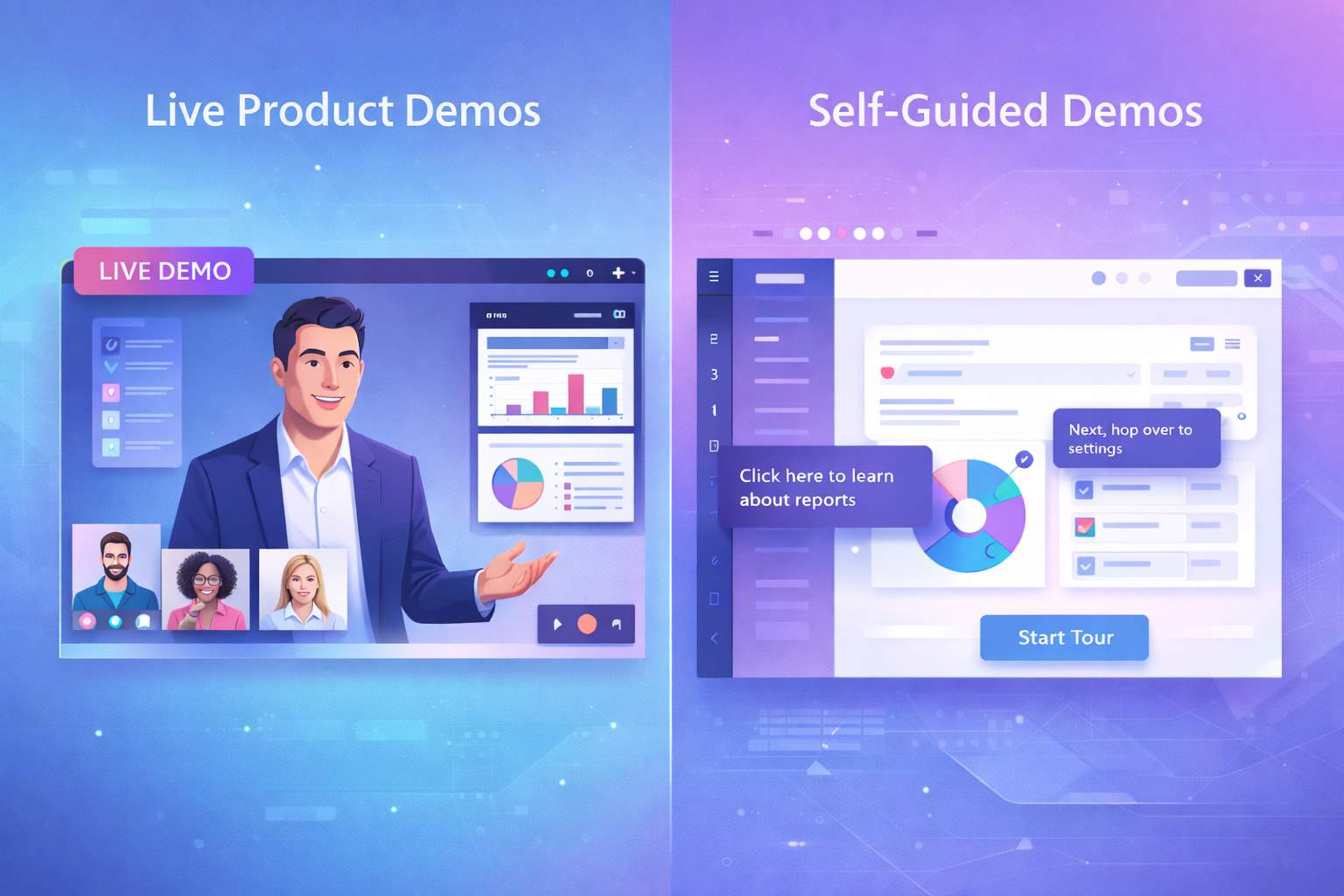
The trade-offs: live demos vs self-guided demos
Both formats have strengths and limits. Let’s compare them across the most important dimensions: personalization, scalability, speed, and conversion influence.
Live product demos — pros and cons
- Pros
- High personalization. You can tailor the demo on the fly to a buyer’s use case.
- Real-time objection handling. You can answer concerns, pivot to features, or demo integrations when the buyer asks.
- Stronger relationship building. Sales reps can build trust, pick up buying signals, and move deals forward strategically.
- Cons
- Low scalability. Every demo takes time from your team, and ramping reps is costly.
- Scheduling friction. Buyers may drop off before a booked demo date or show up unprepared.
- Inconsistent quality. Different reps demo differently. That inconsistency hurts when prospects compare experiences.
Self-guided demos — pros and cons
- Pros
- Scale and speed. Buyers can try your demo anytime, which removes scheduling friction and speeds up the funnel.
- Standardized experience. You control the narrative and ensure each prospect sees your best flows.
- Lower cost per demonstration. Once built, an automated product demo handles many more buyers without incremental headcount.
- Cons
- Lower personalization. If not designed well, self-guided tours can feel generic.
- Engagement risk. Prospects can abandon the demo halfway if it’s not compelling or too long.
- Data gaps. You may miss context that live reps would pick up, like budget or timeline signals.
When self-guided demos outperform live demos
Self-guided demos aren’t better just because they’re cheaper to run. They win when they map to how your buyers like to evaluate software. Here are situations where I’ve seen them outperform live demos.
- Early funnel discovery. When buyers want a quick feel for the UI and the core value, an on-demand interactive product demo often converts better than forcing a meeting.
- Low-touch or low-average contract value. If your ACV is small, dedicating expensive SDR or AE time to every demo doesn’t make sense. Automated demos cut cost per opportunity.
- Complex onboarding that benefits from self-serve exploration. Some buyers need to click around to discover workflows. Guided sandboxes let them do that without a rep.
- International prospects across time zones. If scheduling is a barrier, give people an interactive product demo they can use at 2 a.m.
- Product-led growth motion. When the product is your primary acquisition channel, self-guided demos fit naturally in the funnel and can be instrumented for triggers and upsell paths.
In my experience, combining self-guided demos with light human touch produces the best ROI for mid-market and lower enterprise deals. The buyer likes the convenience and the sales team sings when they only get involved where the buyer shows intent.
When live demos are still indispensable
Live demos shine when context matters. If the deal is strategic, involves multiple stakeholders, or depends on custom integrations, you want a human in the room.
- High ACV deals. A tailored live demo helps justify bigger budgets and builds credibility faster.
- Complex integrations or custom workflows. Live sessions let you map the buyer’s processes to product capabilities in real time.
- Enterprise purchasing processes. Legal, procurement, and exec stakeholders often need trust-building and a direct conversation.
- When the buyer is unsure. If they have lots of technical questions or compliance concerns, a rep or solutions engineer can address them immediately.
That said, a live demo doesn’t have to be a full product tour each time. Quick discovery calls, pre-demo homework, and short personalized clips can make live sessions much more efficient.
How to decide: a simple framework
Picking the right demo format gets easier if you match demo type to buyer signals. I like a framework with three inputs: deal complexity, buyer intent, and cost to serve.
- Assess deal complexity. Does the buyer need customization, integrations, or legal approvals? If yes, favor a live demo.
- Measure buyer intent. Is the buyer just exploring, or are they evaluating alternatives with a timeline? High intent can justify rep time.
- Calculate cost to serve. Compare rep time and conversion lift to the value of the deal. If the economics don’t work, automate.
Here’s how that plays out in practice.
- If complexity is low, intent is early, and cost to serve is high, choose a self-guided demo.
- If complexity is high, intent is strong, and deal value is high, go live.
- If you have mixed signals, run a hybrid: start with an interactive product demo and nudge buyers to book a brief live discovery call when they hit intent milestones.
Designing better self-guided demos
Building an effective automated product demo is more than recording a walkthrough video and slapping it on your site. You need to design for conversion, curiosity, and clarity.
Here are practical steps I recommend.
1. Keep it short and goal-oriented
Start with the core value proposition. A demo that spends three minutes showing the single most valuable outcome will engage more people than a 20-minute deep dive. People decide quickly whether to continue. Respect their time.
2. Use checkpoints and micro-flows
Break the demo into 2 to 4 short modules. Let users choose the path that matches their use case. For example: onboarding flow, analytics, and integrations. This is a small personalization move that pays off.
3. Add just enough interaction
Make it clickable. Let people toggle settings, run a fake report, or import a sample dataset. Interactivity increases retention and mimics product use without exposing a live environment.
4. Capture intent signals
Track clicks, module completions, and time spent. Use those signals to trigger follow-ups. If a user runs the integrations module and spends five minutes there, that’s a warm lead worth a quick touch from sales.
5. Personalize the experience
Simple personalization goes a long way. Ask one or two screening questions up front. Use that input to route users into the right demo path and to enrich the lead record for your sales team.
6. Make it easy to escalate to live help
Always offer a low friction way to talk to a human. A small button that says Book a short 15-minute discovery call or Chat with an engineer reduces anxiety and increases conversions. Don’t hide the phone number behind a form.
7. Test and iterate like crazy
Run A/B tests on CTAs, the demo length, and module order. In SaaS demos small changes can move pipeline. Track metrics like demo-to-signup and demo-to-trial to measure impact.
Designing better live demos
Live demos demand different skills. They’re not about showing every feature. They’re about storytelling, alignment, and moving the deal forward.
1. Prep like you’re running a show
Pre-demo discovery matters. Ask a few questions before the call. If the prospect gives you even a sentence about their workflow, you should use that in the demo. I always tell reps: bring a tailored one-pager or a short agenda to keep the call on track.
2. Start with a concise agenda
Begin with a two-sentence summary of what you’ll cover and why it matters to them. Then confirm the buyer’s priorities. This buys you permission to steer the demo toward what matters.
3. Show outcomes not features
Demonstrate the business result your feature enables. Instead of showing a long settings page, show the before-and-after: how much time it saves, or how it improves a metric buyers care about.
4. Use short clips and live toggles
Don’t try to demo everything live. Mix in short pre-recorded clips for complex flows and do live work for the parts you need to personalize. This keeps the demo smooth and reduces the risk of errors.
5. End with clear next steps
Wrap up with a recommended path: trial, pilot, deeper technical session, or proposal. Assign owners and timelines. Ambiguity kills momentum.
Hybrid approach: the best of both worlds
You don’t have to choose only one demo format. Smart teams orchestrate both. The hybrid model is my favorite because it uses each format where it’s strongest.
Here’s a simple hybrid playbook that works:
- Offer a short self-guided interactive product demo on the website for top-of-funnel discovery.
- Track engagement and qualify leads automatically using intent signals.
- For warm leads, send a short personalized video or invite them to book a 15-minute demo focused on their key use case.
- Use the live session to answer outstanding questions and close. Keep it brief and outcome-oriented.
This approach lowers friction early and focuses human effort where it actually moves the deal forward.
Common mistakes I see—and how to avoid them
Whether your team favors live product demos or self-guided demos, certain pitfalls show up again and again. Here are the big ones.
- Too much flash, not enough value. Fancy UI is great, but buyers want to know what problem you solve. Lead with outcomes.
- One-size-fits-all demos. If your demo tries to be everything to everyone, it becomes nothing to anyone. Segment demo content by persona and use case.
- No clear CTA. Every demo should end with the next step. If users leave confused, conversions drop.
- Forgetting to measure. If you don’t track demo completion, engagement, and conversion metrics, you’re flying blind.
- Ignoring the transition between demo and trial. Your demo should naturally lead users into a trial or a sales conversation. If the handoff is clunky, you lose momentum.
Metrics that matter
Measure what you care about. Here are the demo metrics I recommend for most SaaS teams.
- Demo plays or demo starts
- Demo completion rate
- Demo-to-qualified lead conversion
- Demo-to-trial or demo-to-purchase conversion
- Time to first meaningful action after demo
- Average deal size by demo path (live vs self-guided)
Those metrics tell you whether demos are education tools, lead magnets, or conversion drivers. Track them by persona and campaign so you can see what’s really working.
Simple examples—keep it human
Here are tiny use-case examples to illustrate how teams put demo formats to work.
Example 1: Low-touch SMB SaaS
Problem: Long sales cycles and expensive demo time.
Solution: Offer a crisp 3-minute self-guided interactive product demo that highlights the core workflow. Capture an email and one screening question. If the user completes the integrations module, trigger an automated invitation to book a 15-minute call. This moves leads down-funnel without wasting AE time.
Example 2: Mid-market with custom integrations
Problem: Buyers need to validate integrations and security quickly.
Solution: Use a self-guided demo as a discovery tool. When the prospect hits an integration section, an automated workflow assigns the lead to a solutions engineer who offers a tailored 30-minute live demo focused on integration and compliance. That targeted live session converts at higher rates because the rep isn’t demoing to everyone—only to those with a specific intent signal.
Example 3: Enterprise sales motion
Problem: Multiple stakeholders and long evaluation cycles.
Solution: Begin with a personalized self-guided demo that stakeholders can review asynchronously. Then schedule a live demo for the core decision team focused on outcome mapping and procurement questions. This reduces scheduling conflicts and gives stakeholders something concrete to discuss internally before the live session.
Tools and tech that make demos scale
There are lots of demo software options out there, and picking the right ones depends on the demo formats you want to support. Here are categories to consider and what they help you do.
- Interactive demo builders. These let you create click-through guided tours and simulated product experiences without exposing live data.
- Automated product demo platforms. These host and manage on-demand demos, track engagement, and integrate with your CRM.
- Screen recording and short video tools. Useful for mixing pre-recorded clips into live demos or sending personalized follow-ups.
- Sales enablement tools. They link demo engagement to reps and trigger workflows based on intent signals.
- Analytics and event tracking. You need to capture demo interactions and map them back to accounts and personas.
If you want a tool that ties the whole motion together, check out demodazzle. They focus on interactive product demos and automated product demo workflows that integrate with your sales and marketing stack. I’ve used demos like this to reduce scheduling friction and improve demo-to-trial conversion.
How to measure ROI for demo investments
Start with the math. Measure the cost of a live demo in rep hours and compare it to the conversion lift a live demo produces over a self-guided demo.
Here’s a basic formula I use:
- Calculate cost per live demo: (rep hourly rate times demo length plus prep) plus overhead.
- Calculate cost per automated demo: platform cost divided by demo volume.
- Compare conversion rates: live demo to purchase versus self-guided demo to purchase.
- Multiply the conversion delta by average deal size to estimate incremental revenue from live demos.
Do that analysis by cohort. For example, separate inbound leads from marketing-qualified accounts and segment by deal size. Often you’ll find that live demos produce higher conversion only for higher ACV segments while self-guided demos capture and convert smaller opportunities more efficiently.
Implementation checklist: roll out a demo program
Here’s a practical checklist for launching or improving your demo motion. Think of it as a short playbook you can put into action this week.
- Map the buyer journey and identify where demos best fit.
- Create a short, goal-oriented self-guided demo for early-stage buyers.
- Build a simple qualification flow to route warm leads to live demos.
- Train reps on a 15-minute live demo script focused on outcomes and next steps.
- Instrument demo interactions and send signals to your CRM and marketing automation.
- Set baseline metrics and A/B test demo lengths, CTAs, and module order.
- Review performance weekly for the first month and iterate quickly.
Final thoughts: choose the right tool for the job
There’s no one-size-fits-all answer. Self-guided demos scale and remove friction, while live product demos win when personalization and trust matter most. The smart move is to design a demo motion that uses both strategically.
In my experience, teams that win are the ones who instrument demos as part of the funnel, measure what matters, and only use reps where they can meaningfully increase conversion. If you treat demos as a channel and optimize it like marketing and sales do, you’ll see pipeline improve.
Want to experiment quickly? Start with a short interactive product demo that maps to your most common use case. Track who engages, then reach out to the most active users with a short live discovery call. It’s simple, practical, and it works.
Read more:What Is an Interactive Product Demo?
Faqs
1. What is the main difference between a live product demo and a self-guided demo?
A live product demo is a real-time presentation led by a sales or product expert who walks prospects through the software and answers questions interactively. A self-guided demo, on the other hand, allows users to explore the product independently through an interactive walkthrough without needing a salesperson present. The key difference lies in human guidance versus autonomous exploration.
2. When should a company use live product demos?
Live product demos are ideal for high-ticket, complex, or enterprise solutions where prospects require customization, deep explanations, and direct interaction. They are especially effective during later sales stages when decision-makers need tailored insights before committing.
3. When are self-guided demos more effective?
Self-guided demos work best for SaaS products with shorter sales cycles or product-led growth models. They allow prospects to explore features at their own pace, reduce scheduling friction, and capture early-stage leads who prefer researching independently.
4. Do self-guided demos reduce sales team involvement?
Yes, self-guided demos can significantly reduce initial sales involvement by qualifying and educating prospects automatically. However, for high-intent or complex buyers, a follow-up live demo may still be necessary to close the deal.
5. Which demo format converts better: live or self-guided?
Conversion effectiveness depends on your product complexity, pricing, and target audience. Live demos often convert better for enterprise deals due to personalization and trust-building, while self-guided demos typically drive higher volume engagement and faster pipeline generation in product-led models. Many companies combine both approaches for optimal results.
Helpful Links & Next Steps
- demodazzle — Demo software and interactive product demo solutions
- demodazzle blog — More posts on demos and product-led growth
- Book a free demo today
Ready to see how an automated product demo can reduce friction in your funnel? Book a free demo today and we’ll walk through a tailored demo strategy for your PLG strategy and sales motion.