Demo Automation for Sales Enablement Teams
This blog argues that demo automation transforms sales demos from time-consuming, inconsistent tasks into repeatable, measurable experiences that speed deal cycles and improve win rates. It explains how automation reduces prep time, scales personalization with modular templates and seeded data, improves onboarding, increases demo throughput, and provides analytics for coaching. The author covers practical implementation steps, KPIs to track, best practices, and common pitfalls—including over-automation and bad data—and cautions that AI helps but doesn't replace human-led demos for complex sales. Readers get sample scripts, measurement tips, and guidance on selecting tools, governance, and adoption, with a brief look at DemoDazzle.
If you run a sales enablement team, I am sure you understand how demos are at the heart of every buyer's decision. They can show the value quickly, resolve doubts live, and push the deals onwards. However, prepping and giving those demos takes up a lot of time. Salespeople allocate hours to creating demo setups, tweaking their slides, and practicing their pitch while they could be selling. Relate to this?
Across the teams that I work with, I've seen a very clearly defined pattern emerge. The top, performing organizations ditch the notion of spontaneous demos and instead create demo experiences that are repeatable and measurable. Their tool of choice for doing this is demo automation software. It is not about human replacement. It's about doing away with the tedious parts, standardizing the important things, and equipping sales reps with the capacity to give customized demos at scale.
Here, I'll explain why demo automation is important, in what ways it can lead to sales productivity, and most importantly, how to start without disrupting the current workflow. I will also discuss initial errors, give tangible instances, and outline a simple strategy that you can implement. Consider it to be a field guide by a person who has assisted sales, product marketing, RevOps, and pre, sales teams get their demo work fully sorted out.
Why Demo Automation Matters
Demos are the decisive moment in a B2B SaaS deal. They can shorten the sales cycle, differentiate product value, and remove buyer doubts. The problem is demos are often inconsistent. One rep shows the wrong module. Another forgets to highlight a feature. A third spends ten minutes on setup while the prospect waits. Those small failures cost credibility and time.
Demo automation solves several common problems at once.
- It ensures that the fundamental messages of the product are consistent across all demos so that every demo points out the aspects leading to making deals.
- It cuts down the hours spent on the initial setup and preparations thereby allowing the representatives to dedicate more time to the customers.
- It expands personalization that enables the sales representatives to focus on the scenarios specific to the industry or the role without having to create a new demo each time.
- It equips the enablement leaders with information that will allow them to make changes in demo content and provide better coaching to sales representatives based on the real usage patterns.
- And here is the thing: I'm not talking about demo automation only in terms of recorded videos. The category actually embraces interactive product demos, self, guided product demos, demo management software, and platforms that put these pieces together. While some tools focus on AI demo automation that generates scripts or voiceovers, others offer interactive flows through which prospects can explore on their own. A suitable combination is determined by your objectives.
How Demo Automation Improves Sales Productivity
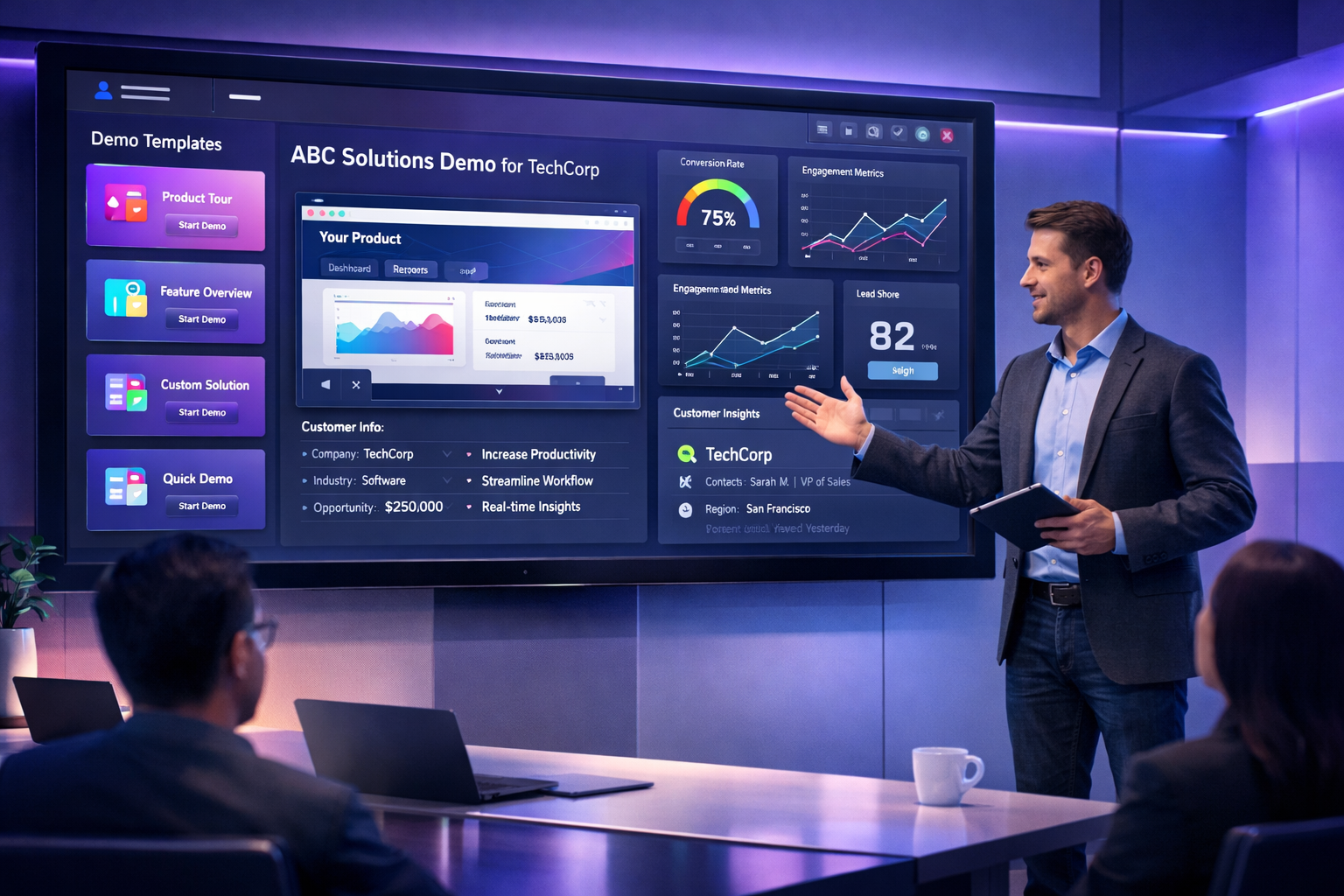
Let's be practical. What does productivity look like after you automate demos? Here are the main gains I've seen.
- Less prep time per demo. Usually, the reps get involved for an hour or two to prepare a single demo. With templates and reusable scenarios, the time spent on preparation boils down to just minutes.
- Faster onboarding for new reps. New employees can be familiarized with the product by their using guided demos rather than them running after experienced reps for shadowing sessions.
- Higher demo throughput. Teams are capable of accommodating more demos each week by not just adding more people.
- Better win rates. Demo flows that have been standardized and battle, tested make the conversation centered on the buyer outcomes, which leads to higher conversion.
- More consistent follow, up. Reps often use the next steps links calls to action from automated demos only after the meeting.
In my experience, teams that introduce automated sales demos see the biggest immediate win in time saved. That slack gets reallocated to prospecting and closing. It also surfaces patterns you can use to coach reps—like which demo segments cause prospects to disengage or which features lead to a Yes.
Scaling Personalized Product Experiences
Personalization sounds expensive. People assume it's one-off builds for each type of buyer. But demo automation makes personalization scalable.
Here are simple ways teams personalize demos without redoing the demo each time:
- Create modular demo templates. Swap modules in and out based on buyer role or industry.
- Use parameterized data. Show the buyer their account name, industry example, or sample data relevant to their use case.
- Build short, role-focused paths. A 3-5 minute segment for a CIO, a shorter buyer focused path for a line manager, and a technical deep dive for architects.
- Offer self-guided product demos for early-stage leads to explore on their own time.
Here's a simple example. Imagine you're selling a workflow automation tool. Instead of building three separate demos, you create a base demo with three modules: setup, reporting, and integrations. For a marketing buyer, you start the demo in reporting and skip integrations. For an operations buyer, you begin with setup and surface integration examples. The core demo is the same. You're just tuning the order and data to match buyer priorities.
That approach keeps the demo consistent and repeatable. At the same time, it feels tailored to the prospect. Prospects notice small personal touches. They appreciate seeing their logo or a familiar workflow. Those details build credibility fast.
Reducing Manual Demo Preparation
Manual demo prep is a huge time sink. Labs, clean data, environment resets, and custom datasets all demand attention. If your team spends more time preparing than presenting, you have the wrong tools or process.
Demo automation reduces manual overhead in three ways:
- Automated environments. Use a demo platform that spins up test environments automatically with seeded, relevant data.
- Reusable scenarios. Save common configurations as templates so reps don't rebuild them every time.
- Prebuilt content and assets. Have ready-made slide decks, scripts, and follow-up links that align with demo flows.
One practical tip I give teams is to set up a "demo library." Think of it as a shared repository of playbooks, templates, and environments. Pair each demo with a short note: who should run it, which use cases it covers, average run time, and a recommended sequence of slides. This reduces cognitive load for reps and ensures they pick the right demo for the situation.
Accelerating Deal Cycles with Automated Demos
Faster deal cycles are the payoff. When prospects can experience the product quickly and in a way that mirrors their work, they move faster. Demo automation helps in a few concrete ways.
- Immediate access. Self-guided demos let prospects start exploring before a sales conversation. That speeds up qualification.
- Focused demos. Automated flows keep demos relevant to the buyer's needs, preventing the common "we cover everything" trap that wastes time.
- On-demand evidence. Reps can send personalized demo links after meetings. Prospects revisit features on their own, reducing the need for repeat calls.
I've seen two typical acceleration patterns. First, with automated product demos available on demand, the top of funnel moves faster. Prospects qualify themselves and show up to meetings better informed. Second, when reps use demo automation in live calls, they spend less time fumbling with setup and more time discussing business outcomes. Both patterns shorten the time to decision.
What Demo Automation Actually Looks Like
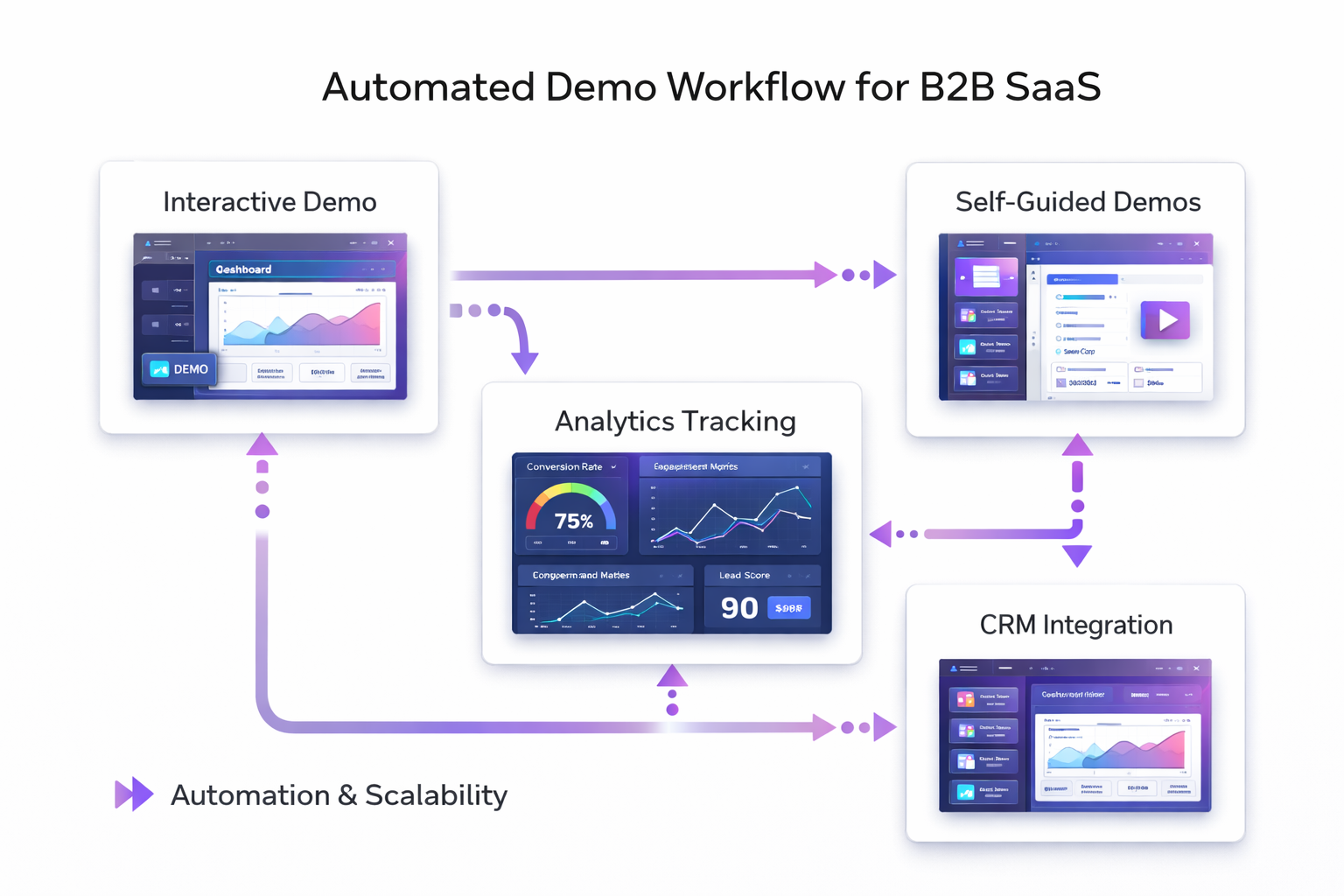
When I explain demo automation, people picture robots doing demos. That is not it. Demo automation is a toolbox made of several building blocks.
- Demo templates. Prebuilt flows that cover core use cases.
- Modular components. Reusable pieces you can stitch together for different buyer types.
- Interactive elements. Clickable interfaces, guided tours, or sandbox environments where prospects can try the product hands-on.
- Self-guided demos. On-demand experiences prospects can explore on their own timeline.
- Recording and playback. Recorded sessions that reps can review for coaching or share with prospects.
- Analytics and tracking. Data that shows which parts of the demo prospects watched and for how long.
These pieces combine to form a demo experience platform or SaaS demo platform. The most practical systems offer a balance of automation and control. Your team should be able to edit demo content quickly, bind live data for personalization, and roll out updates across the demo library immediately.
AI Demo Automation: Hype vs Help
AI demo automation gets a lot of attention. And for good reason. AI can generate voiceovers, create demo scripts, and even help tailor sequencing based on prospect signals. But the tool will only accelerate what's already working.
Here's how AI helps in the near term.
- Generate spoken narration for recorded demos so you don't need a studio voice.
- Create variant demo scripts for different industries or buyer roles automatically.
- Summarize demo sessions to give quick coaching notes.
But beware of two common pitfalls. First, don't rely on AI to invent demo content. AI is great for drafts, but a seasoned pre-sales engineer or product marketer should review everything. Second, don't make AI the only way to personalize. Buyers still need human touchpoints. AI should speed things up, not replace the conversation.
Best Practices for Sales Enablement Teams
From years of working with teams, these practices consistently produce results. They're low friction and high impact.
- Start with a demo playbook. Document demo objectives, who runs which demo, and common variations. Keep it short and practical.
- Standardize core flows. Identify the three to five demo scenarios that win 80 percent of your deals and make those flawless.
- Use modular design. Build components that can be reused across scenarios to cut maintenance costs.
- Seed demo data. Use realistic sample data so features look real during a demo. Nothing kills credibility faster than empty dashboards.
- Train in context. Roleplay demos with real buyers' questions instead of simply showing features
- Measure and iterate. Keep an eye on the engagement metrics of automated demos and use these to improve your content.
- Keep ownership clear. Identify the owner of the demo library, the person who gives the green light for the changes, and the manner in which feedback exchanges occur.
Here's a tiny tip that makes a big difference: creating a one, page cheat sheet for the sales reps that includes demo links, duration, and quick 30, second hooks. Sales reps adore it. It not only cuts down stress but also lets them hit the crux of the matter quicker.
Common Mistakes and Pitfalls
Teams often stumble when implementing demo automation. Here are the errors I see most.
- Over-automation. Not every demo should be automated. High-value, complex enterprise conversations still need a live expert-led demo with room for exploration.
- Poor governance. If everyone can edit demo content, you get inconsistent messaging. Keep edits controlled and audited.
- Bad data. Demo environments with fake or irrelevant data erode trust. Use believable, industry-specific examples.
- Neglecting follow-up. Sending a demo link without context or next steps reduces impact. Always tie automated demos to a clear CTA.
- Ignoring analytics. If you don't track which parts of the demo engage prospects, you miss the chance to improve the demo.
A simple example of over-automation: one company replaced all live demos with AI-narrated recordings. They lost deal momentum because buyers wanted to ask questions in real time. The takeaway: use automation where it reduces friction, not where it removes the human element buyers still want.
Measuring Success: Metrics That Matter
You can measure the impact of demo automation with several straightforward KPIs. Pick a few and stick with them.
- Demo time saved. Track hours saved on prep and delivery per rep per month.
- Demo-to-opportunity conversion. Measure how many demos lead to qualified opportunities.
- Win rate by demo type. Compare conversion rates for automated demos versus live demos.
- Average deal cycle length. Monitor time from first demo to close.
- Engagement metrics. For self-guided demos, track watch time, clicks, and which modules perform best.
- Rep adoption. Percentage of reps using the demo automation tools regularly.
One metric I encourage tracking early is rep adoption. You'll never get the productivity benefits if the team does not use the tools. Make adoption easy: embed demo links in your CRM, add one-click sharing to follow-up emails, and keep templates simple.
Implementation Roadmap: A Practical 7-Step Plan
Moving from pilot to production doesn't have to be complex. Here's a simple, practical roadmap you can follow over 8 to 12 weeks.
- Audit current demos. Collect recordings, templates, and the most common scenarios. Identify what wins deals.
- Define success criteria. Pick 3 core KPIs like demo time saved, demo-to-opportunity conversion, and rep adoption.
- Choose a demo automation platform. Evaluate demo automation software options. Look for features like modular templates, interactive demos, analytics, and integration with your CRM.
- Build core demo templates. Start with the 3 to 5 demo scenarios that cover most deals. Keep them modular and data-driven.
- Train a pilot group. Onboard a small set of reps and collect feedback. Iterate quickly.
- Measure and adjust. Use the KPIs you defined to refine content and workflows.
- Roll out broadly and document. Publish a demo playbook, add the demo library to your enablement portal, and maintain a feedback loop.
You'll want to involve product marketing and pre-sales early. Product marketing owns messaging; pre-sales knows buyer questions. Together they help identify the demo elements that actually move deals.
Quick Examples and Simple Scripts
Here are two short, human-friendly demo scripts you can adapt. Keep them under three minutes for quick sharing, or expand them for live calls.
1. Executive overview - 3 minutes
- 30 seconds: Quick hook. "We help teams reduce X by Y percent. Here's how."
- 60 seconds: Show dashboard with industry-specific metrics. Use the prospect's industry or sample data.
- 60 seconds: Highlight two key wins - one ROI example and one case study line. End with a question that invites the buyer to tell you what matters most to them.
2. Technical deep dive - 5 minutes
- 30 seconds: Quick context. "This is for engineers and architects who need to integrate with X."
- 2 minutes: Walk through integration setup using seeded data. Show how long it takes end to end.
- 90 seconds: Show troubleshooting and observability features. Demonstrate an alert resolving in real time.
- 30 seconds: Close with concrete next steps - trial environment access and a technical Q&A.
Short, scripted demos give reps confidence. They also make recorded and automated demos easier to produce. Keep the language natural, avoid jargon, and practice a few lines to keep the rhythm.
How DemoDazzle Fits In
If you're evaluating demo experience platforms, demodazzle is built around the idea of scalable, personalized demo workflows. The platform supports interactive product demos, self-guided experiences, and analytics so enablement leaders can see which demo components work best.
What I like about demodazzle is the focus on practical features: modular templates, quick environment seeding, and integrations that let reps share demos directly from their CRM. It aims to be a demo management software that helps you reduce manual setup while preserving opportunities for live engagement.
If your team is experimenting with automated sales demos or looking to adopt AI demo automation responsibly, demodazzle is worth a look. It tries to hit the sweet spot between control and flexibility so you can iterate quickly.
Frequently Asked Questions
Do automated demos replace live demos?
No. Automated product demos and self-guided demos handle discovery and qualification well. But high-value enterprise conversations often still need live, expert-led demos.
How much work is it to set up?
Expect an initial investment. Building three to five high-quality demo templates usually takes a few weeks. The payoff comes from reduced prep time and higher consistency after that.
Can we use demo automation with our existing CRM?
Most demo experience platforms integrate with CRMs so reps can share links, log activity, and automate follow-ups. Make sure to check for native integrations during evaluation.
Find more: 5 Ways to Transform Client Onboarding with Interactive Software
Final Thoughts
Demo automation is one of those capabilities that, done well, pays for itself quickly. You save time, scale personalization, and get better data to coach reps. But remember, automation is a lever, not a replacement. Keep humans in the loop for high-touch conversations, and use automation where it removes friction.
If you're a sales enablement leader, start small. Pick a handful of demo scenarios, automate them, measure results, and expand. Keep your demos realistic and tied to buyer outcomes. If you're running RevOps or product marketing, be part of the process. Your insights on messaging and measurement will determine whether the automation helps close more deals or just creates more recordings.
In my experience, teams that treat demo automation as a product in itself win. They maintain a demo library, iterate based on analytics, and train reps to use the right demo at the right time. That discipline turns demos from a time sink into a growth lever.
Faqs
1.What is demo automation software?
Demo automation tools are designed to assist sales teams in creating, organizing, and presenting product demonstrations in a more productive manner. Through these tools, companies have the capability to design single, consumption demo templates, interactive product walkthroughs, and self, guided demos, which enables potential customers to experience the product without a live presentation being necessary every time.
2.How does demo automation help sales enablement teams?
Demo automation contributes to sales enablement in a number of ways: less demo preparation through manual work, consistent message delivery by standardization, plus ability to offer personalized demo experiences at a large scale. As a result of these benefits, sales representatives have more availability for actual engaging with the leads and less time spent on setting demo environments.
3.Can automated demos replace live product demos?
No, they cant. Automated demos are very useful for the initial phases of discovering new leads, qualifying them, and sending follow, ups. On the other hand, transactions of complex enterprise nature still typically need live demos to allow sales engineers or product specialists to answer questions and adapt the discussion on the spot.
4.What features should I look for in demo automation software?
You should primarily check for features like interactive product demonstrations, modular demo templates, analytics and tracking of user engagement, integration with CRM, capabilities for self, guided demos, and personalization tools. Having these features at hand your sales force would be able to perform more demos without impacting the quality for each buyer.
5.How long does it take to implement demo automation?
Most teams can launch their first automated demos within a few weeks. The process typically involves selecting a demo platform, building a few core demo templates, training a pilot group of sales reps, and then expanding usage across the organization.