Product Demos for PLG Companies
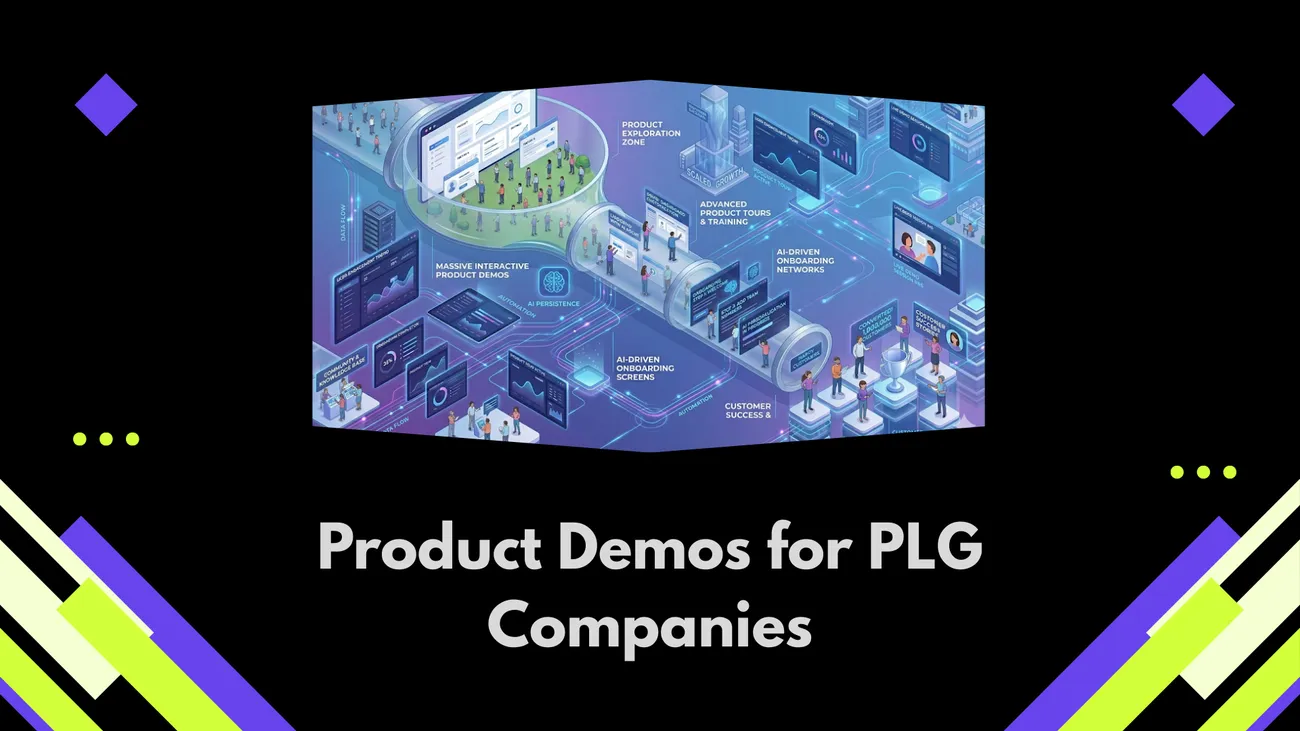
Interactive product demos are a practical tool for product‑led growth (PLG) companies to accelerate evaluation, reduce onboarding friction, and increase conversions. The blog argues simple, hands‑on demos—especially self‑guided walkthroughs seeded with realistic data and clear CTAs—teach users faster than static videos. It outlines demo formats (self‑guided, guided, hybrid), design essentials (fast start, sample data, contextual tips, exit ramps), common mistakes, key metrics to track, and an implementation roadmap with a five‑minute demo recipe. The piece emphasizes iterative testing and instrumentation, offers practical tips, addresses objections, and highlights Denidazzle as a platform to provision, track, and scale demos.
If you’re working at a product-led growth company, you’re already well aware that your product is the star of the sales floor. But "selling itself" isn't a hands-off strategy it’s an active design challenge. To win, you need to pave a frictionless path where prospects strike "Aha!" moments in seconds, not weeks.
Demodazzle transforms that journey. By integrating interactive product demos directly into your growth funnel, you empower users to explore, click, and convert through a self-guided experience that proves value instantly. Don't just wait for them to find the magic, dazzle them with it. I’ve noticed teams either overcomplicate demos or treat them like a checkbox. Neither approach works. In my experience, the best demos are simple, hands-on, and built specifically to reduce friction during product onboarding and the evaluation stage.
Why product-led growth companies need better demos
PLG companies rely on the product to drive acquisition, conversion, and expansion. That sounds great until you realise users churn when they can’t reach the “aha” moment quickly. Product-led growth demos help close that gap by giving potential users a taste of value without asking them to install or commit first.
Think about it. When a prospect lands on your pricing page, what are they really asking? Can your product solve my problem? How hard will it be to adopt? Interactive product demos answer both questions directly. They reduce friction and increase confidence in the product. That leads to better conversion and higher user adoption.
Interactive product demos vs static demos
Static demos are usually videos, slide decks, or screenshots. They’re easy to produce, but they don’t teach. Interactive product demos are different because they let prospects do something with the product in a controlled environment. They click, input data, and see results. That hands-on experience shortens the evaluation cycle.
Here’s a quick comparison I use when coaching teams:
- Static demo: Passive, one-way, shows potential but does not build muscle memory.
- Interactive demo: Active, two-way, helps users learn by doing and reduces time to value.
For PLG companies, interactive demos are a must. They support self-serve funnels, power self-guided product walkthroughs, and improve product onboarding metrics.
Types of interactive product demos
Not all demos need to be the same. I usually recommend three formats depending on your goals and audience.
- Self-guided product walkthroughs. These are the demos people can run on their own. The experience is pre-seeded with sample data and tooltips that teach key features. Best for top-of-funnel prospects who want to try before they sign up.
- Guided demos. These involve a sales or success rep walking the prospect through the product. Use them for high-touch accounts that need some help to realize value.
- Hybrid demos. Start with a self-guided walkthrough, then offer a live session for deeper questions. This approach scales well and keeps conversion intact.
Each format serves a specific stage in your funnel. The trick is to make it easy for prospects to switch from one to another. For example, add a clear CTA in the self-guided demo to request a live walkthrough.
What makes an effective self-guided walkthrough
Designing a self-guided walkthrough is part art and part science. You want to keep it short and focused on the core jobs to be done. Here are the elements I always include.
- Fast start. Let users get something meaningful done in under five minutes. I've seen conversion jump when demos offer an instant “do this now” button that delivers a visible outcome.
- Sample data. Realistic data beats generic placeholders. When people see their use case represented, they make decisions faster.
- Clear pathways. Give two or three main paths based on common personas. Don’t try to show every feature in one demo.
- Contextual tips. Use short inline tips rather than long modal tutorials. Keep text conversational and action-oriented.
- Exit ramps. Always offer a next step: sign up, request a demo, or contact support. That makes the user journey seamless.
One quick example. For a CRM product, the demo could let users import a small list, send a templated email, and view a simple report. That demonstrates the loop of value: import, act, analyze. Short and tangible.
Common mistakes teams make with demos
I coach many teams who repeat the same mistakes. If you avoid these, you’ll be ahead of most rivals.
- Too much content. Teams try to show everything at once. Your demo should highlight the 20 percent of features that drive 80 percent of value.
- No seed data. Empty screens confuse users. Seed the experience with realistic examples so prospects can see outcomes quickly.
- No clear next step. If the demo ends without a CTA, users drop off. Make the next action obvious.
- Confusing UI for first-time users. If your product assumes prior knowledge, the demo will fail. Simplify flows and use contextual hints.
- Not tracking demo behavior. If you don’t instrument demos, you miss powerful signals that inform product and marketing decisions.
Avoid these pitfalls and you’ll improve both conversion and user onboarding.
Metrics that matter for product-led growth demos
Metrics keep you honest. In my experience, teams pick the wrong ones or track too many. Focus on signals that show user intent and adoption.
- Demo start rate. How many visitors actually launch the demo?
- Demo completion rate. Of those who start, how many reach the “aha” moment?
- Time to first value. How long does it take to hit the key workflow outcome?
- Activation rate. How many demo users convert to active trial or paid users?
- Feature adoption. Which features are used in demo sessions and by converted users?
These metrics help you tie demo design to outcomes like user adoption and expansion. For example, if time to first value is long, shorten the demo or change the default data.
How to instrument demos for insight
Tracking demo behavior is easier than teams think. Inject a few lightweight events and you’ll get tons of signal.
- Track demo start and end times.
- Track key steps like file upload, report view, or invite sent.
- Collect email or usage identifiers to tie demo sessions to downstream conversions.
- Record optional session playbacks for usability analysis.
One common mistake is over-collecting. Don’t ask for user data too early. Instead, use behavioral signals to decide when to request an email or offer a live demo. That keeps friction low and your funnel full.
Design recipe for a 5-minute interactive demo
Want a practical template? I like to give teams a starting recipe they can implement quickly. This one focuses on speed and clarity.
- Landing page with two CTAs: Try Demo and Book a Live Demo. Keep copy benefit-first and targeted by persona.
- Auto-provisioned demo environment with sample data tailored to the persona. Use three to five records that illustrate the workflow.
- Onboarding overlay that points to the one action that produces an outcome. Use one short sentence per step.
- Celebrate the outcome with a short message and a clear next step: sign up, invite teammates, or request a live walkthrough.
- Collect opt-in for follow-up when the user engages meaningfully, not at the start. Ask for an email after they hit the first milestone.
This recipe keeps demos short while still teaching users how the product solves their problem.
Self-guided walkthroughs that convert: example scenarios
Let me share a couple of simple examples. These are the kinds of demos that consistently convert for PLG companies.
Example 1: Team collaboration tool
- Start: User lands on demo landing page and clicks Try Demo.
- Action: They create a project from a template. The template comes pre-filled with tasks and dates.
- Result: The user assigns two tasks and sends a comment. They immediately see task tracking and notifications in action.
- Next step: Offer to add teammates or upgrade for additional integrations.
Example 2: Analytics or reporting app
- Start: User launches a demo with a preloaded dataset relevant to their industry.
- Action: They drag metrics into a dashboard and save it.
- Result: The demo visualizes a key metric. The user can export or schedule a report.
- Next step: Offer a live walkthrough focused on their own data integration options.
Both examples show a short loop from action to visible outcome. That loop builds trust fast.
Scaling demos across a PLG funnel
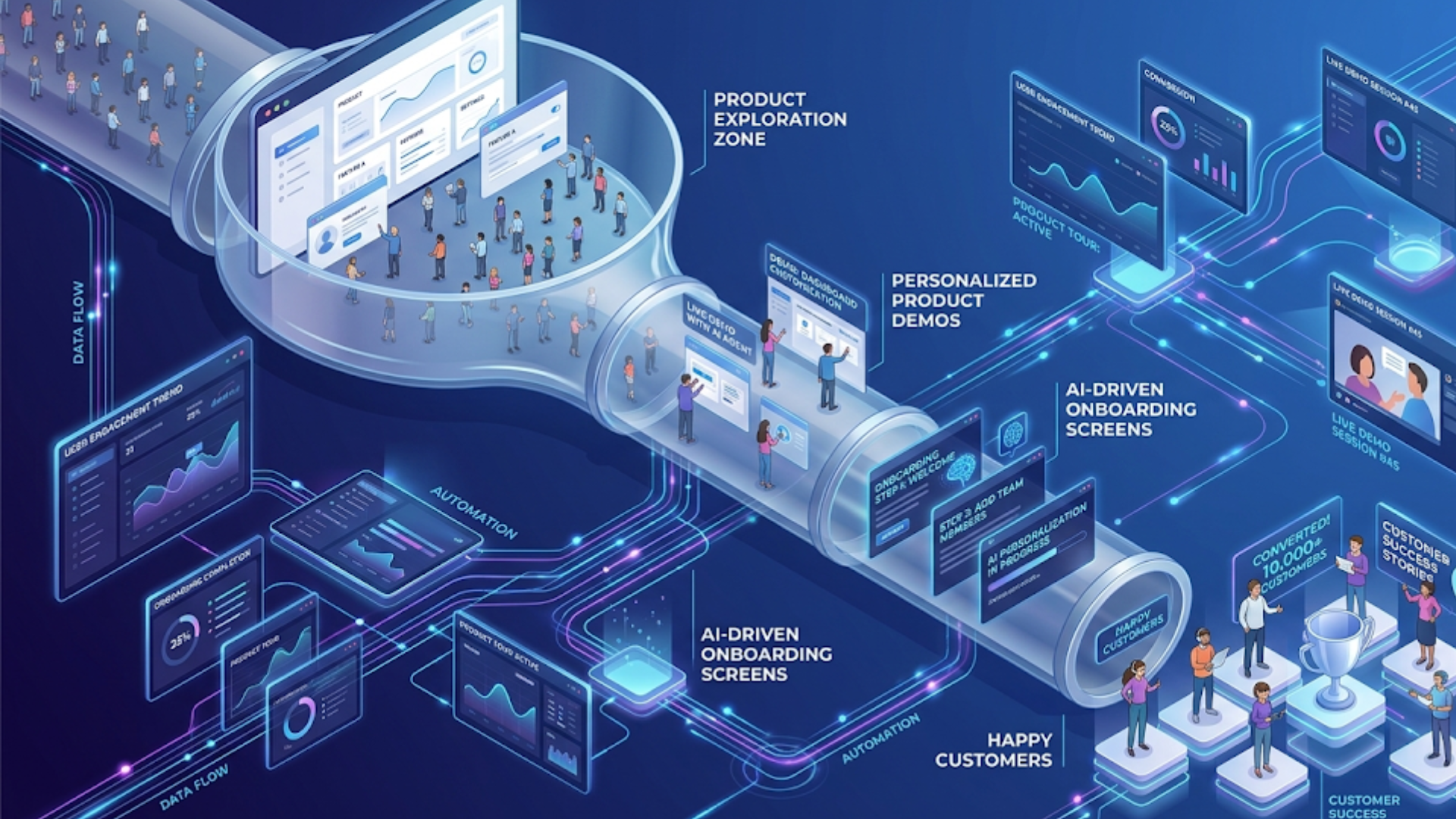
As you grow, your demo strategy should scale too. You don’t need a single monolithic demo. Instead, create modular demos mapped to user needs.
- Top of funnel: Lightweight self-guided demos for quick trial conversions.
- Mid-funnel: Deeper self-guided flows plus optional recorded sessions that highlight advanced features.
- Bottom of funnel: Live demos and personalized onboarding for accounts with expansion potential.
Structure the content so users can graduate from one level to the next without friction. For example, let a trial user pick up where the demo left off when they sign up. That continuity increases user adoption because people don’t have to relearn the product.
How Denidazzle helps product-led growth teams
I’ve seen a lot of demo platforms. Denidazzle stands out because it was built with PLG workflows in mind. Here’s how Denidazzle helps teams ship demos that actually convert.
- Fast demo provisioning. Denidazzle spins up demo environments in minutes with seeded data tailored to personas. No more manual demo resets.
- Interactive guided tours. You can layer short, contextual tips on top of the live demo so users learn by doing.
- Behavioral analytics. See which demo steps users take, which features they try, and where they drop off.
- Seamless handoff. When a demo user requests a live call, your team gets session context so reps don’t ask basic questions again.
- Security and multi-tenancy. Denidazzle supports safe demo environments that reflect production behavior without exposing real customer data.
In short, Denidazzle helps you build self-guided product walkthroughs that are both scalable and measurable. That matters when your growth model depends on frictionless adoption.
CInteractive Demo Software: Key Features You Shouldn’t Ignore
Choosing the right Interactive Demo Software can make or break your PLG strategy. From fast demo provisioning and realistic data seeding to behavioral analytics and seamless CRM integrations, the right tool ensures your demos are scalable, measurable, and conversion-focused. This guide breaks down the essential features you should look for when evaluating demo platforms, helping you build high-impact, self-guided product experiences without unnecessary complexity.
Case study snapshot
Here’s a short, practical example of how a PLG company used interactive demos to improve conversion.
A mid-stage SaaS analytics company was seeing a low trial-to-paid conversion. Their product was strong, but people weren’t seeing value fast. They added a 5-minute interactive demo that let users upload a CSV and get a visualization. They also seeded the demo with an industry-specific dataset for faster context.
The result: demo starts increased by 40 percent. Time to first value dropped from 48 hours to under 10 minutes for demo users. Trial-to-paid conversion rose by 18 percent for users who engaged with the demo. Not bad for a small investment.
That outcome is typical when you focus on quick wins, sample data, and measurable demos.
Implementation roadmap for your next demo
If you’re ready to build or improve product-led growth demos, follow this roadmap. It’s practical and action-oriented.
- Define the goal. What is the demo trying to prove? Pick one measurable outcome like increasing trial conversion or reducing onboarding time.
- Pick the target persona. Create a short use case that resonates. Tailor sample data and flows to that persona.
- Design the demo flow. Map a 3 to 5 step path that produces a visible outcome. Keep it under 10 minutes.
- Seed the demo. Add realistic data and defaults to reduce friction.
- Instrument events. Track the start, key steps, and completion so you have signals for optimization.
- Test with real users. Run quick usability tests. Watch where people hesitate and iterate.
- Launch small. Roll out to a subset of traffic and measure impact.
- Iterate. Improve content and CTAs based on data.
This roadmap keeps your demo efforts focused and measurable. In my experience the teams that ship fast and iterate win more than teams that plan forever.
Practical tips that save time and reduce friction
Here are some small, practical things you can do right away. They’re inexpensive but have an outsized impact.
- Use short copy for in-demo instructions. People skim, so make each tip one sentence.
- Hide complex settings by default. Offer an advanced mode for power users.
- Use realistic names and industry examples in sample data. It helps prospects map the product to their world.
- Offer an “invite team” button in the demo. That nudges collaboration and retention.
- Optimize for mobile if your product is used on phones. Many demos forget this and lose mobile users early.
Little improvements like these compound over time. They're the kind of operational things that separate good PLG teams from great ones.
Common objections and how to respond
Teams sometimes resist building interactive demos because they think it’s expensive or risky. Here are common objections and practical counters.
- Objection. It takes too long to build a demo. Reply. Start with a single 5-minute demo focused on one persona. Measure, then expand.
- Objection. Demos expose sensitive data. Reply. Use synthetic data and a sandboxed environment. Denidazzle supports safe provisioning so you don’t risk PII.
- Objection. Users prefer videos. Reply. Videos are useful, but interactive demos teach by doing. Use both in your funnel.
- Objection. We don’t have analytics on demo usage. Reply. Instrument three core events and you’ll have enough signal to iterate.
These counterpoints are practical and actionable. Most teams can get to a meaningful demo with a small cross-functional effort.
Checklist for launching your interactive demo
Here is a concise checklist you can use before you launch. Print it, share it, or paste it in your project tracker.
- Goal defined with KPI
- Persona and use case selected
- Demo flow mapped and limited to 3 to 5 key steps
- Sample data seeded
- Onboarding tips written in conversational language
- Events instrumented for start, steps, and completion
- Exit CTAs clear and relevant
- Security and data privacy validated
- Small A/B test plan ready
How to iterate after launch
Launch is just the start. Use data to optimize your demo. Here’s a simple cycle I recommend.
- Collect baseline metrics for two weeks.
- Identify the biggest drop off point.
- Make one change targeting that drop off — it could be copy, sample data, or the number of steps.
- Run another two-week test and compare.
- Repeat and scale what works.
Small, frequent iterations beat a single large redesign. That's been true in every demo program I've helped run.
When to switch prospects to a live demo
Knowing when to escalate to a live demo is a subtle part of demo strategy. You don’t want to ask for a meeting too early or too late.
Use behavior as the signal. Typical triggers that indicate a live demo is worth offering include:
- They complete the demo and take advanced actions like exporting data or inviting teammates.
- They spend an above-average amount of time in a specific feature that aligns with high-value use cases.
- They request a feature or integration that requires a tailored implementation.
When a live demo happens, make sure your reps have context. Denidazzle integrates session data so reps know what the prospect tried and where they hesitated. That saves time and makes demos feel personalized.
FAQs
What is an interactive product demo in a PLG model?
An interactive product demo is a self-guided, hands-on experience that allows users to explore a product’s core features without needing to sign up or talk to sales. In a product-led growth (PLG) model, these demos help users quickly understand value by letting them perform key actions and see real outcomes.
How do interactive demos improve conversion rates?
Interactive demos reduce friction by showing value instantly. Instead of watching or reading, users actively engage with the product, which builds confidence and shortens the decision-making process. This leads to higher demo-to-trial and trial-to-paid conversion rates.
What should a high-converting product demo include?
A strong product demo should have a fast start, realistic sample data, clear user pathways, contextual tips, and a visible outcome within minutes. It should also include clear next steps like signing up or booking a live demo to keep users moving through the funnel.
When should you offer a live demo instead of a self-guided one?
You should offer a live demo when users show strong intent, such as completing the demo, spending significant time on key features, or requesting advanced functionality. Live demos work best for high-value prospects who need personalized guidance.
Final thoughts: start small, measure, then scale
Interactive product demos are one of the most effective levers for PLG companies. They reduce friction, accelerate product onboarding, and increase trial-to-paid conversion. But getting them right takes focus more than fancy technology.
Start with a specific persona and a short demo that demonstrates a real outcome. Instrument it. Use data. Iterate fast. If you do those things, you’ll see improvements in user adoption and product onboarding that pay back quickly.
If you’re building demos at scale, you don’t have to do the heavy lifting alone. Denidazzle helps PLG teams ship interactive product demos and self-guided product walkthroughs that convert. We make sandboxing, seeding, and analytics practical so your team can focus on what matters most: delivering value to users.
Helpful Links & Next Steps
- Denidazzle
- Denidazzle Blog
- Book your free demo today
- Contact Us
- create product demo videos in minutes using AI tools
- support@demodazzle.com
If you want help getting started or want to see a demo of how this works in practice, Book your free demo today. We'll walk through a tailored plan and show how interactive product demos can boost user adoption and growth for your product-led company.